



RobCoenenAgrippa
Participant
March 31, 2026
Question

Hide welcome/startscreen Acrobat

  • March 31, 2026
  • 2 replies
  • 25 views

Hello,

One of our clients uses a program that generates receipts at a weigh station. A truck loaded with goods pulls up to the station, is weighed, the license plate is recorded, a PDF is generated (which appears briefly on the screen and then disappears), after which the driver can proceed in the program.

Until two weeks ago, this worked flawlessly, but since then, every time the file is closed, Adobe Acrobat opens the start screen showing the recently opened files.

Until two weeks ago, this was the solution, but it no longer works:
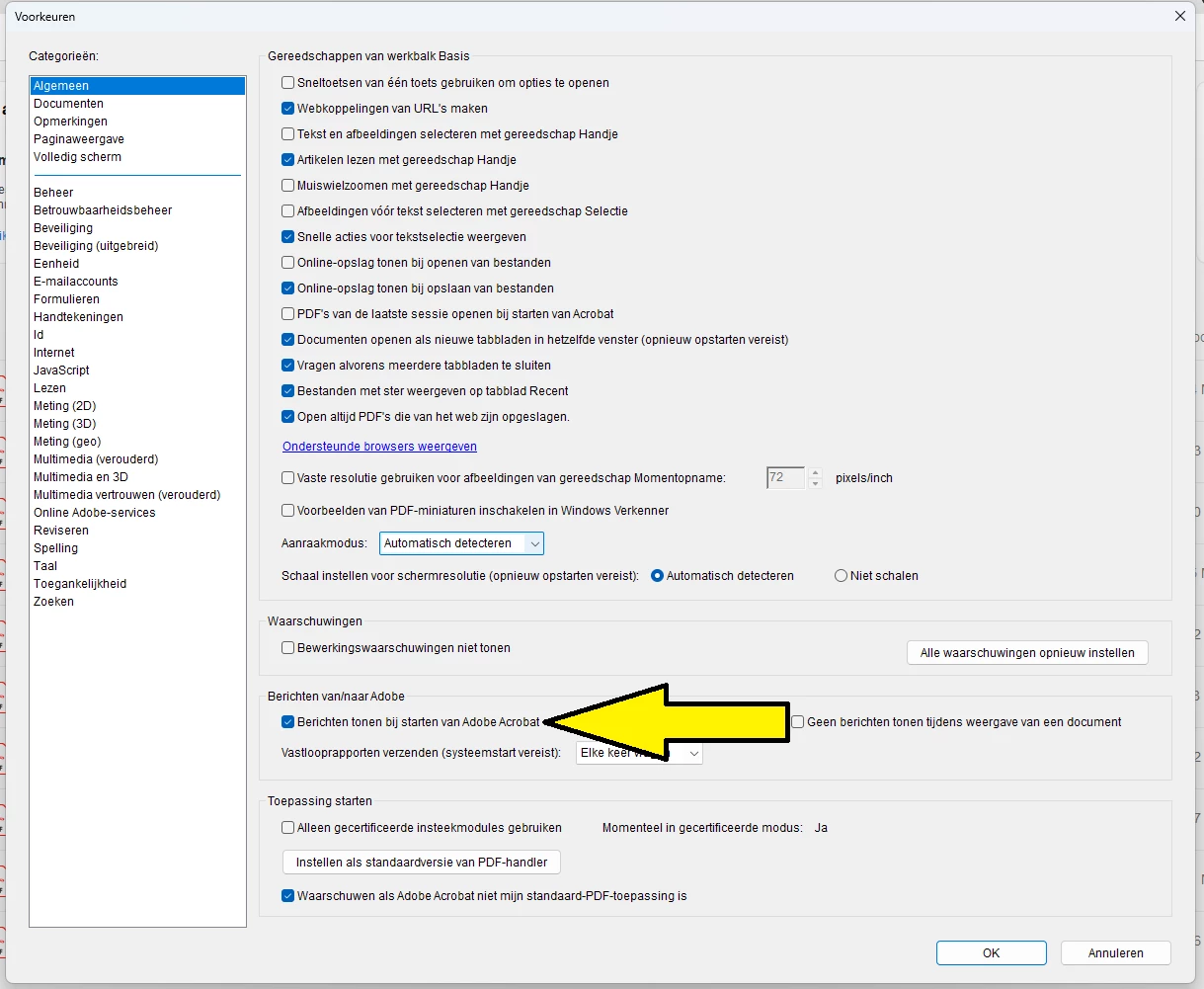
Does anyone have any ideas?


    2 replies

    Karl Heinz  Kremer
    Community Expert
    Community Expert
    March 31, 2026

    I assume you have some custom software running that I using Adobe Acrobat to assist in the generation of these PDF files, and that brief flashing of the PDF document is an indication of the file getting opened by Acrobat, processed, and then closed again. 


    Can you please translate the option you had active before. I see a “Show Home Screen when all documents are closed” in my version of Acrobat. This does work for me. I am running Acrobat Pro 2025.001.21288. Which version are you using? 

    RobCoenenAgrippa
    Participant
    March 31, 2026

    Disabeling "Show me messages when I launch Adobe Acrobat” worked before. Where do you see "Show Home Screen when all documents are closed”? 

    Karl Heinz  Kremer
    Community Expert
    Community Expert
    March 31, 2026

    It’s on my “General” preferences screen:


    Meenakshi_Negi
    Legend
    March 31, 2026

    Hi RobCoenenAgrippa,


    Thank you for reaching out.


    As we understand it, the PDF was generated from a different application and then opened in Acrobat. The file appears briefly on the screen before disappearing, which is not how the application is designed to work. If the file opens in Acrobat, you'll need to close that application.


    Could you please provide the steps you followed to generate the PDF initially? Additionally, please confirm how the option shown in your screenshot helped in the process. It would also be helpful if you could share a short video demonstrating the process to give us a clearer understanding.


    Let us know if you have any questions.


    Thanks,

    Meenakshi