
Hiding original template page
Hey Everyone,
Apologies for asking another question on this subject, I've read through other similar questions on the forum but could unfortunately not find the answer I seek.
My goal is to set a button on page 1 that spawns a (unique to the rest of the pdf) page 2, page 2 has a button that deletes page 2.
Page 2 should not be visible until the button on page 1 is clicked.
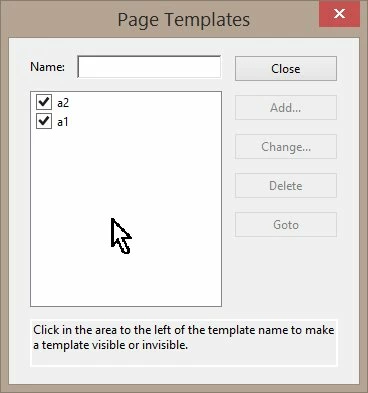
I can get the spawning functionality to work through templates, and I can also delete the page as I like.
However, I can not find how to hide the original page 2!
On top of that deleting the original page 2 also deletes the template I use to spawn the new ones, so It won't save the template in the document automatically.
Thank you in advance for any trouble to be taken.
I'm using Acrobat Pro DC to make the form and the final use will be on pdfExpert 6
edit1: I found that pdfexpert 6 doesn't allow template commands at all. So I'll have to find a way around this. For future reference, I'd like to know whether or not the hiding of an original template is possible.
 AdChoices