


Participant
September 2, 2026
Answered

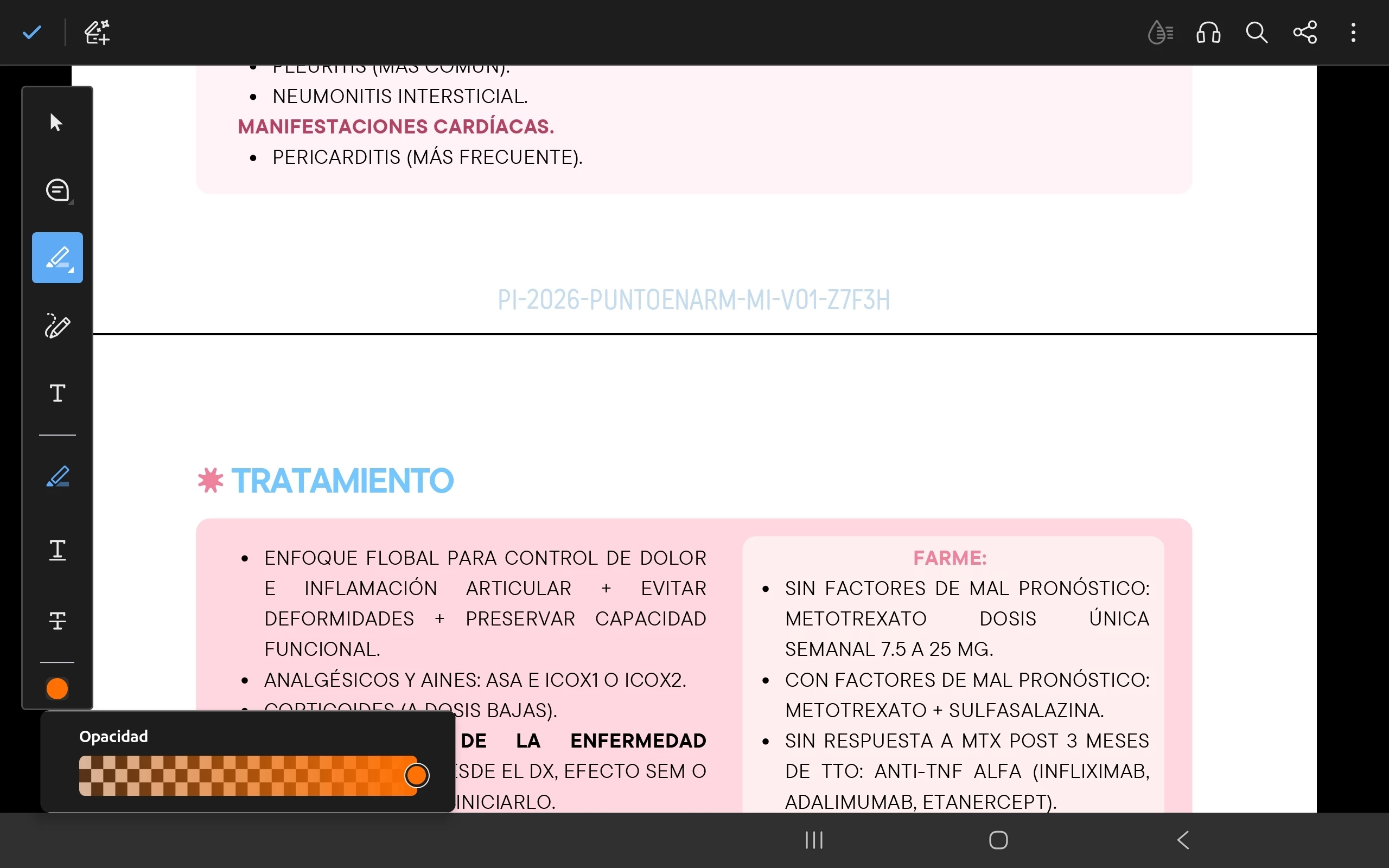
Highlight function problem

Hi, I’m having a problem with the highlight function on my tablet. When in landscape mode, the toolbar appears vertically on the left side, and when I want to change the highlight color, it doesn't show me the color options—only the one currently displayed.

 

    justlearnskills
    justlearnskillsCorrect answer
    Community Expert
    September 2, 2026

    ​@Lavish_adventurer6437 Honestly, since you’re on a tablet and the issue only appears in landscape, the fastest reliable workaround is to rotate back to portrait. Change the highlight color and make it default and them rotate back to landscape. This  should avoid the bug entirely.

    m

    2 replies

    BaniVerma
    Community Manager
    Community Manager
    October 15, 2026

    Hi everyone,

    For issues with the Highlight tool in Adobe Acrobat, including problems selecting or highlighting text, scanned PDFs that require OCR, highlight colors, and markup properties, see the consolidated annotation and commenting guide below. It also covers related commenting and annotation workflows.

    Delete All Comments on a PDF at Once in Adobe Acrobat | Annotation and Commenting Guide

    Thanks,
    ^BV

    Translate
    justlearnskills
    Community Expert
    justlearnskillsCommunity ExpertCorrect answer
    Community Expert
    September 2, 2026

    ​@Lavish_adventurer6437 Honestly, since you’re on a tablet and the issue only appears in landscape, the fastest reliable workaround is to rotate back to portrait. Change the highlight color and make it default and them rotate back to landscape. This  should avoid the bug entirely.

    Translate
    m