Participant
February 27, 2018
Answered

Highlight tool draws free hand

  • February 27, 2018
  • 2 replies
  • 2778 views

[Title moved to body by moderator and title shortened for clarity]

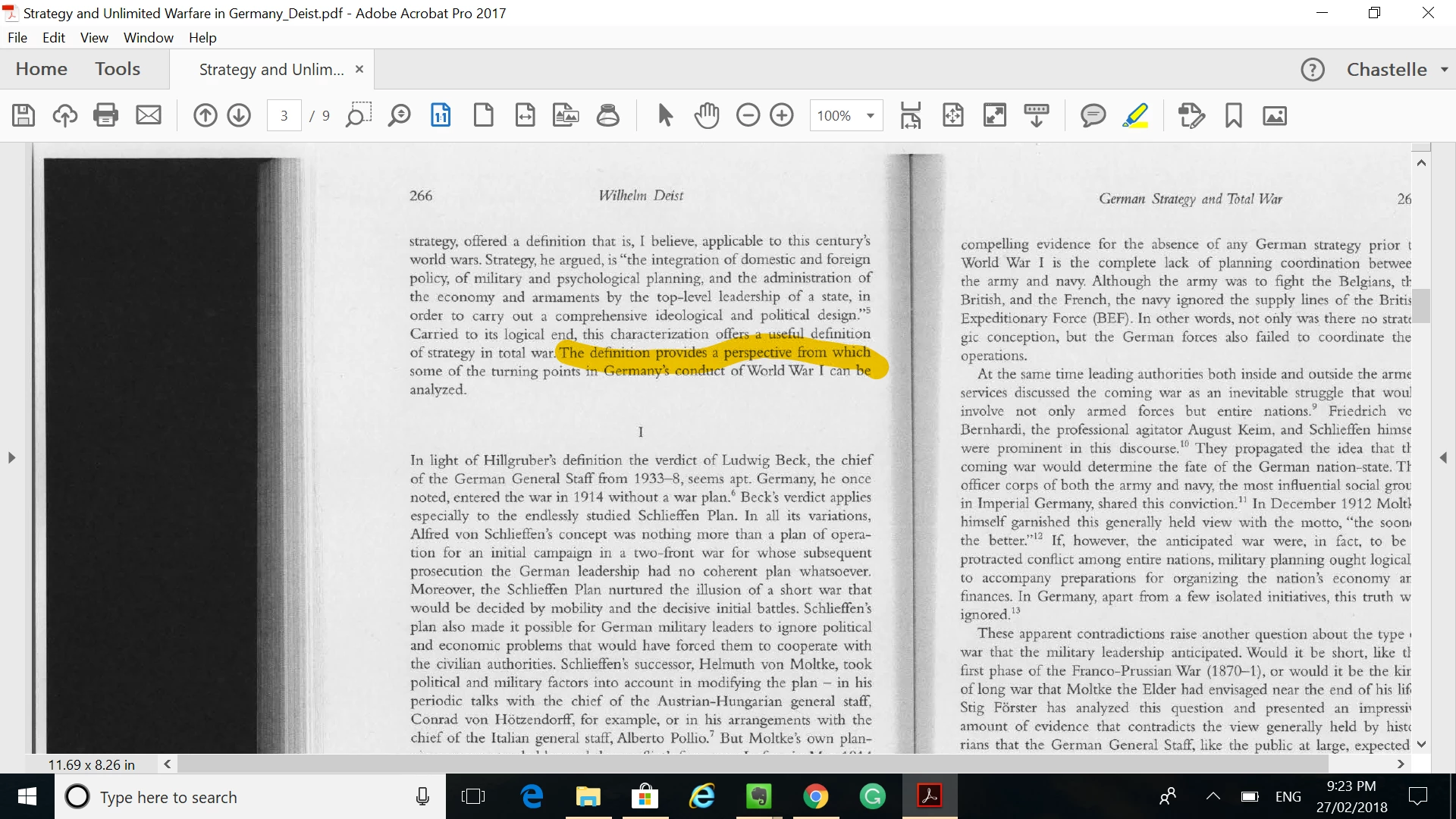
My highlighter has changed from the cursor to a circle and now its like drawing free hand - I can't accurately select the text I want to highlight. How do I get the cursor back?
This topic has been closed for replies.
Correct answer try67

You need to run Text Recognition on the file to be able to highlight individual words.

2 replies

Ten A
Community Expert
Community Expert
February 27, 2018

Your post moved from Commenting & Collaboration to Acrobat General Troubleshooting.

try67
Community Expert
try67Community ExpertCorrect answer
Community Expert
February 27, 2018

You need to run Text Recognition on the file to be able to highlight individual words.

Participant
February 27, 2018

Did not work - the circle is still the only way I can highlight.

try67
Community Expert
Community Expert
February 27, 2018

Care to elaborate a bit? Did you run the Recognize Text command? Was it successful? Can you select text on its own, word by word?