siliconmana
Known Participant
July 6, 2026
Answered

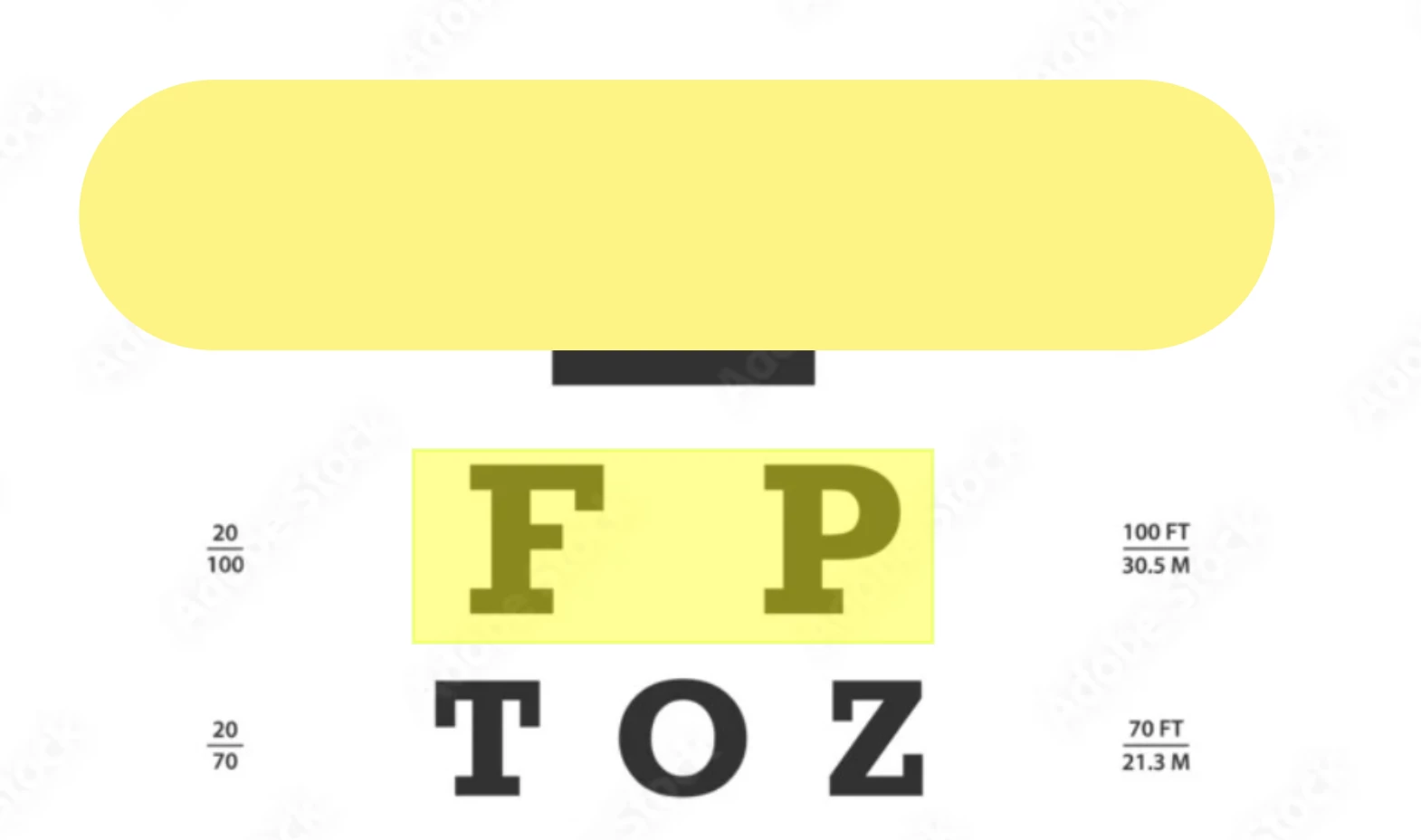
Highlighted text created in Acrobat shows opaque when opened with Apple Preview

  • July 6, 2026
  • 2 replies
  • 31 views

Highlighted text created in Adobe Acrobat DC PDF.
Highlights display as opaque when opened in Apple Preview thus obscuring text underneath.
Reported to Apple who say it’s an Adobe issue….

OS: Tahoe 26.5.1

 

    Correct answer Dave Creamer of IDEAS

    @siliconmana Try using the rectangle commenting tool.


    2 replies

    Dave Creamer of IDEAS
    Community Expert
    Community Expert
    July 7, 2026

    Works properly on my Mac (highlight in Acrobat and view in Preview).

    David Creamer: Community Expert (ACI and ACE 1995-2023)
    siliconmana
    Known Participant
    July 7, 2026

    Ok well it’s not here.

    Dave Creamer of IDEAS
    Community Expert
    Community Expert
    July 7, 2026

    Obviously. However, it seems to be isolated to your systems (at least between the three of us...).

    What Acrobat version?

    What OS version?

    What Preview version?

    Can you upload a sample PDF that has the problem?

    David Creamer: Community Expert (ACI and ACE 1995-2023)
    gary_sc
    Community Expert
    Community Expert
    July 6, 2026

    Hi, ​@siliconmana, I’m not seeing that at all. Please verify your opacity in your settings.

    After you click on the Highlight tool, click on the color or your highlight color. On the bottom you’ll see an opacity slider. For me, 40% is good.

    Please let us know what you find, thanks. If this isn’t it. we can dig deeper.


    siliconmana
    Known Participant
    July 7, 2026

    It’s nothing to do with opacity in Acrobat as the issue is only in Apple Preview.

    siliconmana
    Known Participant
    July 7, 2026

    Sorry, I had a look at opacity and it’s at 100%. While transparency works in Acrobat, I can see how this could affect Preview.
    Is there a setting to change the highlight opacity default?