Participating Frequently
January 26, 2018
Question

Hindi / Devanagari fonts error

  • January 26, 2018
  • 5 replies
  • 2622 views

Hello,

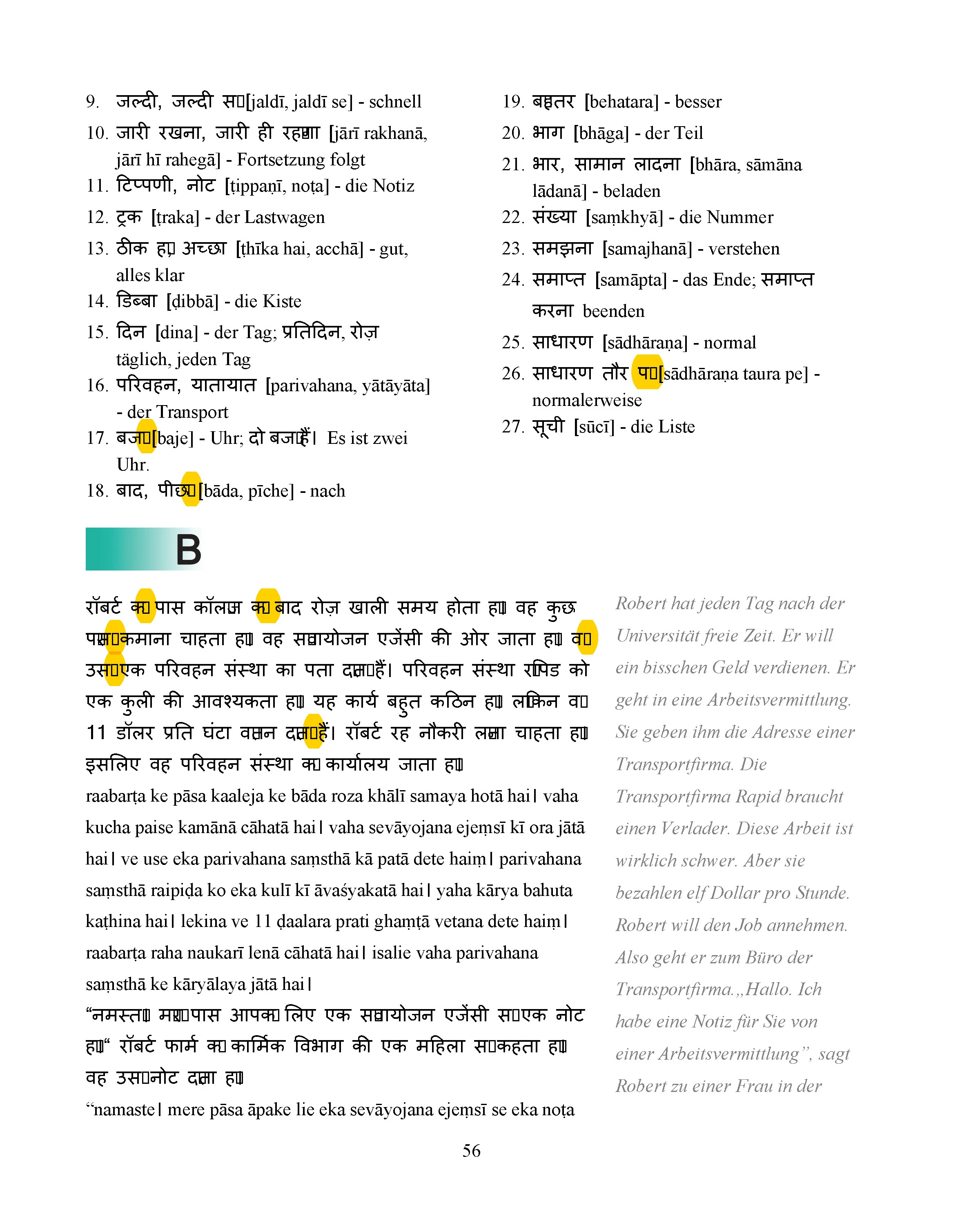
here is some information for Acrobat engineers. I am using Adobe Acrobat DC Pro 2015. It renders PDfs with errors in Hindi / Devanagari fonts. See attachment, please. I generated correct PDF in MS Word 2013. I attached JPG because there is no way to attach a PDF (which is strange since this forum is for PDF creation)
This topic has been closed for replies.

5 replies

Adobe Employee
February 1, 2018

Hi,

Could you upload the PDF file through send and track and post the link here so that we can have a look at it?

Thanks,

Vinod

Participating Frequently
February 1, 2018

Hi Vinod,

here is a link to the PDF

https://drive.google.com/open?id=1yFSMYc3ANbsso3T8OCSU--nFtzmkCTBs

Best regards

Vadim

Legend
January 26, 2018

Use Word 2013 with the Acrobat ribbon.

Legend
January 26, 2018

That’s not a good way to make a PDF. Use the Acrobat ribbon in Word.

Participating Frequently
January 26, 2018

I edit in MS Word 2003 which does not have a ribbon. I use Word 2013 to convert to PDF only and Save as.. PDF works just fine.

Legend
January 26, 2018

When you say the word "renders" are you actually talking about "converting to PDF"? Render means in this case to take a PDF that already exists and put it on screen.

Participating Frequently
January 26, 2018

Yes, I edit a file in MS Word then convert it to PDF through Print menu.

Legend
January 26, 2018

(This is not a way to talk to Adobe engineers, it is a user to user forum).

You say you generated a correct PDF. Which PDF viewer shows it as you expect?

Participating Frequently
January 26, 2018

I generate and check PDFs in Adobe Acrobat DC Pro 2015 as have noticed earlier.

Legend
January 26, 2018

But you said there is an error in Acrobat Pro 2015, and the file renders wrongly. Ok, if that is an error in Acrobat, what are you comparing with, since you say the PDF file is good.