Participant
September 5, 2018
Question

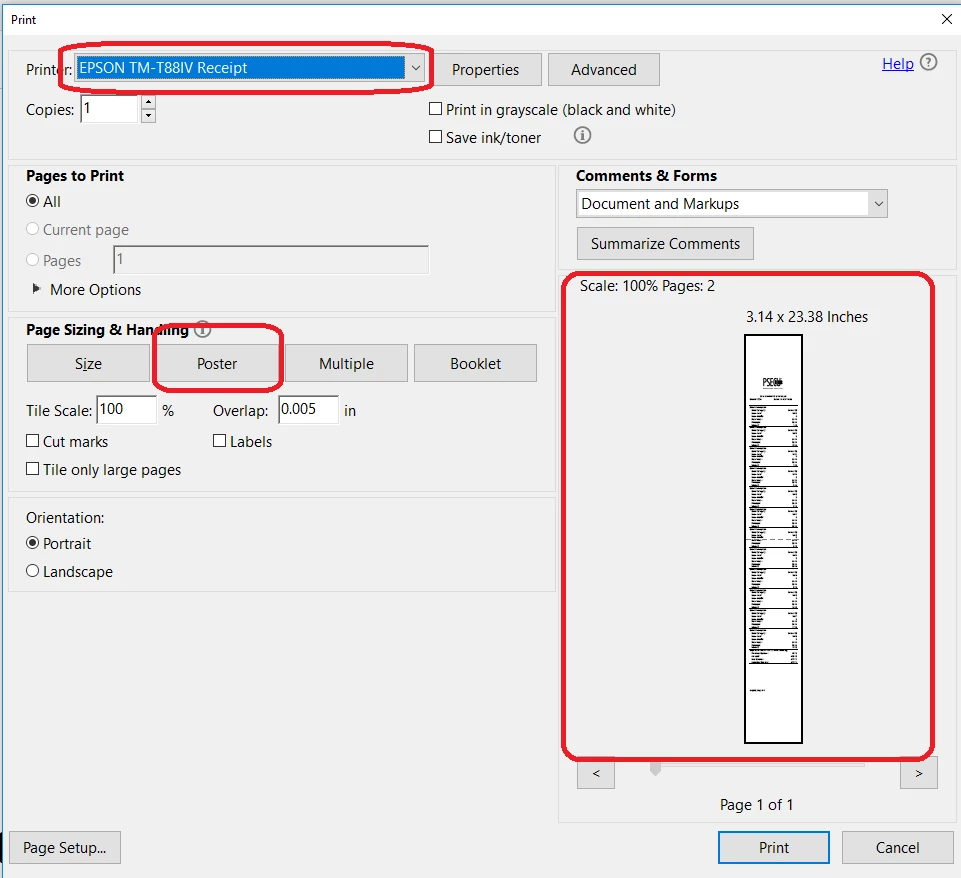
Ho to set the default Paper Sizing & Handling to "Poster"

  • September 5, 2018
  • 1 reply
  • 1599 views

How do I set the default paper sizing & handling to "Poster"?

We use Epson receipt printer and we produce long receipts. POSTER option allows the whole receipt to be printed properly.
This topic has been closed for replies.

1 reply

John Waller
Community Expert
Community Expert
September 6, 2018

Using which Adobe product?

Participant
September 6, 2018

Acrobat Reader DC (current version).

Abambo
Community Expert
Community Expert
September 6, 2018

Poster, Multiple and Booklet do give you very little possibility to influence the print.

The paper size is the default paper size of your printer. That can be changed by going to "Page Setup..." or to the "Properties".

For the rest, you can scale your tile and that's it.

ABAMBO | Hard- and Software Engineer | Photographer