


Participant
April 8, 2025
Answered

Hoover function in PDFS

  • April 8, 2025
  • 3 replies
  • 257 views

Hallo liebe Community, 


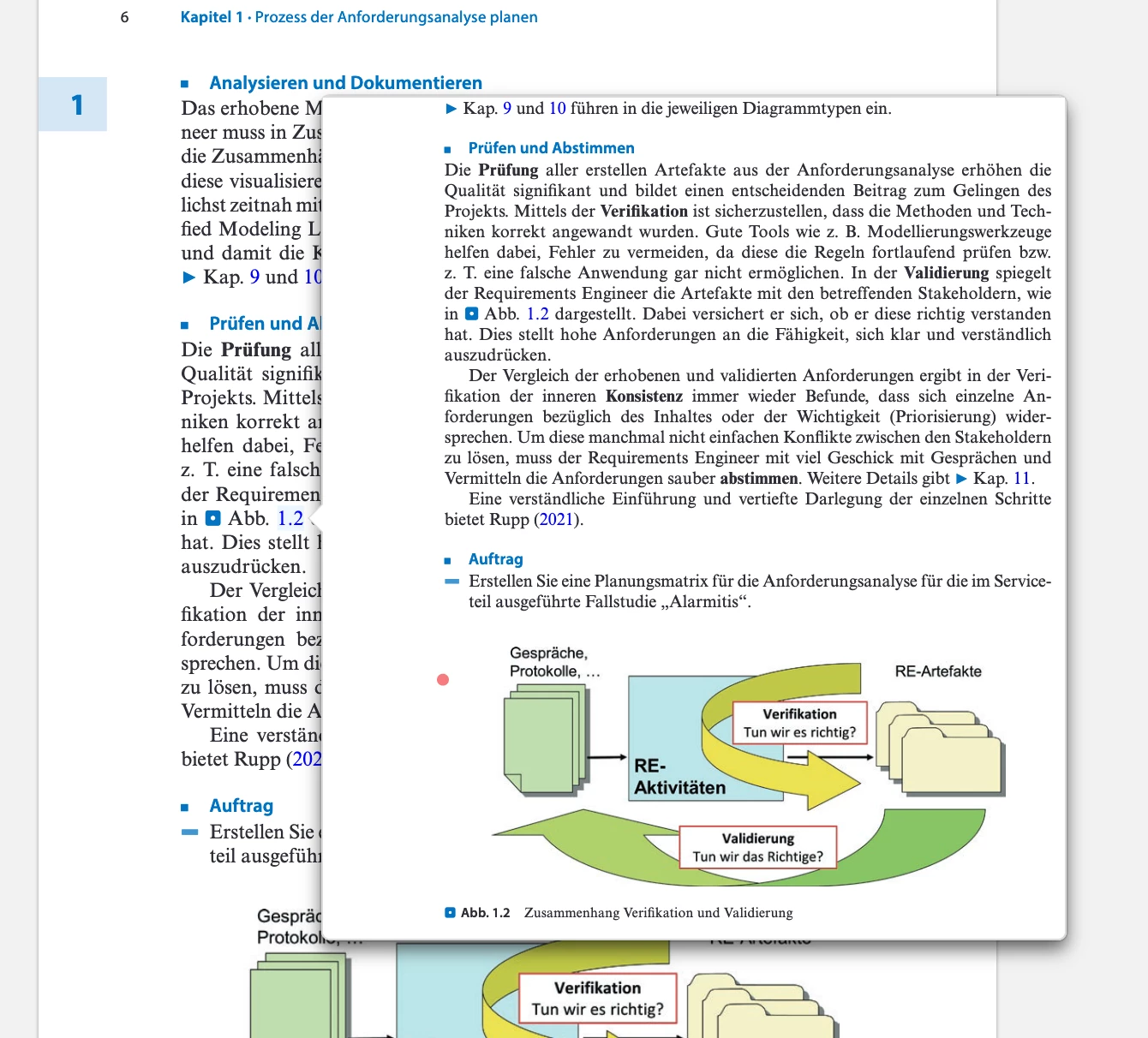
ich schreibe zur Zeit meine Bachelorarbeit und würde gerne in der Abgabe der PDF eine Hoover Funktion einstellen.  Dort soll ein kleines Fenster mit einem Bild angezeigt werden, beim rüberhoovern einer Textpassage, siehe angehängtes Bild (Auszug aus Zotero). Habt ihr eine Ahnung welche App ich dafür nutzen kann und wie das dann genau funktioniert? Danke! 

Correct answer Meenakshi_Negi

Hi falk_8803,


Thank you for reaching out.


Currently, the feature to hover the PDF passage to open it in a small window next to it is not available in Acrobat. You may try adding a link to open the page view, though. Please refer to the information in the following help document: https://adobe.ly/3FXhCds


You may share your suggestion about the feature with the team via the following page: https://adobe.ly/4j0KsZ2


Thanks,

Meenakshi

3 replies

try67
Community Expert
Community Expert
April 8, 2025

This can be achieved with a script, like this (paid-for) tool I've developed that will add image pop-ups over specific search terms you provide it: https://www.try67.com/tool/acrobat-create-popup-images


JR Boulay
Community Expert
Community Expert
April 8, 2025

Avec Acrobat Pro, utilisez l'action "Afficher/masquer un champ" dans le champ (de type bouton) recouvrant la zone sensible pour afficher/masquer un autre champ de type bouton (qui peut contenir une image).

Utilisez l'action "souris entrée" pour afficher le deuxième champ contenant l'image, et l'action "souris sortie" pour le masquer.

Acrobate du PDF, InDesigner et Photoshopographe
Meenakshi_Negi
Meenakshi_NegiCorrect answer
Legend
April 8, 2025

Hi falk_8803,


Thank you for reaching out.


Currently, the feature to hover the PDF passage to open it in a small window next to it is not available in Acrobat. You may try adding a link to open the page view, though. Please refer to the information in the following help document: https://adobe.ly/3FXhCds


You may share your suggestion about the feature with the team via the following page: https://adobe.ly/4j0KsZ2


Thanks,

Meenakshi