
Question
How can I create an upload button in PDF form?
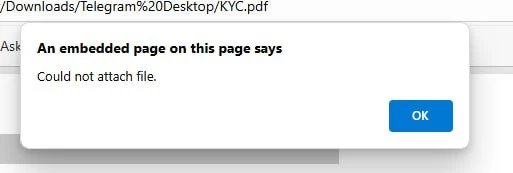
I've use this code bellow:
// Initialize attachment number

attachment_num = 1;


// Initial location of file attachment icon

// The x value is incremented below

var oFAP = {x_init: -72, x: -72, y: -72};  // Below lower-left corner of the page


function import_pre_11() {


    if (app.viewerType === "Reader") {


        app.alert({

            cMsg: "You must user Reader version 11 or later to attach files to this form.",

            cTitle: "Attach File Error",

            nIcon: 3,

            nType: 0

        });


        return;

    }


    // Prompt user to import a file

    app.alert({

        cMsg: "Click the OK/Open button after selecting the file from your system that you want to attach.",

        cTitle: "Attach File",

        nIcon: 3,

        nType: 0

    });


    try {


        var rc = this.importDataObject("Attachment" + attachment_num);

        if (rc) {

            attachment_num += 1;

            app.alert({

                cMsg: "Attachment successful.\r\rOpen the Attachments panel to access the attached file(s).",

                cTitle: "Attachment Successful",

                nIcon: 3,

                nType: 0

            });


        } else {

            app.alert({

                cMsg: "Attachment cancelled.",

                cTitle: "Attachment Cancelled",

                nIcon: 3,

                nType: 0

            });

        }


    } catch (e) {

        app.alert({

            cMsg: "Could not attach file.",

            cTitle: "Could not attach file",

            nIcon: 3,

            nType: 0

        });

    }


}


function import_11() {


    try {


        var annot = addAnnot({

            page: event.target.page,

            type: "FileAttachment",

            author: "Form user",

            name: "File Attachment",

            point: [oFAP.x, oFAP.y],

            contents: "File attachment on: " + util.printd("yyyy/mm/dd HH:MM:ss", new Date()),

            attachIcon: "Paperclip"

        });


        annot.cAttachmentPath; // Prompt user to select a file to attach


        oFAP.x += 18;  // Increment the x location for the icon


    } catch (e) {


        app.alert({

            cMsg: "Could not attach file.\r\rPlease report this error.",

            cTitle: "File attachment error",

            nIcon: 3,

            nType: 0

        });


    }


}

 AdChoices