Question
How can I edit text in a curved field?
Hello!
I am trying to create an editable PDF for one of my clients. I have done this in the past, but this time the design I created has a curve (text on a path).
I was able to open it in Acrobat and make all the other fields editable. The curved field is editable too, although it only allows you to edit it one letter at a time. This is not acceptable because they will have other things to put in there with more or fewer letters. I have attached a screenshot - you can see the bounding boxes.
How can I make it to where that curved text can be edited all together without losing its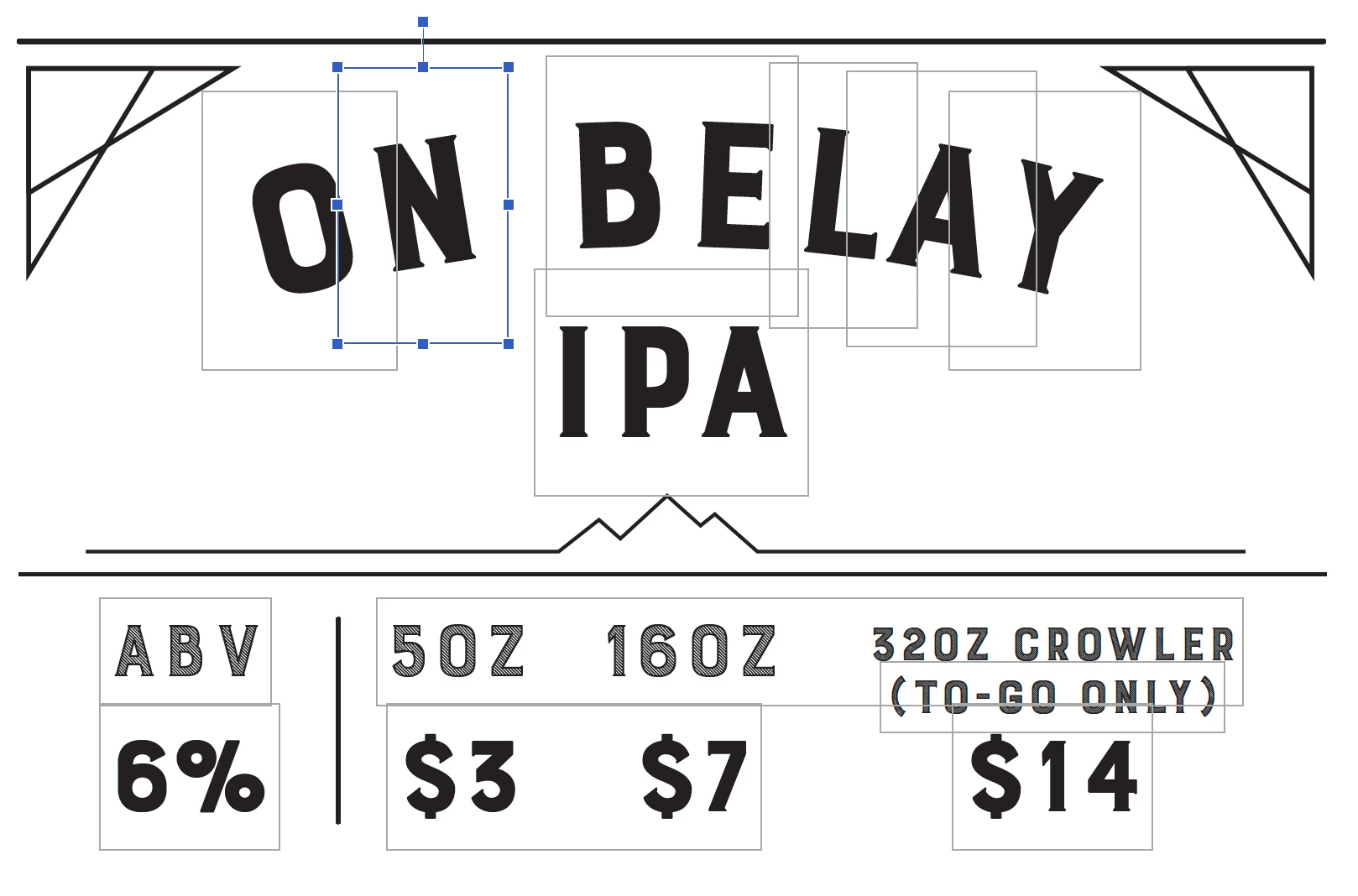 shape?
 AdChoices