
marsha80409963
Participant
November 16, 2017
Answered

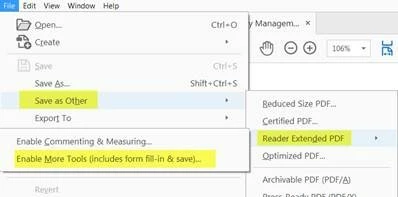
How can I edit the fields in Prepare Form mode after saving pdf as Reader Extended PDF? Save a copy is not working
  • November 16, 2017
  • 1 reply
  • 2352 views

Now that I need to make changes to the pdf form the tool option for “Prepare Form” is not working. It’s giving an error message that says :
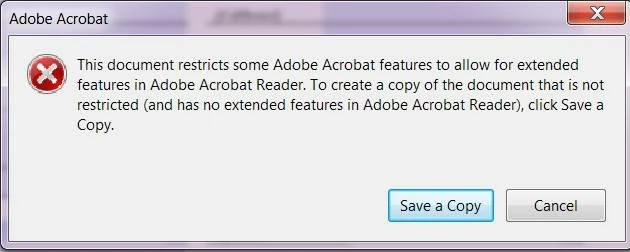
Saving a copy doesn’t do anything to solve the problem, the copied version still doesn’t allow the tool called “Prepare Form. It seems to take the same security settings with it when it gets copied

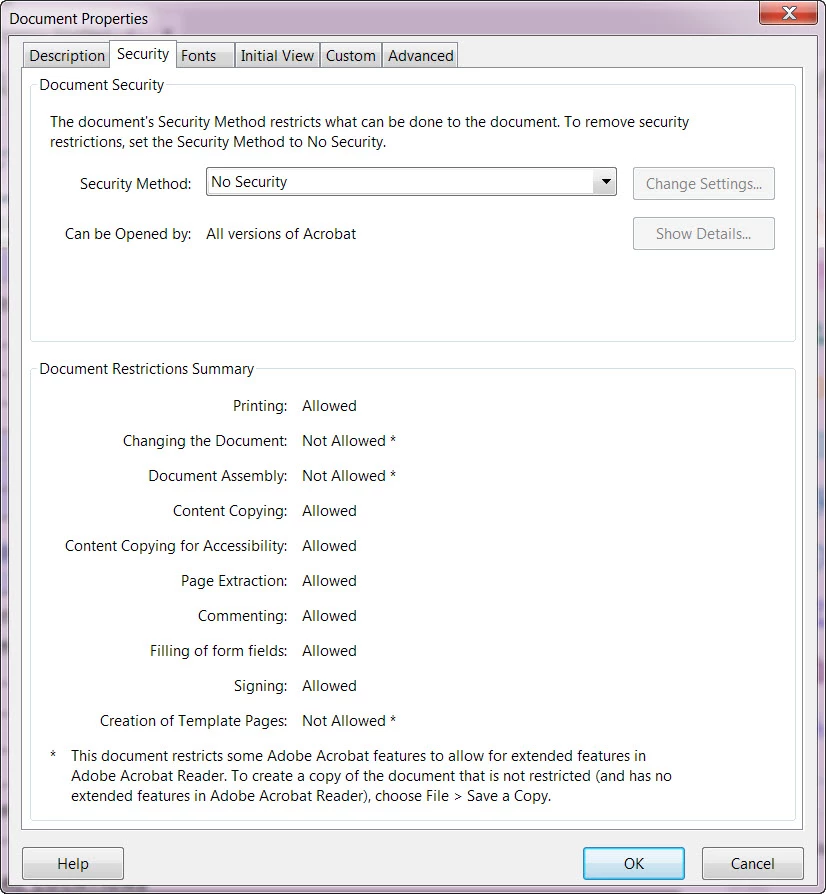
I’ve tried to modify with the Security settings in the pdf but this doesn’t resolve anything. This is what it looks like:


This topic has been closed for replies.
Correct answer Test Screen Name

Are you using SAVE A COPY from the FILE menu - that specific and exact menu item?

Otherwise this shows it is vital to keep the ORIGINAL when adding security, signatures or Reader Enabling. There is no guarantee any of these things can be undone.

1 reply

Test Screen NameCorrect answer
Legend
November 16, 2017

Are you using SAVE A COPY from the FILE menu - that specific and exact menu item?

Otherwise this shows it is vital to keep the ORIGINAL when adding security, signatures or Reader Enabling. There is no guarantee any of these things can be undone.

Legend
November 16, 2017

Remember, of course, you must

1. Save a copy with a new name.

2. Close the file.

3. Open the new file you just saved.