Answered
How can I make form field invisible until another form field is completed?
How can I make form field invisible until another form field is completed?
For example, you cannot fill in a comment section until you answer yes or no above.
How can I make form field invisible until another form field is completed?
For example, you cannot fill in a comment section until you answer yes or no above.
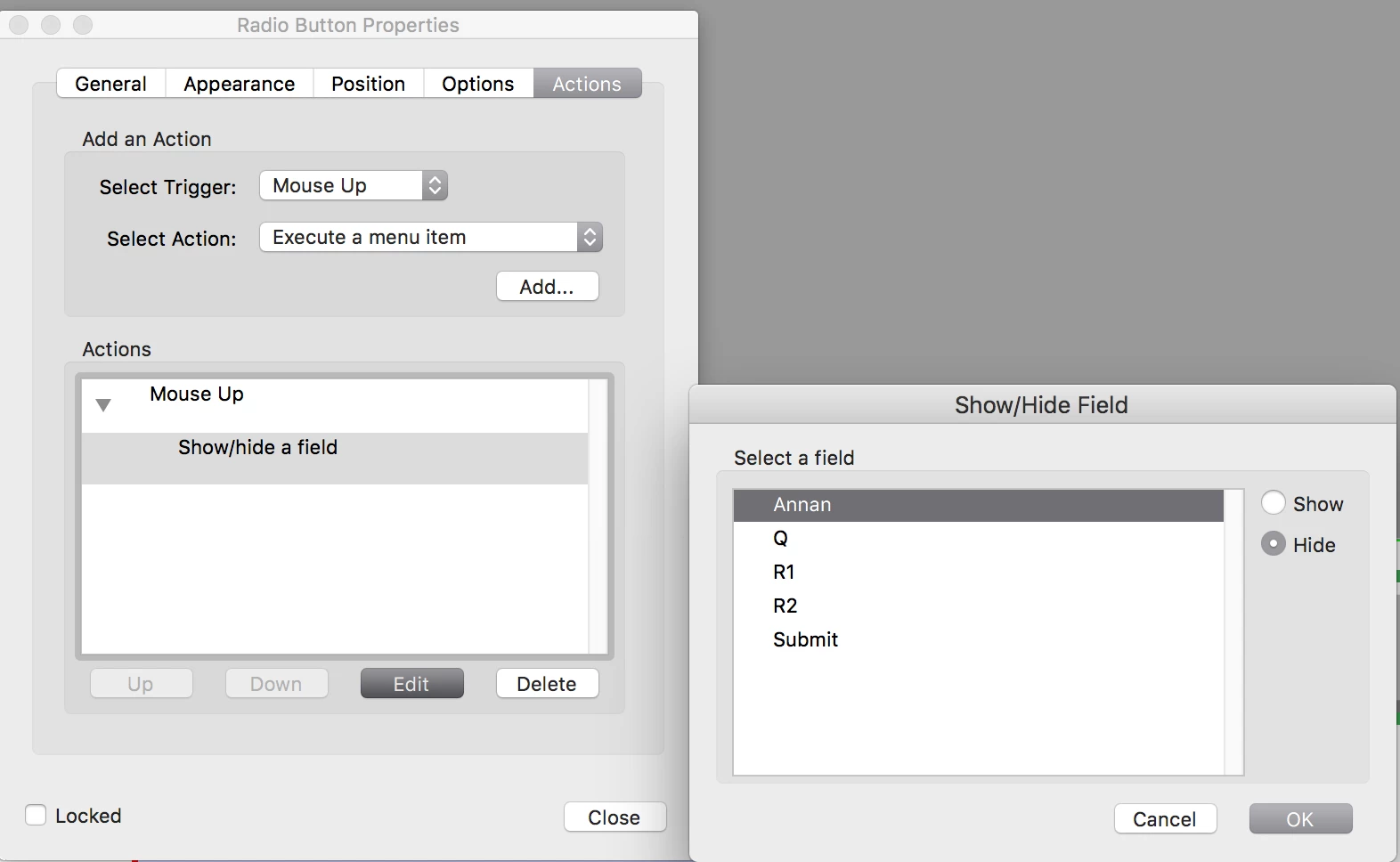
If your forms are done in InDesign you can do it from there by "hide until triggered" on the form you want hidden. And when you click a button you can use the action show/hide form. It requires less programming but the JavaScript method is possible to define even more solidly.
You can also do this in Acrobat by using the Show/hide action
Already have an account? Login
Enter your E-mail address. We'll send you an e-mail with instructions to reset your password.
 AdChoices