
Participating Frequently
February 5, 2018
Answered

How can I ocr 2500 files without answering info for each file?

  • February 5, 2018
  • 1 reply
  • 1529 views

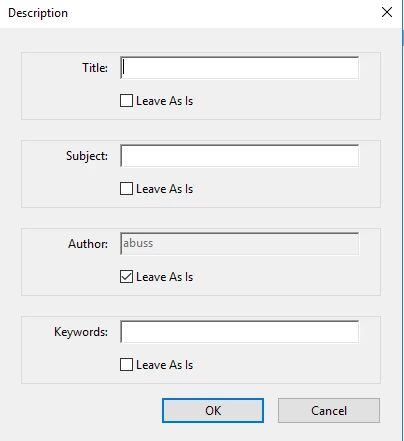
I have 2500 pdf files to ocr.  In Adobe Acrobat DC, I go to tools -> action wizard -> optimize scanned documents.  I add files.  I set my "save as" location.  I then click "start".  I get prompted with the below window.  I get this for every file that I perform this action on, which means that I have to respond to this form 2500 times.  I don't need metadata for my files, which means that I can "leave as is" for every file.  Does anybody know how I can bypass getting prompted with this form data for every file that I ocr?  Thanks.
This topic has been closed for replies.
Correct answer Bernd Alheit

Disable the entry "Prompt User" for this step.

1 reply

Bernd Alheit
Community Expert
Bernd AlheitCommunity ExpertCorrect answer
Community Expert
February 6, 2018

Disable the entry "Prompt User" for this step.

Participating Frequently
February 6, 2018

?How do I disable the entry "prompt user"? What are the steps? Thanks.

Bernd Alheit
Community Expert
Community Expert
February 6, 2018

In the Action Wizard mouse click on the action step. Then you will see the entry.