Participant
July 16, 2026
Answered

How can I reduce a PDF file size without losing image quality?

  • July 16, 2026
  • 1 reply
  • 17 views

Hi everyone,

I'm working with several PDF files that contain a lot of images, and the file sizes have become too large to share by email.

What's the best way to compress a PDF in Adobe Acrobat while keeping the text clear and the images at good quality? Are there any recommended settings for balancing file size and readability?

I'd appreciate any advice or best practices. Thanks!

    Correct answer Dave Creamer of IDEAS

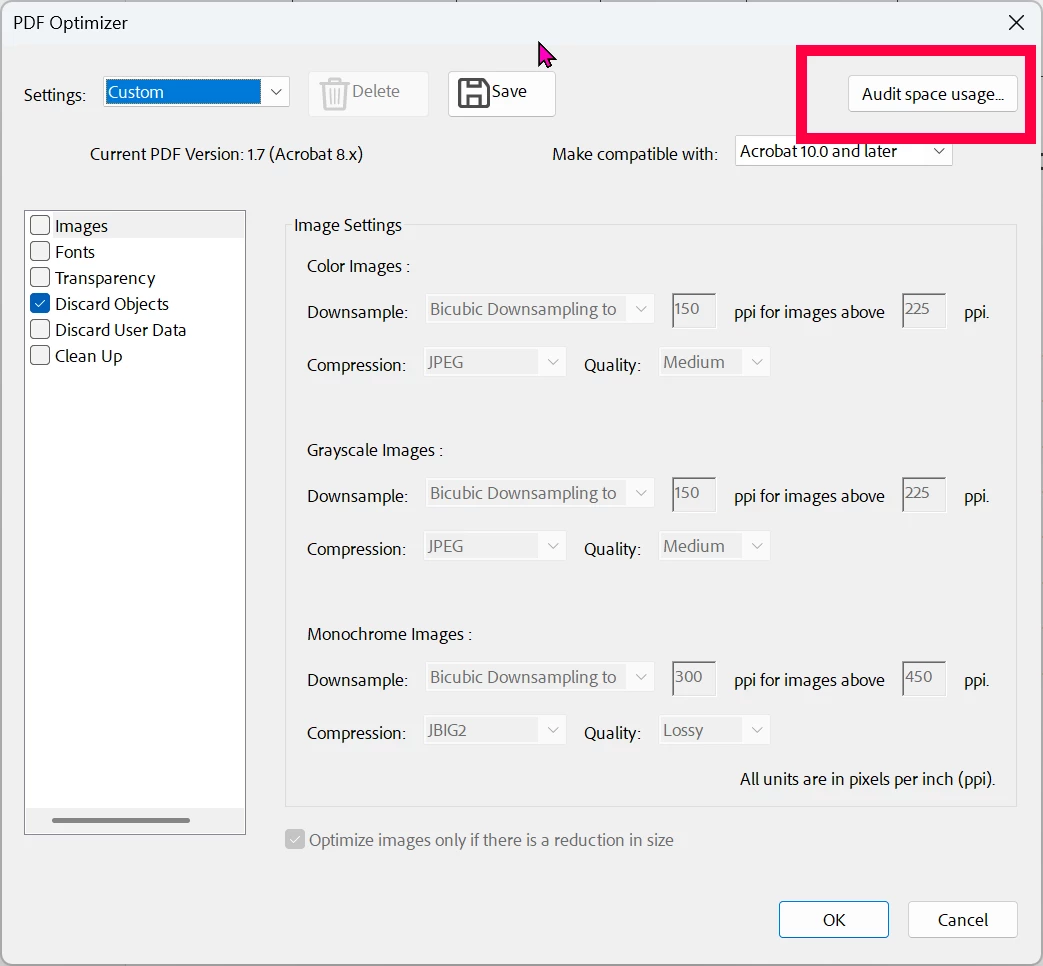
    First see what is making up the PDF size under PDF Optimizer>Audit space usage:

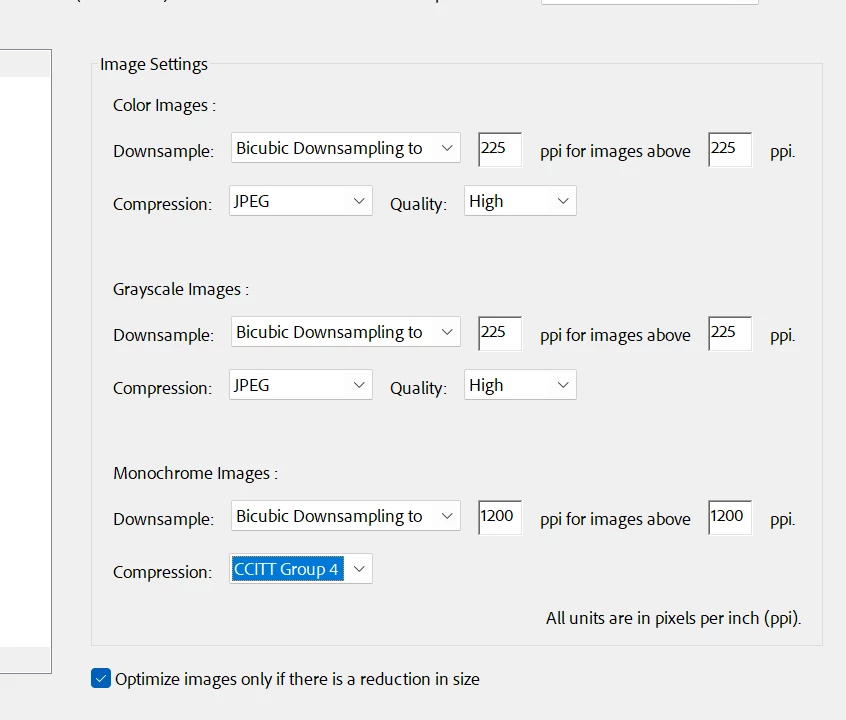
    If it’s images, determine your minimum resolution. 

    For example…

    Commercial printing: 225-300 ppi usually sufices

    Laser output: 150-225 ppi

    Web viewing: 150

    Here is an example of possible settings:


    1 reply

    Dave Creamer of IDEAS
    Community Expert
    Dave Creamer of IDEASCommunity ExpertCorrect answer
    Community Expert
    July 16, 2026

    First see what is making up the PDF size under PDF Optimizer>Audit space usage:

    If it’s images, determine your minimum resolution. 

    For example…

    Commercial printing: 225-300 ppi usually sufices

    Laser output: 150-225 ppi

    Web viewing: 150

    Here is an example of possible settings:


    David Creamer: Community Expert (ACI and ACE 1995-2023)