Answered
How can I specify document properties for all PDFs generated?
Hi,
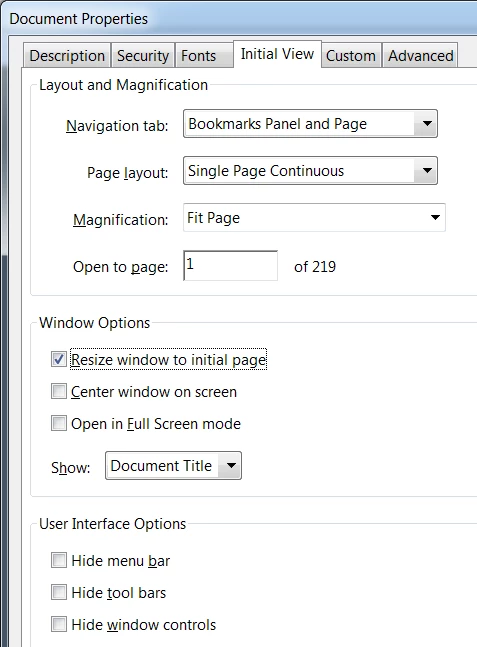
is it possible to define the following settings globally? It is very unsatisfactory to have to make the settings for each individual PDF.

Hi,
is it possible to define the following settings globally? It is very unsatisfactory to have to make the settings for each individual PDF.
Oh, I assumed you were using Acrobat DC, I don't think Acrobat X has the Action Wizard, but you should still be able to create an action with the desired settings.
Already have an account? Login
Enter your E-mail address. We'll send you an e-mail with instructions to reset your password.
 AdChoices