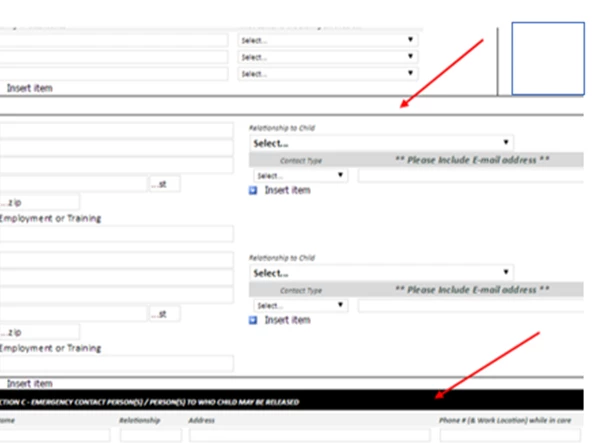
Here is a screenshot of the document I am working on. The original document was created in InfoPath and is no longer available for edits. It was converted to a PDF and I am working in Adobe Acrobat Pro DC. I need the box where the top arrow is to be filled like the box where the bottom arrow is. I have been trying in Prepare Form and Edit PDF but I have access to other tools if I need them. I just need help figuring out how to do it or if it is possible.
Ah. Ok. Is there text in that upper box? If not, then you can create a colored block with an annotation.
- Choose Comment from the sidebar.
- Click on the Drawing Tools menu and select Rectangle.
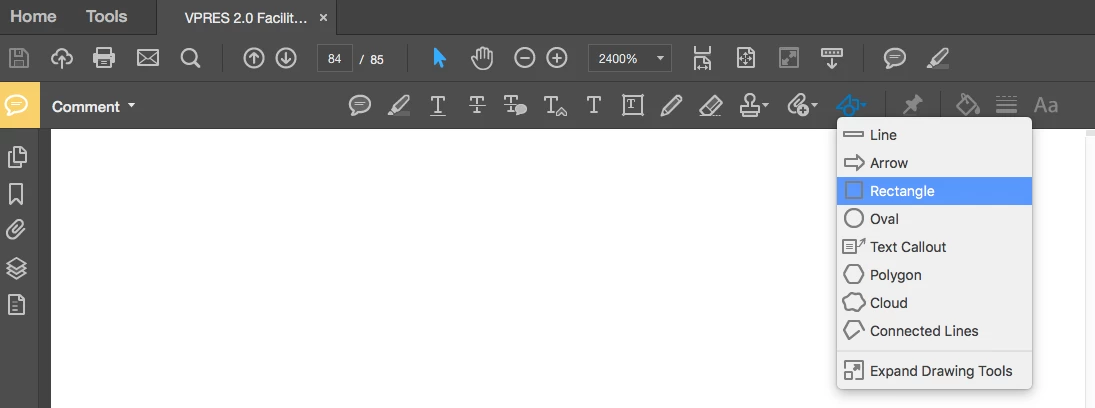
- Draw a rectangle the size of the area you want to fill.
- Right-click on the rectangle you just drew and choose Properties.
- On the Appearance tab, set the Style to No Border and the Fill Color to your desired shade.
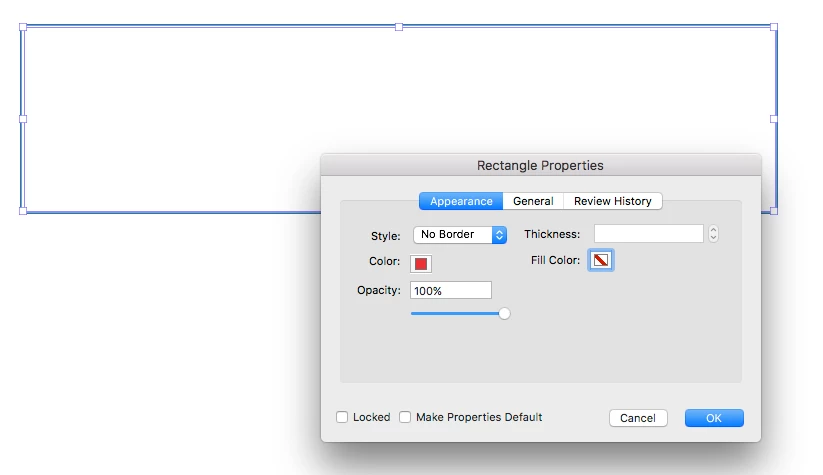
- Click OK, and you'll have a colored block.
If there is text there that you want in front of the colored rectangle, then you will not be able to color behind it. Annotations appear above all text.
You might be able to import a graphic of a background color and arrange that behind the text, but that's a bit of work. (I'm afraid I don't have time to test that at the moment.)



 AdChoices