cassiew3842847
Participant
March 1, 2017
Answered

How can I use fill color on Acrobat Pro DC?

  • March 1, 2017
  • 2 replies
  • 214525 views

I am working with Edit PDF and Prepare PDF and I need a textbox to have a fill color.  I have searched through forums and the web as well as tested a few things within the program but I can't seem to get it to do what I want it to do.

Any help or advice would be great!  Thank you!

Correct answer Pariah Burke

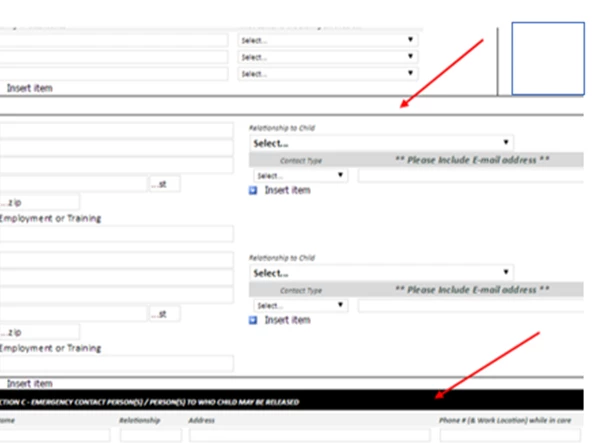
Here is a screenshot of the document I am working on.  The original document was created in InfoPath and is no longer available for edits.  It was converted to a PDF and I am working in Adobe Acrobat Pro DC.  I need the box where the top arrow is to be filled like the box where the bottom arrow is.  I have been trying in Prepare Form and Edit PDF but I have access to other tools if I need them.  I just need help figuring out how to do it or if it is possible.


Ah. Ok. Is there text in that upper box? If not, then you can create a colored block with an annotation.

  1. Choose Comment from the sidebar.
  2. Click on the Drawing Tools menu and select Rectangle.
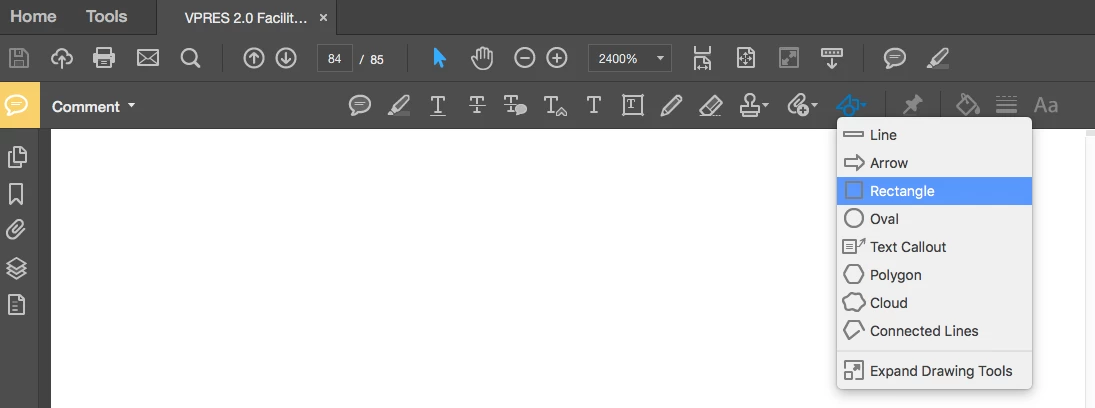
  3. Draw a rectangle the size of the area you want to fill.
  4. Right-click on the rectangle you just drew and choose Properties.
  5. On the Appearance tab, set the Style to No Border and the Fill Color to your desired shade.
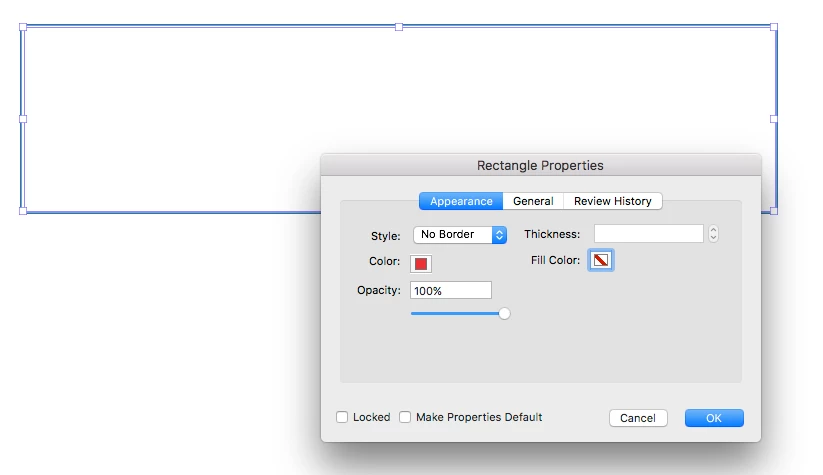
  6. Click OK, and you'll have a colored block.

If there is text there that you want in front of the colored rectangle, then you will not be able to color behind it. Annotations appear above all text.

You might be able to import a graphic of a background color and arrange that behind the text, but that's a bit of work. (I'm afraid I don't have time to test that at the moment.)

2 replies

Participant
February 20, 2022

Testing testing testign tesying

Pariah Burke
Community Expert
Community Expert
March 1, 2017

Once you have the text field...

  1. Right-click on it and choose Properties.
  2. Switch to the Appearance tab.
  3. Click the swatch beside Fill Color and choose or mix your field fill color.
  4. Click Close.

I'm also moving your post to the Acrobat forum. It was posted to The Lounge.

Participant
January 29, 2020

I am trying to click on my text box and I'm not receiving the option for Properties.  What am I doing wrong?

Participant
January 18, 2021

SAme... I have had a hell of a time trying to add simple text boxes to my pdf's. I'm building a house and need to add notes over top of pdfs for changes.  This is driving me crazy.  I can't edit the text box anywhere, except the text colour.  I need the background to be white so I can read the text.  Honestly pro has been a total waste of money for what i need to use it for.  All the online instructions do not match my version of the latest update.  WORST VERSION EVER.