There has been no changes that would affect the date manipulation and calculations to the JavaScript date object or the Acrobat JavaScript date handling.
Since one needs to valid that the entered day of the week for the date entered is the day of the week for the time sheet before performing any subsequent calculations.
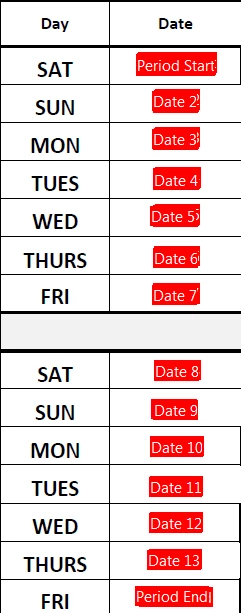
The following 2 scripts should be all that are needed.
// Period Start fuwks - custom validation script;
// convert event value to date object if not empty;
if(event.value != "") {
var oDate = util.scand("d-mmm-yyyy", event.value);
// if date not Satuday, day of week 6 - reject input;
if(oDate.getDay() != 6) {
app.alert("Period State day of the week needs to be a Saturday", 1, 0, "Period Start Date Error");
event.rc = false;
} // end if day not 6 (Saturday);
} // end if event.value not empty;
// end custom validation script;
// On blur action for the Period Start Date field;
// process if field value not empty
if(event.value != "") {
// convert entry string value to date object;
var oDate = util.scand("d-mmm-yyyy", event.value);
// set value of each date field, advancing date object by one day;
for(var i = 1; i < 13; i++) {
oDate.setDate(oDate.getDate() + 1); // advance one day;
// set each Date field value;
this.getField("Date " + (1 + i)).value = util.printd("d-mmm-yyyy", oDate); // set date for next field;
} // end fill-in dates;
// advance date by one day for Period End date field;
oDate.setDate(oDate.getDate() + 1);
// set Period End field value;
this.getField("Period End").value = util.printd("d-mmm-yyyy", oDate); // set period end date;
} // end event.value not empty;
// end on blur action for the Period Start field;

 AdChoices