Participant
July 21, 2017
Answered

How do I change font size on pdf

  • July 21, 2017
  • 1 reply
  • 8989 views

I scanned a generc Monthly Rental Agreement to pdf and entered text fields to be completed as needed for my rental properties.  One section allows for additional terms and comments.  I can't seem to be able to create on large text field that allows me to type in a number of additional items; I can only enter multiple text fields for each item but them the font is larger or smaller depending on the amount of information in that line.  I would like to have one large text field that allows me to enumerate additional items but creating a large text field creates large fonts to match....is there a solution?? thanxzz
This topic has been closed for replies.
Correct answer Barb Binder

First of all, you posted in the PageMaker forum. I'll move this over to the PDF forms forum.

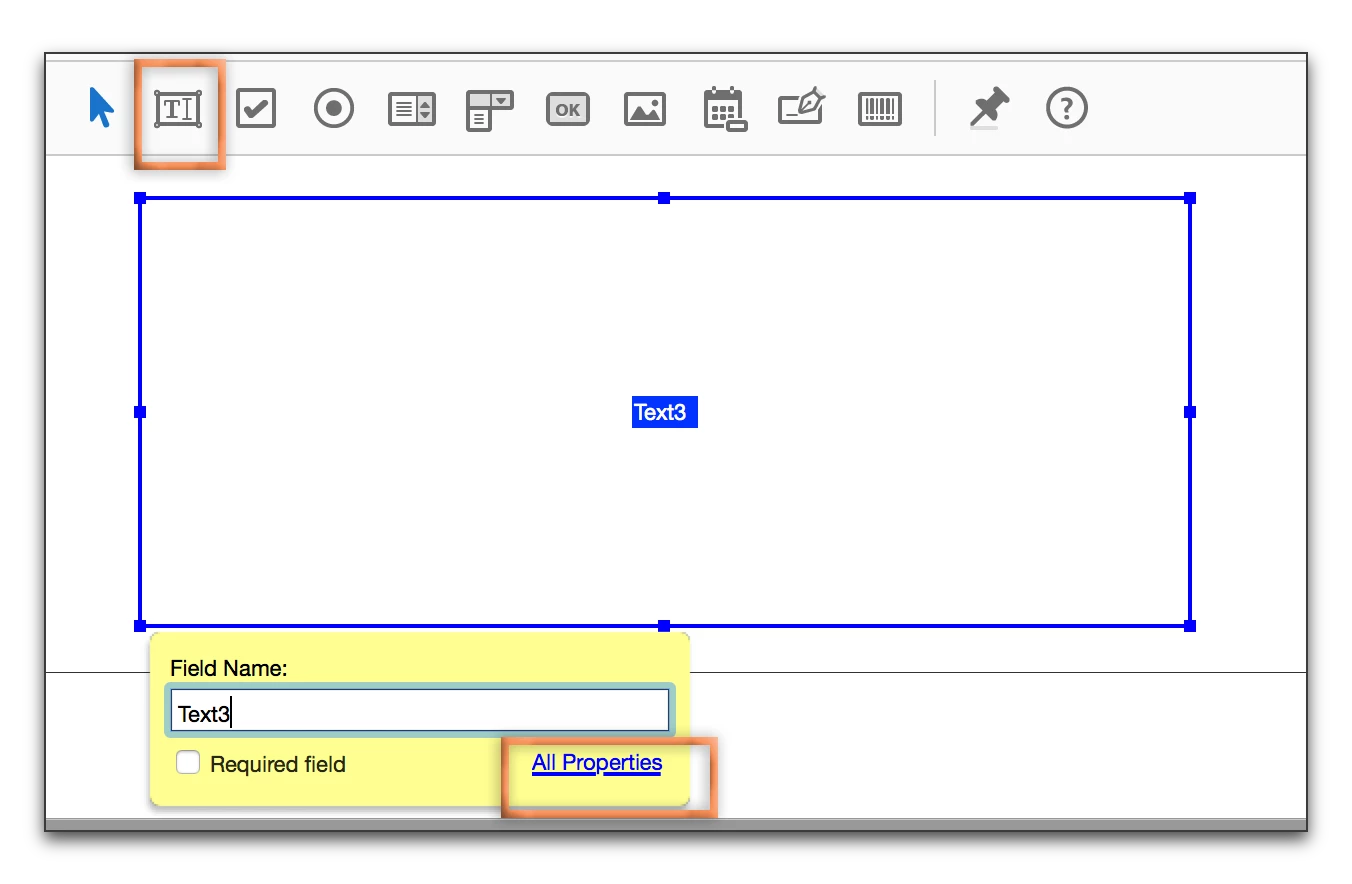
Add a text field. Click All Properties.

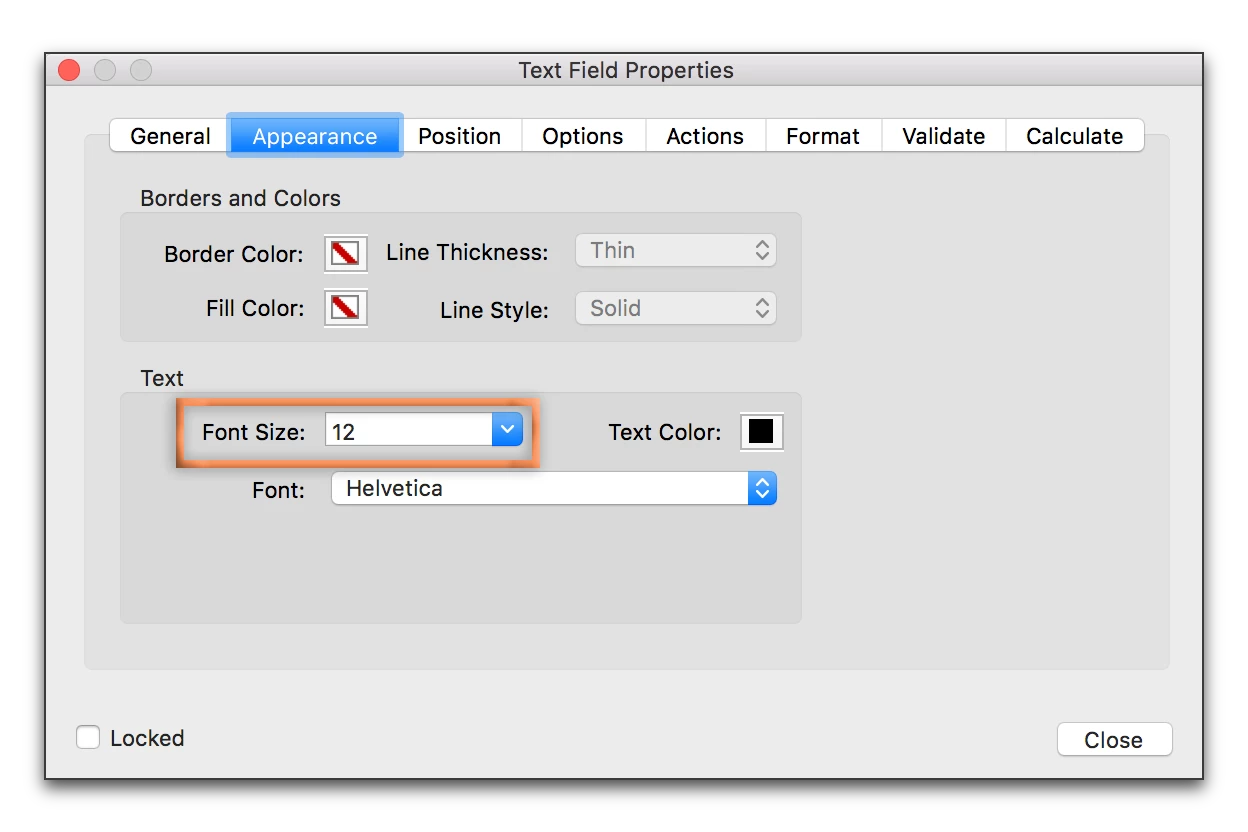
In Appearance, change the font size to a number (turning auto off).

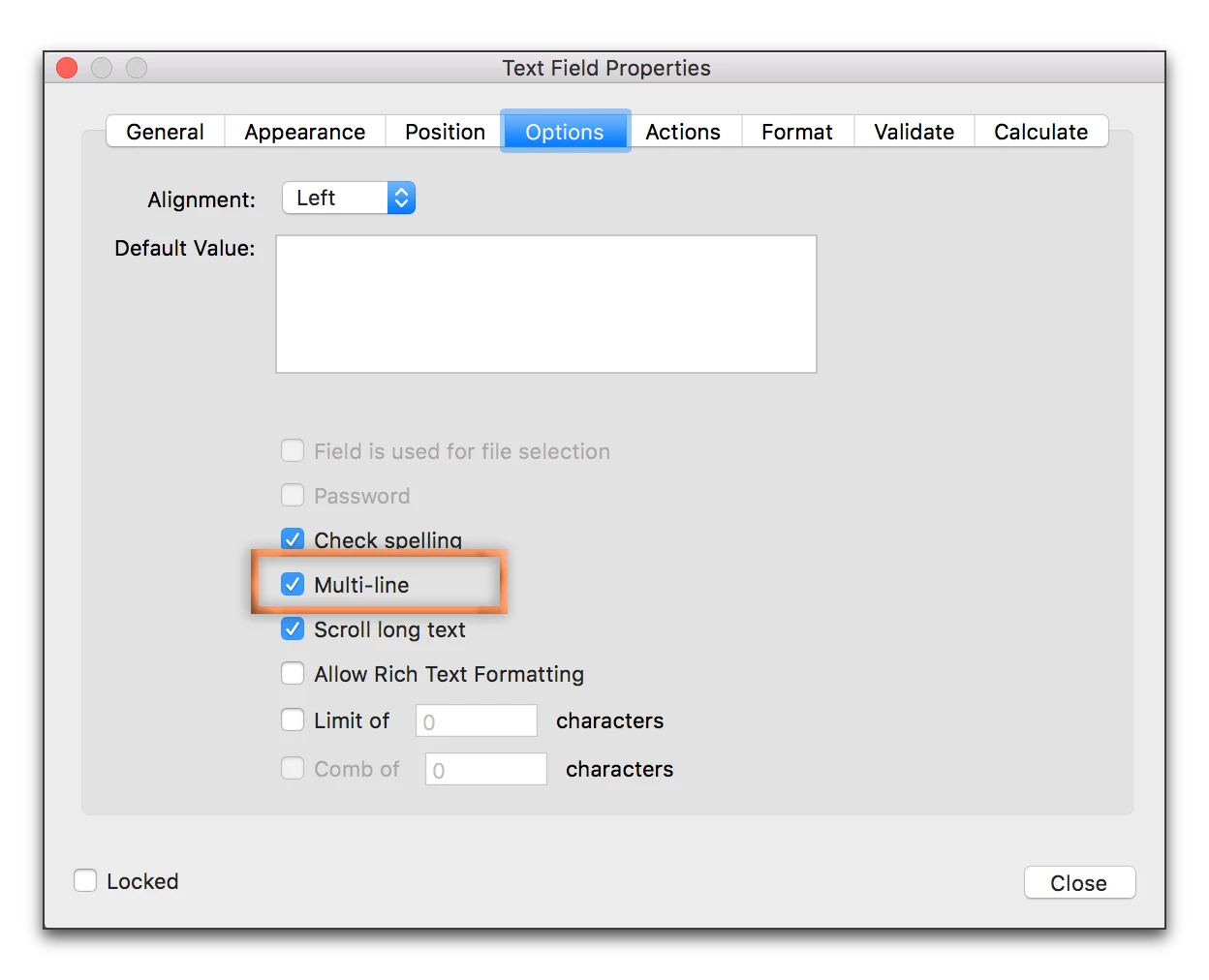
In Options, enable Multi-Line.

1 reply

Barb Binder
Community Expert
Barb BinderCommunity ExpertCorrect answer
Community Expert
July 21, 2017

First of all, you posted in the PageMaker forum. I'll move this over to the PDF forms forum.

Add a text field. Click All Properties.

In Appearance, change the font size to a number (turning auto off).

In Options, enable Multi-Line.

~Barb at Rocky Mountain Training
Participant
July 21, 2017

Thanxz so much Barb (one of my favorite names!)

I am an old geezer who doesn't savvy this new tech world very well and depend on my grandson who is 10 for most of the answers but this one he didn't know!  thanxz again. basicbob

Barb Binder
Community Expert
Community Expert
July 22, 2017

If someone doesn't regularly create form fields in Acrobat, they couldn't possibly know. So glad I could help.

~Barb

~Barb at Rocky Mountain Training