Known Participant
May 18, 2026
Answered

How do I combine PDFS

  • May 18, 2026
  • 1 reply
  • 19 views

I am helping a professor with articles from newspapers.com. She would like me to combine articles that are not on the same page into one PDF. Also, is there a way to select the entire text transcription and copy/paste into a text file, and send that to her too? She wants to make an html version of the article and provide a pdf of the real thing for download. 

I realize these are elementary questions, but I don’t work often with Acrobat and could really use some help. Thank you!

    Correct answer creative explorer

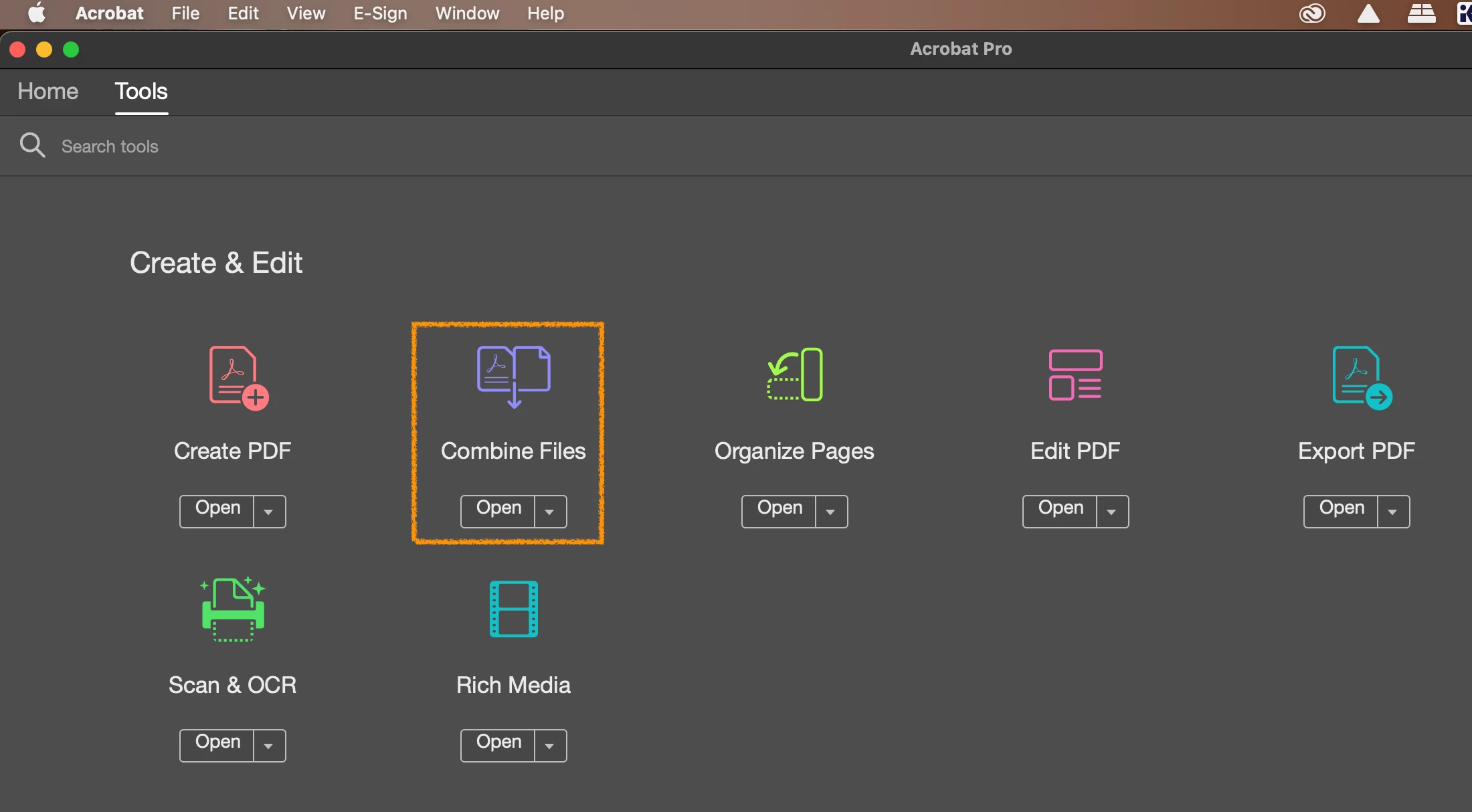
    @sandral18706 In Acrobat, click on Tools:


    Click on Combine Tools - Open
     

    ​​​​Follow the on-screen directions.

    2 ways: If the PDF has text that can be selected, grab the arrow tool that allows you to select text that you want or Command A (MAC) or Control A (PC) to select all. To copy, Command C (MAC), Control C (PC). Open a text text editor and paste it in, Command V (MAC) or Control V (PC)

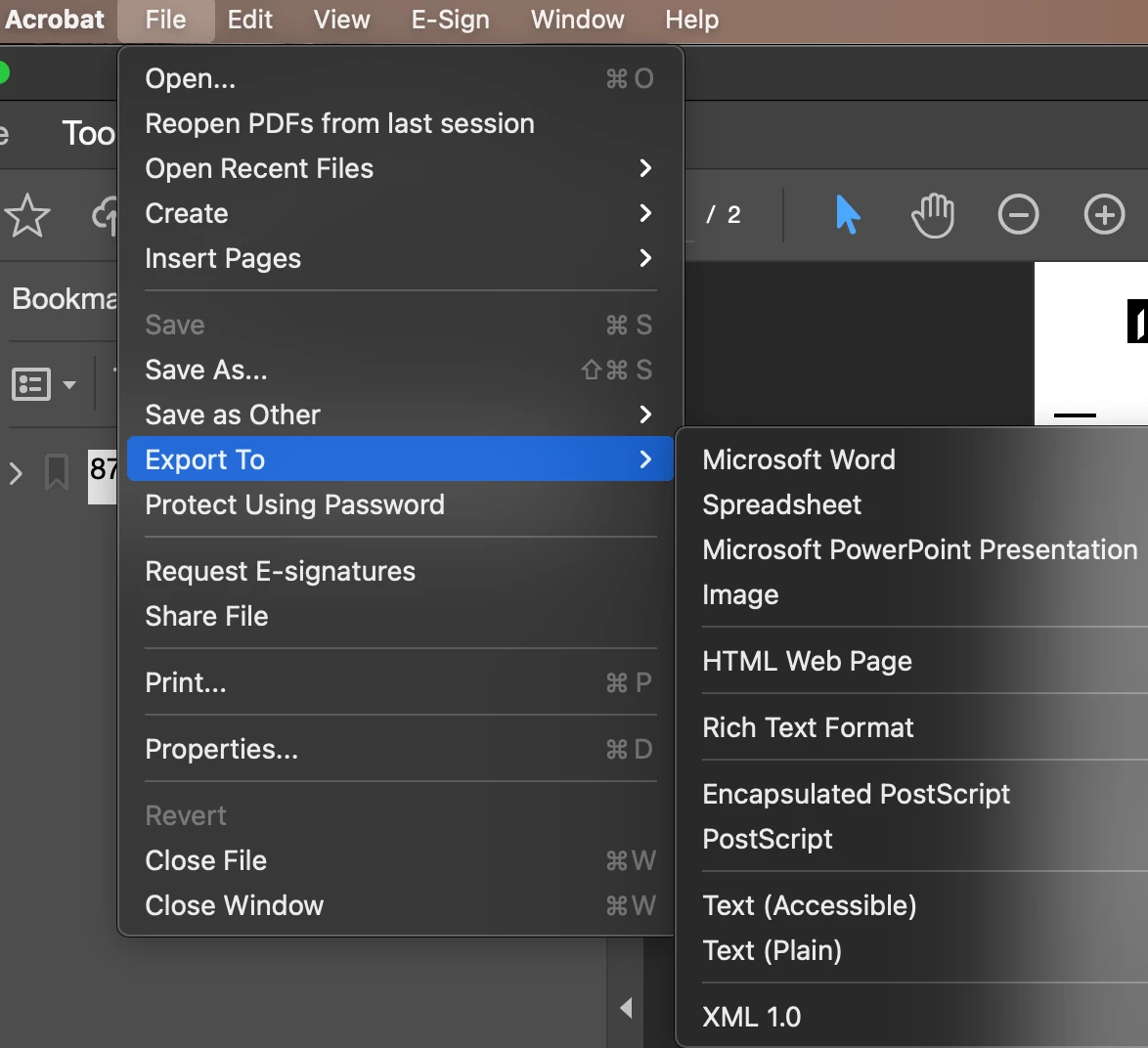
    Or the easiest way, is to export the PDF as a txt file - File - Export


    1 reply

    creative explorer
    Community Expert
    creative explorerCommunity ExpertCorrect answer
    Community Expert
    May 29, 2026

    @sandral18706 In Acrobat, click on Tools:


    Click on Combine Tools - Open
     

    ​​​​Follow the on-screen directions.

    2 ways: If the PDF has text that can be selected, grab the arrow tool that allows you to select text that you want or Command A (MAC) or Control A (PC) to select all. To copy, Command C (MAC), Control C (PC). Open a text text editor and paste it in, Command V (MAC) or Control V (PC)

    Or the easiest way, is to export the PDF as a txt file - File - Export


    m