Batch sequences are now called "Actions". There is no longer a "Print All" action that gets distributed with Acrobat, but you can create your own. When you edit the batch sequence in Acrobat 9, that's what you will see:
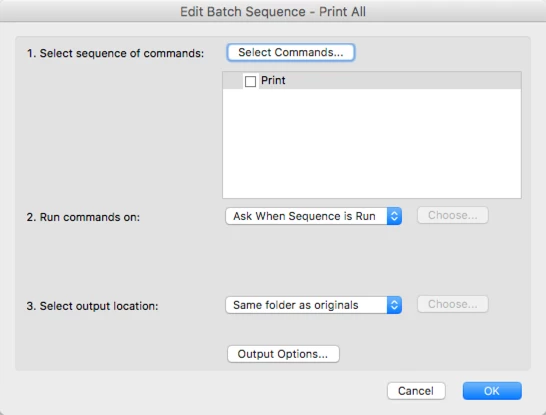
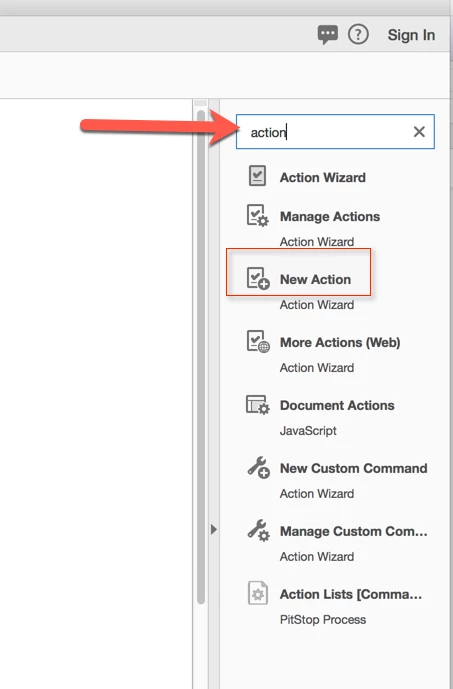
This means that there is one step in the sequence, and that prints the document. You can create the same in Acrobat DC: Just create a new Action - e.g. go to the "Tools" pane and type "Action" into the search field at the top, and then click on the "New Action":
This will bring up the action editor. Now select "Print" from the "More Tools" category and either double-click on the "Print" item, or use the "+" button between the two panels.
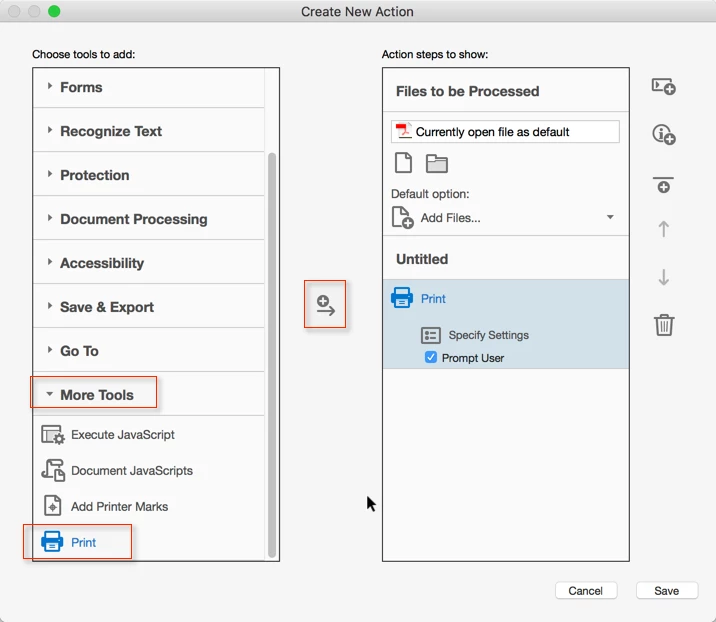
Now save this new action under the name of "Print All" and give it a try.

 AdChoices