


Participant
June 6, 2020
Question

How do I disable Acrobat from automatically uploading documents to the cloud?

  • June 6, 2020
  • 4 replies
  • 3177 views

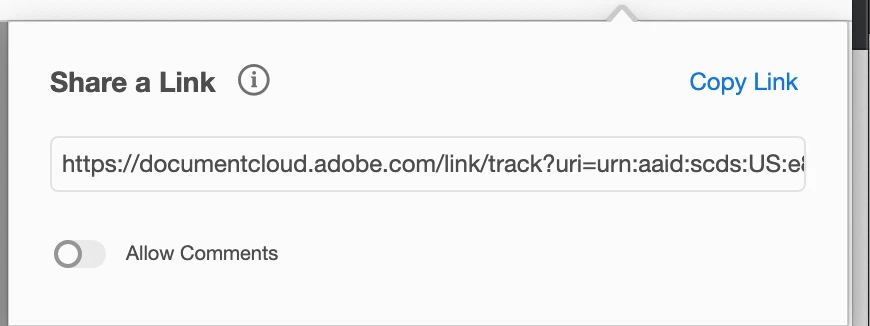
I recently noticed this share a link feature. I prefer that Adobe not automatically upload my files. How can I turn this off and prevent this in the future, as well as remove current uploaded contents? Ty in advance. 
 

This topic has been closed for replies.

4 replies

Participant
December 5, 2023

First of all, if you don't know the answer, then don't reply. The comment about don't share files is pretty childish. Anyway.

1) sign into outlook as an admin

click "File" in the banner

navigate to options  ( lower left)

click on Add-INs near bottom of the screen on the let)


Participant
December 5, 2023

then "manage Com add ins" button "GO"

i disabled everything, none of which i  remembering enabling.

that should do it

Participant
November 2, 2023

Yeah i'm having d same issue. All d pdfs are by default uploaded to clouds and replaced by a link. Even after going to peferences and remove the "link" settings, it will pop up another window of sending this to storage. 

Participant
November 15, 2023

Same question, issue...

Document Geek
Community Expert
Community Expert
June 7, 2020

How do you figure that Adobe is uploading your files even if you don't share them? I can find no evidence of this.


You can see which files are uploaded here: https://documentcloud.adobe.com/link/home/

Bernd Alheit
Community Expert
Community Expert
June 6, 2020

Don't share the file.

try67
Community Expert
Community Expert
June 6, 2020

That's not good enough. There are many situations where it's not allowed to upload files to a cloud in the first place, and Acrobat should not be doing it silently without the user's express consent. I believe it can be disabled under the Preferences, but it's still not OK.