
Participating Frequently
November 3, 2016
Answered

How do I eliminate a warning popup?

  • November 3, 2016
  • 2 replies
  • 2026 views

I have created a calculated field for figuring margin percentage.  (x-y)/x = GM%

Because I don't want the "x" or "y" fields to have any numbers in them when I first open the form, I get a Javascript Warning Popup that states: "the value entered does not match the format of the field [ GMRow3 ]"

In this example, GMRow3 is the calculated field which is zero because there is no data in "x" or "y" when you initially open the form.  My formula works and works well, and it is formatted for return a percentage.

How can I get rid of the popup? 
This topic has been closed for replies.
Correct answer George_Johnson

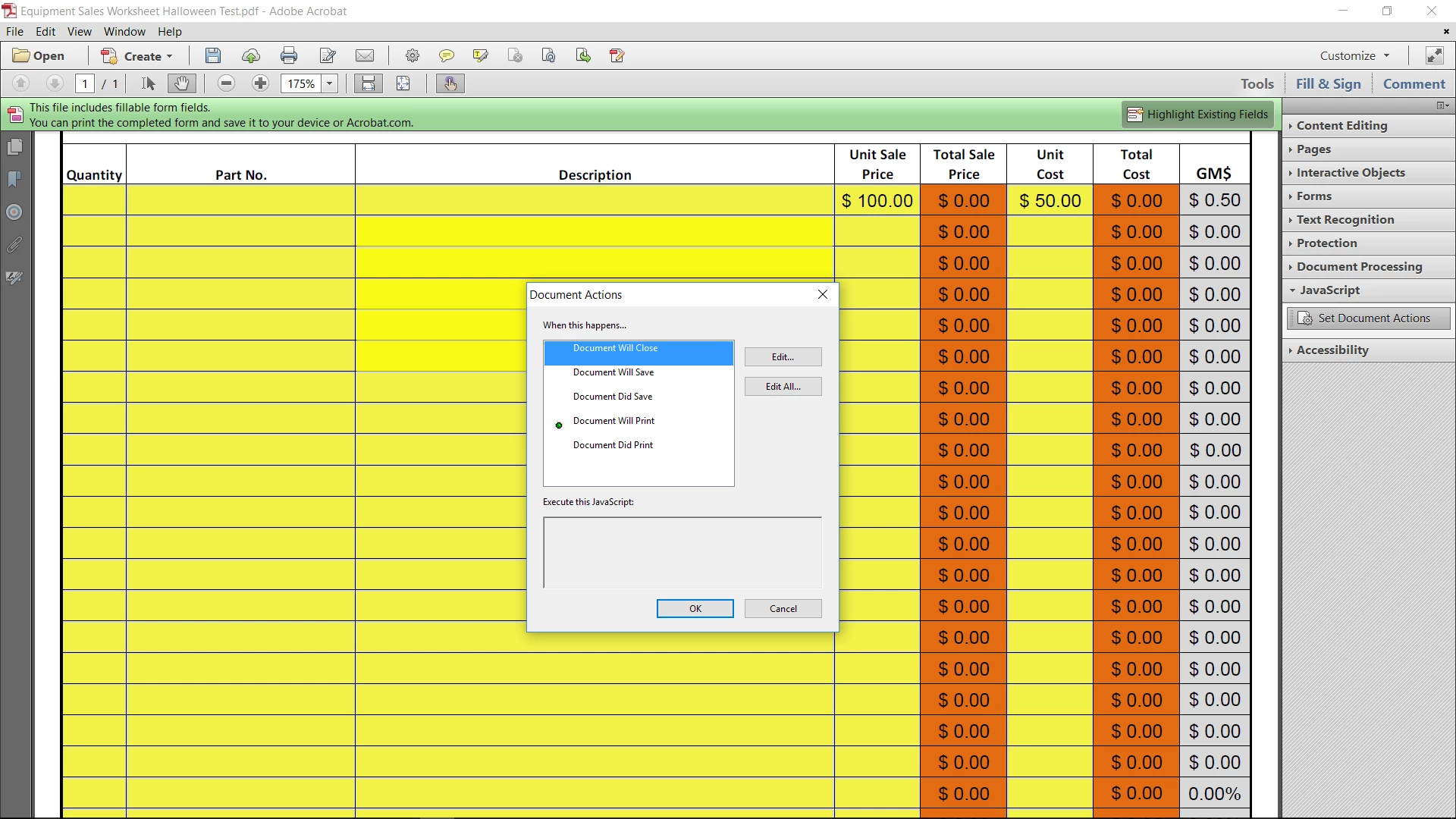
I'm afraid that I don't see what you have described once I add Javascript to the tools menu.  My screen shows "Set Document Actions" and when I click on it it shows the below screen.  I really appreciate your time and I hate to keep going back and forth on this.  If I'm not doing something correctly I won't be surprised and I may just change my calculation from GM% to GM dollars and use a simple subtraction formula.


Are you using Acrobat Standard or Acrobat Pro? Acrobat Standard doesn't allow you to add document-level JavaScripts, unfortunately.

2 replies

Inspiring
November 3, 2016

I was assuming your field names were "x" and "y". Now that I can see the form, it wold be best to convert the code to a document-level function and place it in a document-level JavaScript, so it can be easily called by all of the GM% fields. The function could be:

// Function in a document-level JavaScript

function calcGM_Percent() {

    // Get the name of the field that triggered this script

    var sFN = event.target.name;

    // Determine the row number based on the field name

    var nRow = sFN.match(/\d+$/)[0];

    // Get the field values, as strings

    var sV1 = getField("TSP" + nRow).valueAsString;

    var sV2 = getField("TC" + nRow).valueAsString;

    // Convert the string values to numbers

    var nV1 = +sV1;

    var nV2 = +sV2;

    if (sV1 && sV2 && nV1 !== 0) {

        event.value = 1 - nV2 / nV1;

    } else {

        event.value = "";

    }

}

And the custom calculation script of each GM% field would simply be:

// Custom calculation script

calcGM_Percent();

If you don't know how to create a document-level JavaScript and add a function to it, post again.

wwagner1Author
Participating Frequently
November 3, 2016

I do not know how to do so. 

Inspiring
November 3, 2016

OK, which version of Acrobat are you using? In Acrobat DC, you'd select:

Tools > JavaScript

and then in the new toolbar that appears, select: Document JavaScripts

When the "Document JavaScript" window appears, add a Script Name, something like "calculate" and click the Add... button.

A new window will open and you will see an empty function, which you should delete. Then copy & paste the "calcGM_Percent" function that I showed above. Close the code window and then press the Close button if the Document JavaScript window. You've now added a document-level JavaScript with the function that can be called by each of the MC% fields as mentioned previously.

Inspiring
November 3, 2016

The problem is when the x field is blank, the field value is evaluated as zero, and dividing by zero results in something that cannot be formatted as a percentage. The  fix is to use a custom calculation script the check the value of x, and if it's zero, sets the calculated value to an empty string. Otherwise it calculates the value according to the formula. You may want to also check that the value of y and only perform the calculation if both x and are are not blank.

wwagner1Author
Participating Frequently
November 3, 2016

Hi George, this is all new to me - writing scripts like this that is.  Is what you're describing something that is written in the same format as an "IF" calculation in Excel?  I would ditch the formula I created in the simplified field notation and write a new formula in the custom calculation script?

I apologize if this is elementary.

Inspiring
November 3, 2016

Here's a custom calculation script that only performs the calculation if both of the input fields are not blank and the x value is not zero:

// Custom calculation script for text field

(function () {

    // Get the field values, as strings

    var sX = getField("x").valueAsString;

    var sY = getField("y").valueAsString;

    // Convert the string values to numbers

    var nX = +sX;

    var nY = +sY;

    if (sX && sY && nX !== 0) {

        event.value = 1 - nY / nX;

    } else {

        event.value = "";

    }

})();