Participant
September 6, 2023
Answered

How do I Export Data From Multiple Forms since the Update to New Acrobat

  • September 6, 2023
  • 3 replies
  • 1284 views

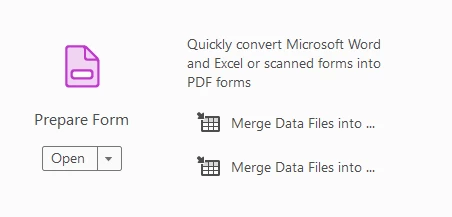
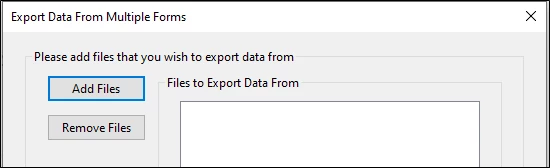
How do I get to the below place in Acrobat since the update? 


I used to search Merge Data Files and then it would come up when I clicked on  Merge Data Files into... in Prepare Form. 


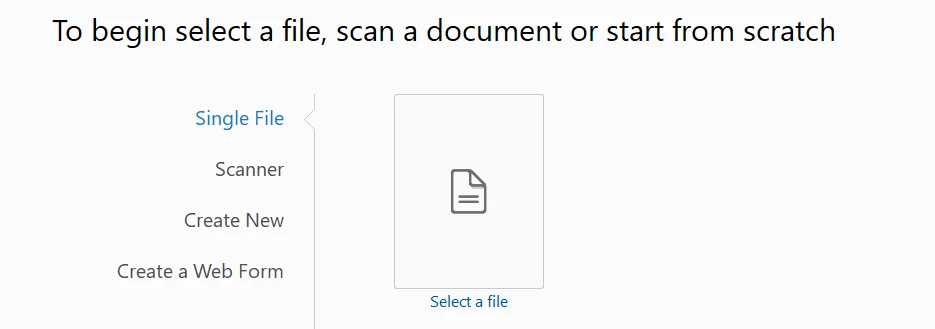
Now when I go there, it takes me here. What do I do?


This topic is closed to new replies. Start a new post to keep the conversation going.
Correct answer AnandSri

Hi @Claudia24214030fowq 


I hope you are doing well, and thanks for reaching out to us.


We acknowledge that the new Acrobat represents a notable change; however, we hope that as you get familiar with the new interface, you can be more productive & get more out of Acrobat.  

As we made these changes in the interface, we have tried to ensure all tools & features currently supported retain their familiar functionalities and workflows as they did in the previous version.


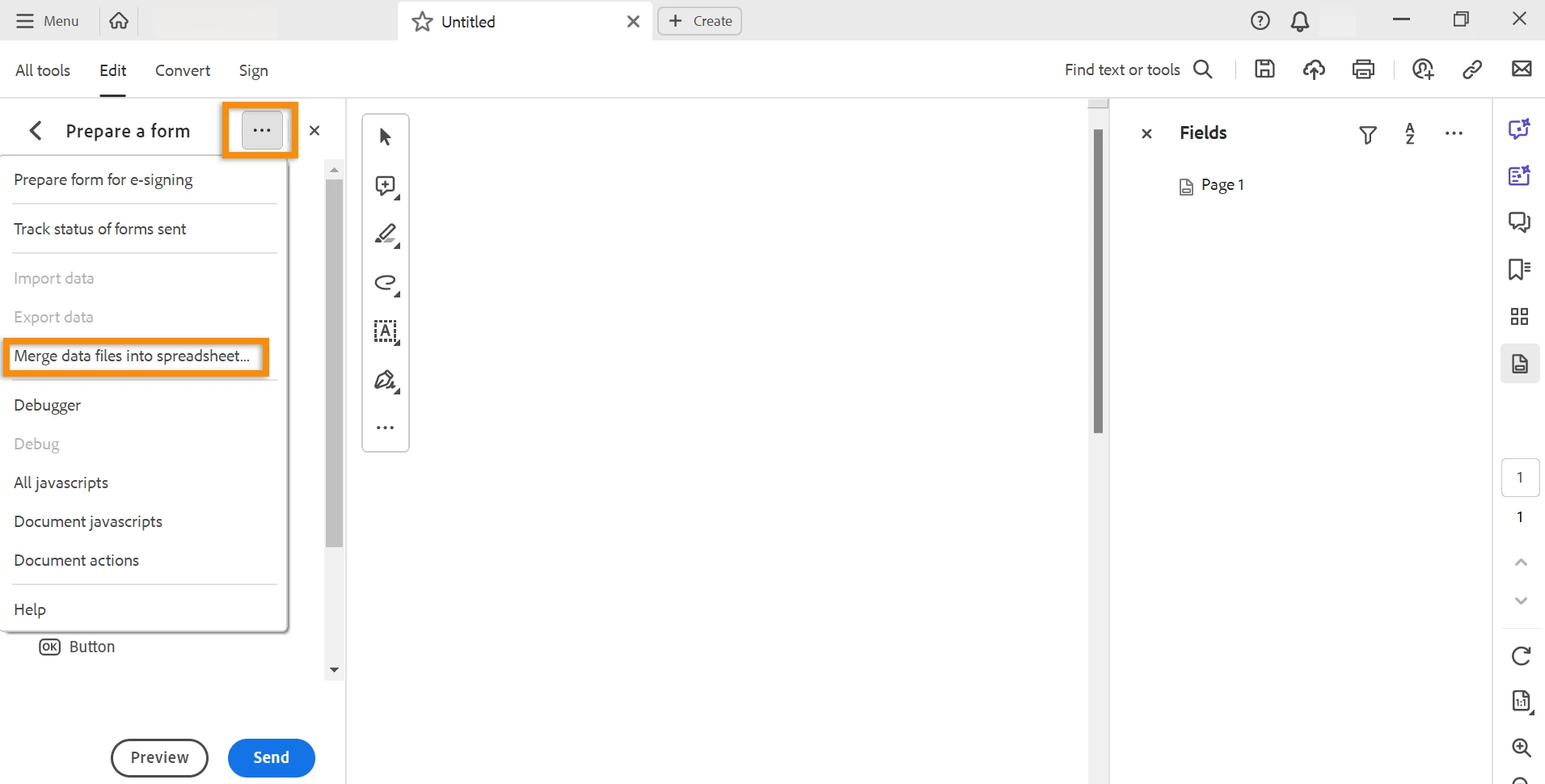
You can go to the "All Tools" section > select 'Prepare Form' > Once the sub-menu of Prepare Form is open on the left side, you can click on the three dots (see the screenshot) and choose 'Merge data files into spreadsheet'.


Let us know if you experience any issues.


Thanks,

Anand Sri.



3 replies

AnandSri
AnandSriCorrect answer
Legend
September 10, 2023

Hi @Claudia24214030fowq 


I hope you are doing well, and thanks for reaching out to us.


We acknowledge that the new Acrobat represents a notable change; however, we hope that as you get familiar with the new interface, you can be more productive & get more out of Acrobat.  

As we made these changes in the interface, we have tried to ensure all tools & features currently supported retain their familiar functionalities and workflows as they did in the previous version.


You can go to the "All Tools" section > select 'Prepare Form' > Once the sub-menu of Prepare Form is open on the left side, you can click on the three dots (see the screenshot) and choose 'Merge data files into spreadsheet'.


Let us know if you experience any issues.


Thanks,

Anand Sri.


try67
Community Expert
Community Expert
September 7, 2023

To go back to the old UI click the Options button at the top left corner (Windows) or open the View menu (Mac) and select Disable New Acrobat.


And you can vote here to get rid of it: https://acrobat.uservoice.com/forums/590923-acrobat-for-windows-and-mac/suggestions/47082691-ditch-the-2023-user-interface-in-acrobat

Participant
September 7, 2023

I've done that for the moment, but my understanding is that eventually, the option to go back to the old UI won't be possible so I'd like to know how to do the same thing in the new UI. I'm hoping they haven't taken away this feature in the new UI as this feature and the form creation is the only reason I pay for the licence