



How do I fix Retry Installation C136 error with Acrobat Pro DC free seven-day trial?
I followed all instructions here (acrobat.adobe.com/us/en/free-trial-download.html).

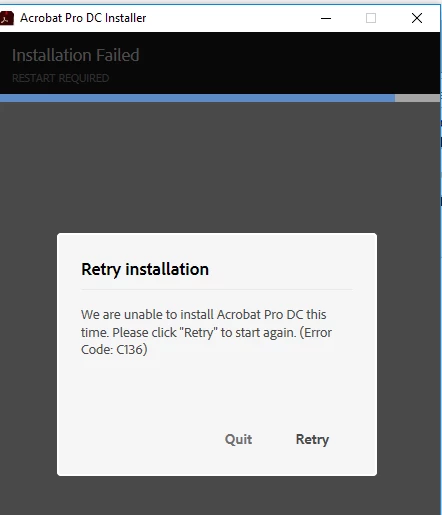
I am installing on Windows 10 using Firefox. I get the Retry Installation C136 error and the installation does not complete. I don't know why it does not install or has to retry or cannot complete. I have only started from scratch one time. I have not uninstalled via the Control Panel or using any uninstaller. I need to know how to fix this properly from step one to the final step that ends in an activated and working trial product from Adobe.
Already, I have wasted about three hours on the trial installation because I clicked "Retry" per the error message instructional text. Pressing "Retry" again and again did not help because the installation window finally disappeared after the install was about 92% complete.
I need a complete process and procedural list of instructions on how to resolve this error message, C136. See screenshot below.
Please do not provide links and send me to random adobe dot com pages because I have already searched for a complete procedure to resolve this error for the Acrobat Pro DC free seven-day trial on Windows, and it does not exist.
Thank you for your help.

 AdChoices