
Participant
October 31, 2023
Answered

How do I get a fillable form diary to maintain its information for the same form?

  • October 31, 2023
  • 3 replies
  • 1112 views

I have a report diary I am supposed to fill out when I do site inspections. If I try to combine them, the information from the first form is copied across all the forms. I do not want this. I want to be able to put all the forms into one documents rather than sending my supervisor 30 seperate documents every month. I also do not want to create files within the document as the document becomes too large to send. I want to be able to open the documents and scroll through to see each page from each day and have them all have their own information.
This topic has been closed for replies.
Correct answer JR Boulay

You should use a "Responses" file.

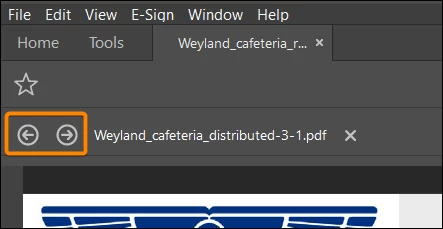
It looks a bit like a Portfolio, but inside there's just one PDF form and all the data, which you display successively in the form using two navigation arrows.

See this sample Responses file, double clic on any line then use the navigation arrows:

https://acrobat.adobe.com/id/urn:aaid:sc:EU:ff26f32a-7f12-436f-8064-2ffec6041166


How to create a Responses file : https://helpx.adobe.com/acrobat/using/collecting-pdf-form-data.html


3 replies

JR Boulay
Community Expert
JR BoulayCommunity ExpertCorrect answer
Community Expert
November 1, 2023

You should use a "Responses" file.

It looks a bit like a Portfolio, but inside there's just one PDF form and all the data, which you display successively in the form using two navigation arrows.

See this sample Responses file, double clic on any line then use the navigation arrows:

https://acrobat.adobe.com/id/urn:aaid:sc:EU:ff26f32a-7f12-436f-8064-2ffec6041166


How to create a Responses file : https://helpx.adobe.com/acrobat/using/collecting-pdf-form-data.html


Acrobate du PDF, InDesigner et Photoshopographe
Bernd Alheit
Community Expert
Community Expert
November 1, 2023

Flatten the form fields before you combine the files.

Amal.
Legend
October 31, 2023

Hi @Ria33291096vugm 


Hope you are doing well, and thanks for reaching out.


A PDF Portfolio contains multiple files assembled into an integrated PDF unit. The files in a PDF Portfolio can be in a wide range of file types created in different applications. The original files retain their individual identities but are assembled into one PDF Portfolio file. You can open, read, edit, and format each component file independently of the other component files in the PDF Portfolio.


For more information, please go through the help pages listed below:

https://helpx.adobe.com/acrobat/using/overview-pdf-portfolios.html

https://helpx.adobe.com/acrobat/using/create-customize-pdf-portfolios.html


Hope this information will help


Regards

Amal

Participant
October 31, 2023

I know how to make a portfolio and I state in my question that this is exactly what I do not want. It is too large if it has more than two files to transfer in the system I need to send it in and is not viewable in said system. It needs to be a single document with several pages that can be scrolled through.