Participant
May 18, 2020
Answered

How do I get rid of the select cursor in acrobat?

  • May 18, 2020
  • 3 replies
  • 1804 views

I used to change pages on the Adobe PDF viewer on Windows by pressing the right and left arrows, but now, in the updated version, the typing cursor is constantly on the screen and I don't know how to get rid of it!


I tried going for the hand tool, but the cursor stays. 


What do I do?
Correct answer brownie_3004

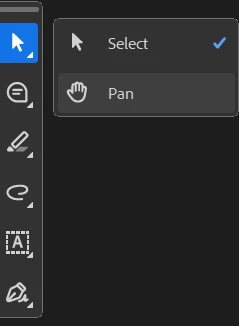
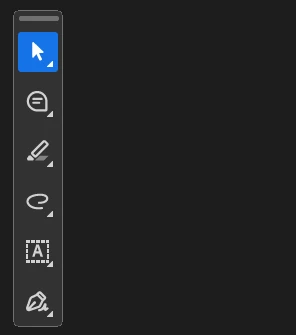
hello just check the left floating window and instead click on the first one (mouse cursor) and change it to pan


3 replies

brownie_3004Correct answer
Participant
April 16, 2025

hello just check the left floating window and instead click on the first one (mouse cursor) and change it to pan


Participant
May 9, 2023

I have had the same issue as well... it's actually so annoying this hasn't been resolved after several years

Participant
September 7, 2021

I have the same problem you do and am sad to see no one has offered a solution.