Participant
November 4, 2025
Answered

How do I get text to show up over a solid filled in box?

  • November 4, 2025
  • 1 reply
  • 325 views

1. I draw a rectangle that is a solid color.

2. I then either use "type text" tool or "Add content" text button to type over the box.

3. The text goes under the box. I obviously want the text to go over/show up on top of the box so that it is visible.

Rearranging the elements or doing it in the reverse order does nothing.


So how do I get the box to be underneath and the text in front?


version 25.001.20756


Correct answer Document Geek

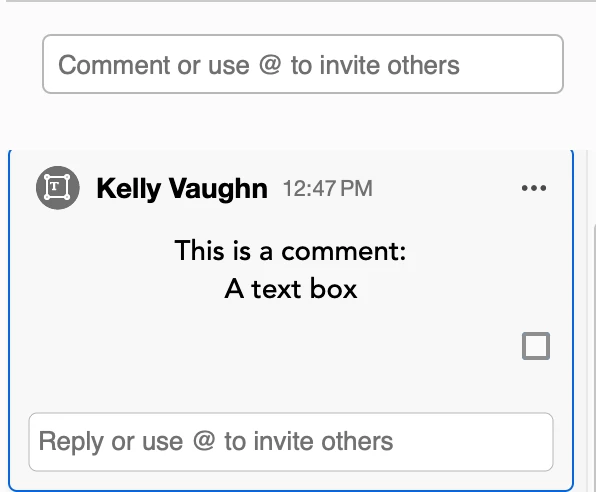
When you add a text box, it is added as a Comment. Comments, alsways go ON TOP of the page content.You can see that is is a comment because it  shows up in the comment list.
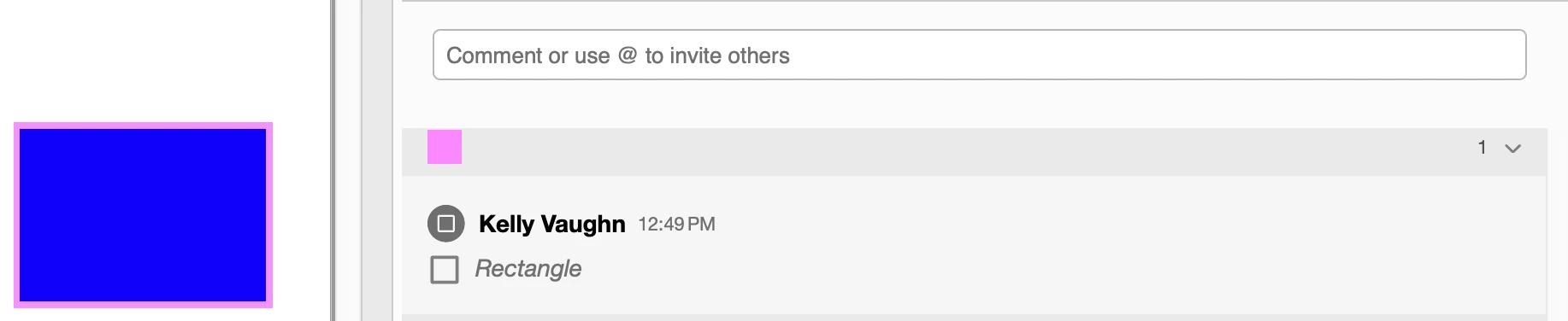


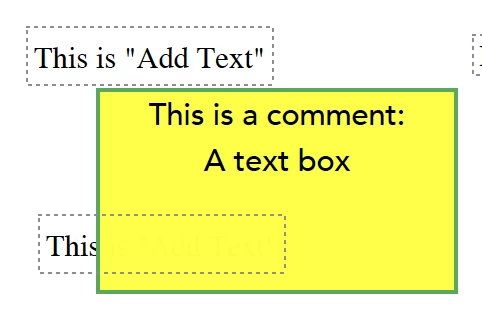
When you sue the Add Text function, that's actually added to the page CONTENT. Which alwsy sts below comments and other annotations. I'd reoccomend using the commenting tool: Add Text Box. This combines the box and the text. It will be a comment, and you'll have very little control of how the text sits inside the box, other then horizontal justification. But the text will sit on top.
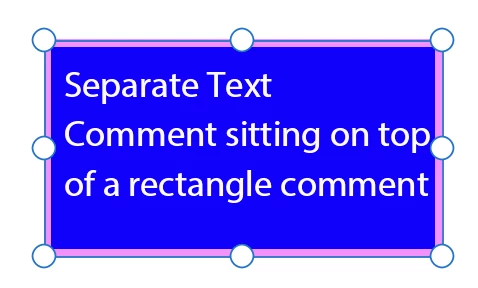
You may want to considering doing them separately, both as comments. This is fiddly, but you'll be able to reposition the text over the rectangle as you wish. To change the color of everything, use the Properties panel (Cmd/Ctrl+E). It's an old tool, but it still works very well. It's contextual, and so it's options change depending on what you have selected. More on the Properties Panel here.

1 reply

Document Geek
Community Expert
Document GeekCommunity ExpertCorrect answer
Community Expert
November 4, 2025

When you add a text box, it is added as a Comment. Comments, alsways go ON TOP of the page content.You can see that is is a comment because it  shows up in the comment list.


When you sue the Add Text function, that's actually added to the page CONTENT. Which alwsy sts below comments and other annotations. I'd reoccomend using the commenting tool: Add Text Box. This combines the box and the text. It will be a comment, and you'll have very little control of how the text sits inside the box, other then horizontal justification. But the text will sit on top.

You may want to considering doing them separately, both as comments. This is fiddly, but you'll be able to reposition the text over the rectangle as you wish. To change the color of everything, use the Properties panel (Cmd/Ctrl+E). It's an old tool, but it still works very well. It's contextual, and so it's options change depending on what you have selected. More on the Properties Panel here.

Luke Jennings3
Community Expert
Community Expert
November 4, 2025

You can also use a Preflight Fixup to convert annotations (comments) to regular page content. Add your box, run the preflight fixup, then add your type. Tools> Print Production> Preflight> Fixups (the blue wrench icon).

