Participant
July 2, 2024
Answered

How do I get the send PDF as e-mail attachment icon?

All I have is the "share" option, which does not work for our business needs.


I have Acrobat 24.002.20895

Tariq DarCorrect answer
Legend
August 23, 2024

Hi @defaultdidio7wukz4s,


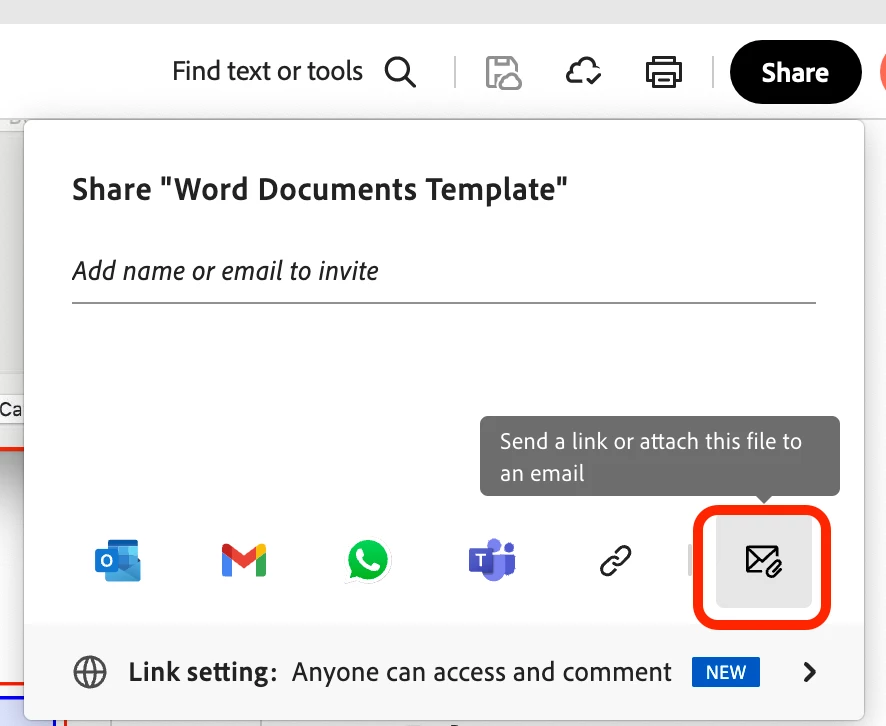
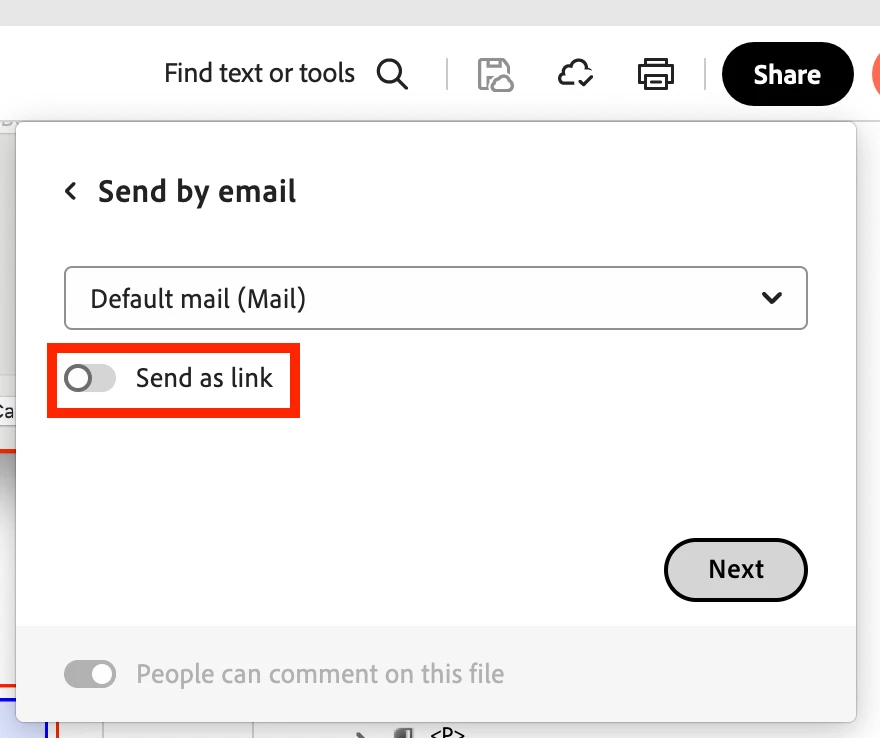
When you click on the 'Share' button, then click on the email icon button on the next window, make sure "Send as link" is off. This will allow you to send the file as an attachment. Let us know if you have more questions. 


~Tariq

4 replies

Tariq DarCorrect answer
Legend
August 23, 2024

Hi @defaultdidio7wukz4s,


When you click on the 'Share' button, then click on the email icon button on the next window, make sure "Send as link" is off. This will allow you to send the file as an attachment. Let us know if you have more questions. 


~Tariq

Translate
Participant
September 18, 2025

I no longer get the icons with the envelope for an attachment,  only get the option of sharing a link to a document.  Please help me get back to attaching a pdf like I have done for decades.  

Translate
Legend
September 19, 2025

Hi @KATHERIN5C37, 


Thanks for reaching out. Could you share a Screenshot or video of what you are seeing at your end? 
Also, please let us know the version of Acrobat you are using.


Best regards,
Tariq | Adobe Community Team

Translate
try67
Community Expert
Community Expert
July 2, 2024

Right-click the toolbar and under Show File Tools enable "Send File".

Translate