



How do I remove "Share text to WhatsApp" from the quick actions pop-up when selecting text?
How do I remove "Share text to WhatsApp" from the quick actions pop-up when selecting text in Acrobat Pro on a Mac?
Note: This is a different question than the one answered in “How do I disable a pop up in Acrobat which says ‘Share your PDFs using WhatsApp?’” (I still tried everything suggested by Adobe in that thread.)
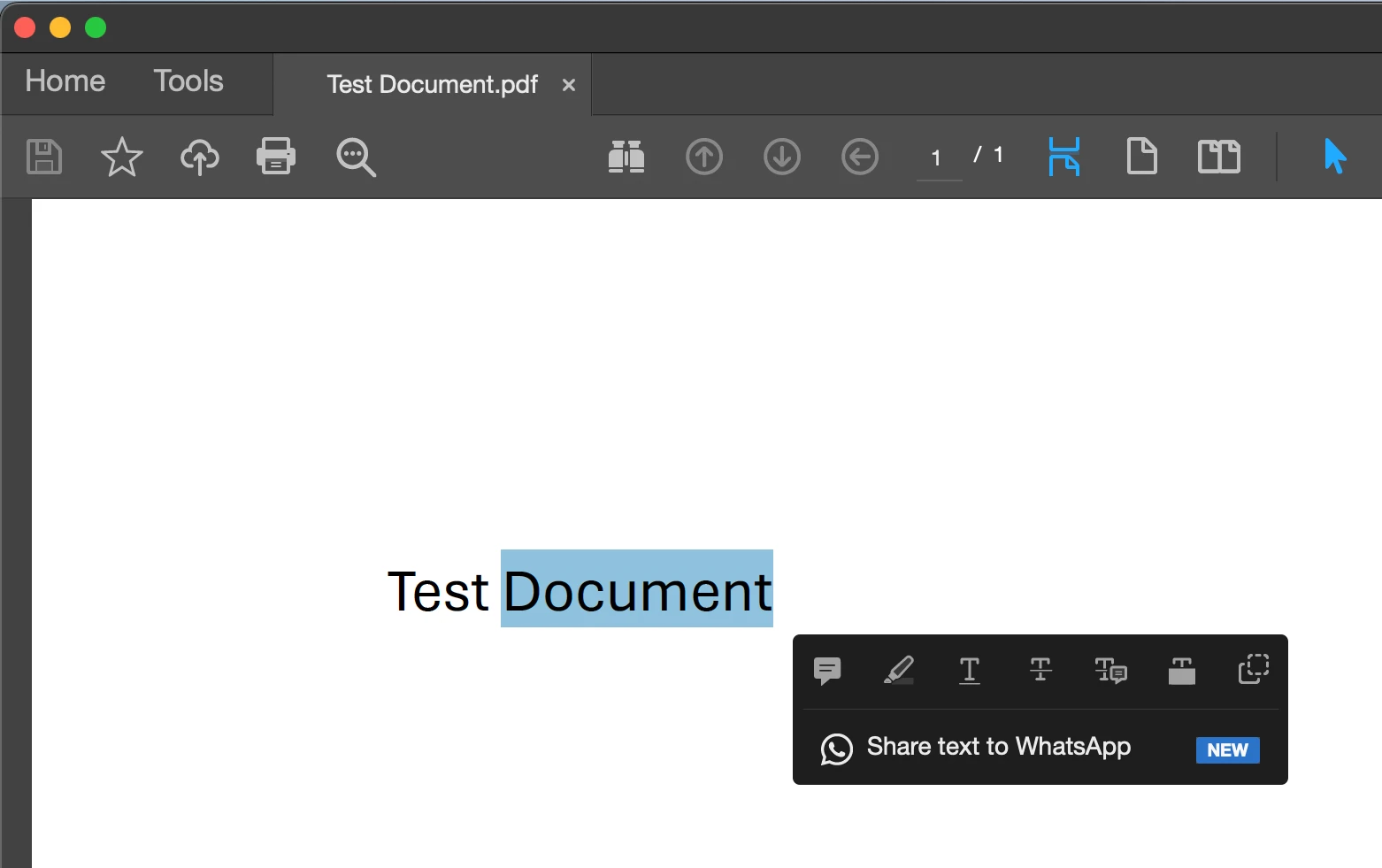
I want to keep using quick actions when selecting text, so I prefer not to disable quick actions in Settings. I only want to remove the WhatsApp prompt from the available quick actions.
I'm using Acrobat Pro in "Classic" View mode.
Version 2026.001.21745 | Unified App
MacOS 15.7.7
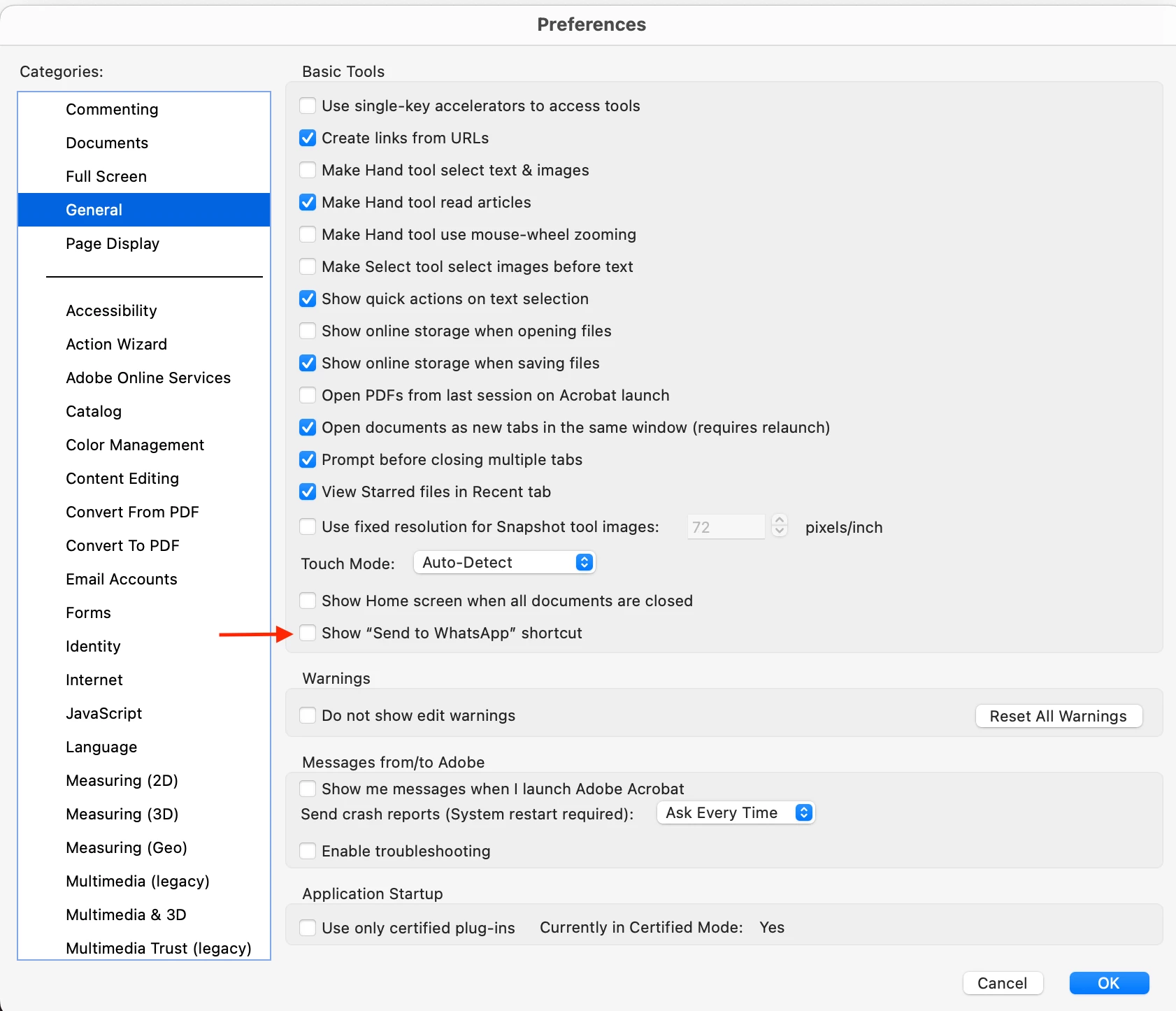
I've disabled "Show 'Send to WhatsApp' shortcut" in Settings > General. “Show quick actions on text selection” is enabled.
Following a staff member’s suggestion in “How do I disable a pop up in Acrobat which says ‘Share your PDFs using WhatsApp?’” I tried editing ~/Library/Preferences/com.adobe.Acrobat.Pro.plist using the Prefs Editor app (https://apps.tempel.org/PrefsEditor/)
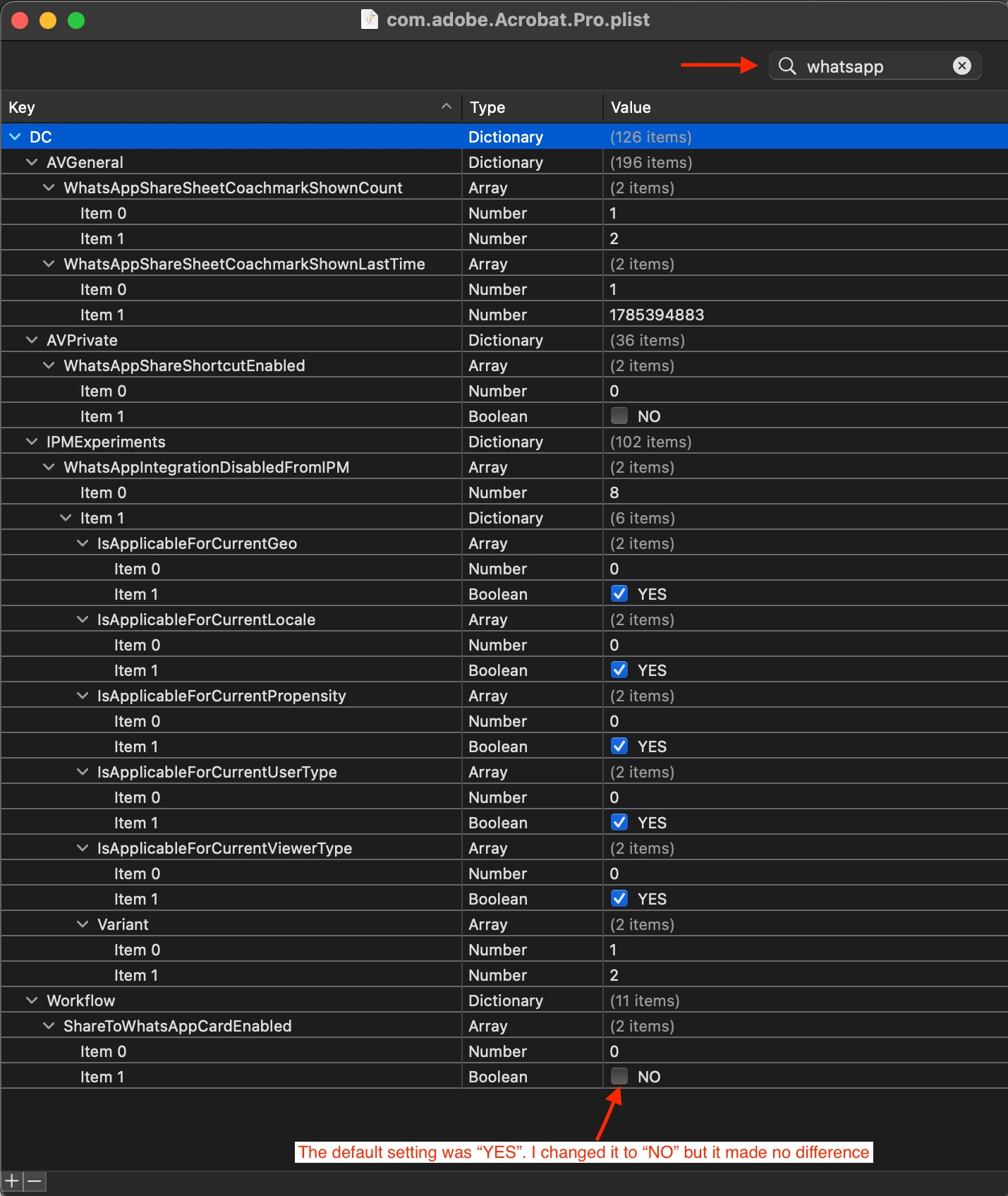
There's no value or key named "EnableThirdPartyWhatsappShare," however there are keys that contain "WhatsApp". I set both of the following values to "NO"
WhatsAppShareShortcutEnabled > Item 1: NO
ShareToWhatsAppCardEnabled > Item 1: NO
This didn't have any effect.
Please provide the exact key and value to change or add. The keys and values in .plist files don’t correspond exactly to those in the Windows registry.
I'd appreciate any help to remove this distraction from quick actions.
Thank you.

 AdChoices