
Answered
How do I replace one document in a Combined PDF document?
I have a combined document that has 180 individual documents in it. The document has been stamped, indexed, enhanced and recognized, which takes a LOT of time. I need to replace ONE of the 180 individual documents and do not want to have to re-combine, stamp, etc. How do I do this? I cannot figure out how to even add a document, let alone put it in the correct order (i.e., #142 of 180). Thanks for any help!
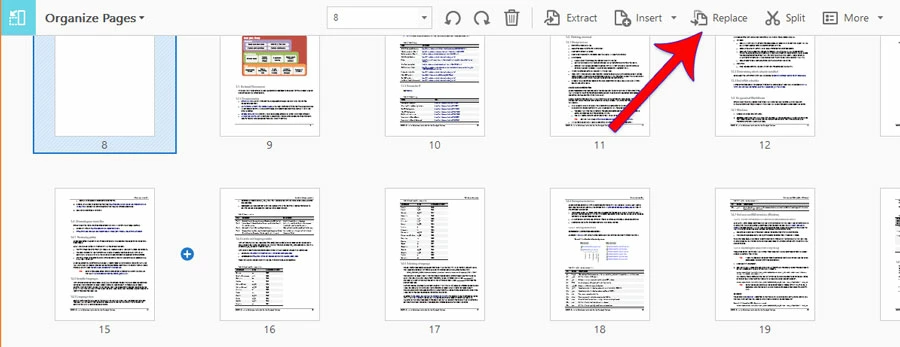
 that appears as I hover between pages 15 & 16. Click that, and you can insert another document right there between those pages.
 AdChoices