
Participant
October 15, 2017
Answered

How do I set a strong PERMISSION password that would prevent online unlocking websites such as ilovepdf.com from decrypting it. And yes, I have tried 256-bit AES encryption level.
  • October 15, 2017
  • 2 replies
  • 2793 views

How do I set a strong PERMISSION password that would prevent online unlocking websites such as ilovepdf.com from decrypting it. And yes, I have tried 256-bit AES encryption level.

This topic has been closed for replies.
Correct answer margueritek

Acrobat X password encryption is immune to brute-force password cracking. The algorithm is deliberately complex and slow enough that one can only test a few hundred passwords per second with a single cpu, and GPUs don't help. To have a strong password, stay away from dictionary attacks. Long pass phrases can be used. Acrobat X allows passwords or pass phrases up to 128 bytes in length in any language (based on UTF-8 encoding of the password).

I assume you are talking about a password to open the file for reading. Once the file is open it can be re-saved without encryption by many third party products.

2 replies

Legend
January 28, 2018

The security is pretty useless, but some people and companies demand it, so taking it out of the product would be bad.

The rules for PDF passwords are public, so that other companies can write PDF viewers and software freely.

The encryption on OPEN passwords is industry standard and hacking software has to use brute force attacks (e.g. dictionaries). All passwords (except those on services which close down automatically) are subject to these attacks.

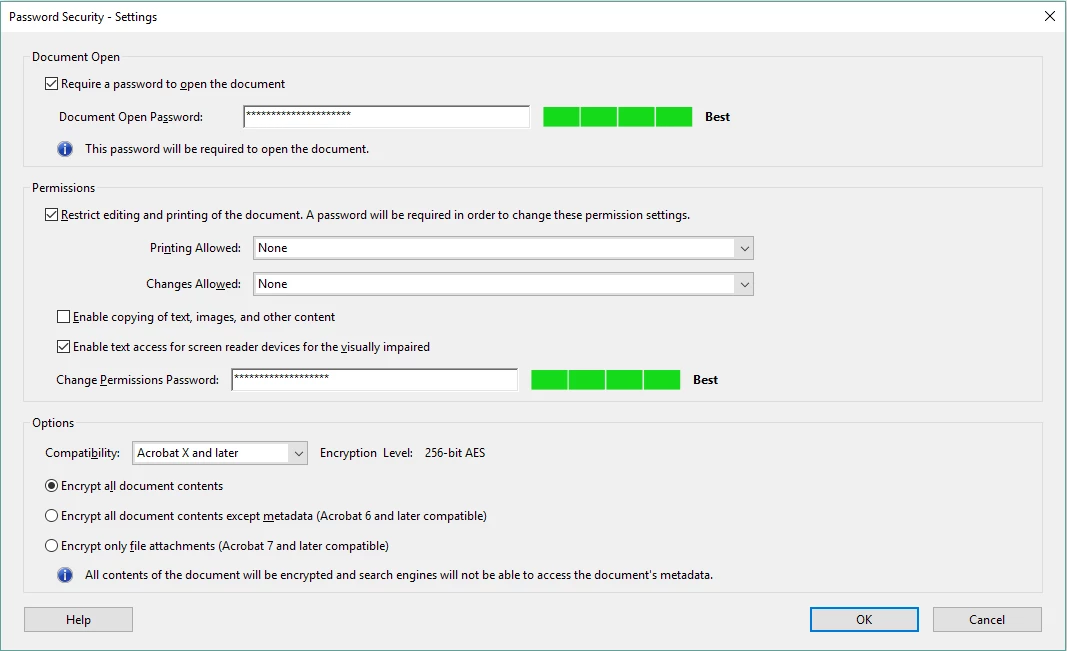
PERMISSION passwords are a secondary level of protection which depends on PDF software following the rules. You should get a clear warning about this when you set them:

Perhaps you ignored this clear message....

margueritekCorrect answer
Inspiring
October 15, 2017

Acrobat X password encryption is immune to brute-force password cracking. The algorithm is deliberately complex and slow enough that one can only test a few hundred passwords per second with a single cpu, and GPUs don't help. To have a strong password, stay away from dictionary attacks. Long pass phrases can be used. Acrobat X allows passwords or pass phrases up to 128 bytes in length in any language (based on UTF-8 encoding of the password).

I assume you are talking about a password to open the file for reading. Once the file is open it can be re-saved without encryption by many third party products.

Participant
October 15, 2017

Not exactly.

I am talking specifically about the "Change Permission Password", the one that grants u permission to edit, print, and copy from pdf document, and not the one required to open the document for reading as you stated, i.e. " Open Document Password" !

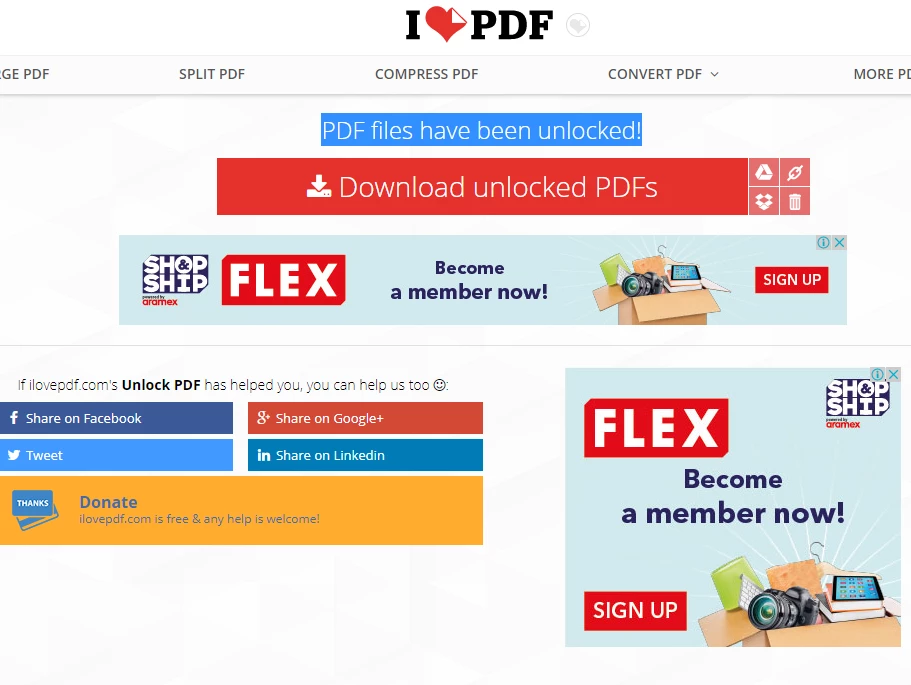
As you can see in the second screenshot, despite having a strong "change permission password" while using the 256-bit AES encryption level/ Acrobat X password encryption, the online pdf unlocker site was able to decrypt that password and thus leading the user be able to edit, print, or copy content from the pdf document.

This has been always the case with or without requiring a "Document open Password" as I did try both cases and was unpleased to find out that any online pdf unlocking website was able to remove the "Change Permission Password".

Inspiring
October 16, 2017

Yes. Even with a null Open password the document is encrypted. But in order to display the PDF, it is necessary to be able to decrypt the document. Many non-Adobe viewers will willingly re-save the document without encryption, and ignore all the restrictions, too. The closest to what you want is LiveCycle, an adobe product that uses a different, certificate based, encryption. The details of the encryption are not public, so no 3rd party viewers can open such a document. Acrobat and Reader promise to respect the permissions.