February 22, 2019
Question

How do I set up this poster printing properly?

  • February 22, 2019
  • 1 reply
  • 497 views

Hello there,

I want to print an A2 poster in two A3's, my question here is, how can I make adobe to print it in JUST two A3's?

I set up poster printing, but I cannot find the way to let Adobe know I only want to print in 2 A3 pages not 4. Image below for explanation.
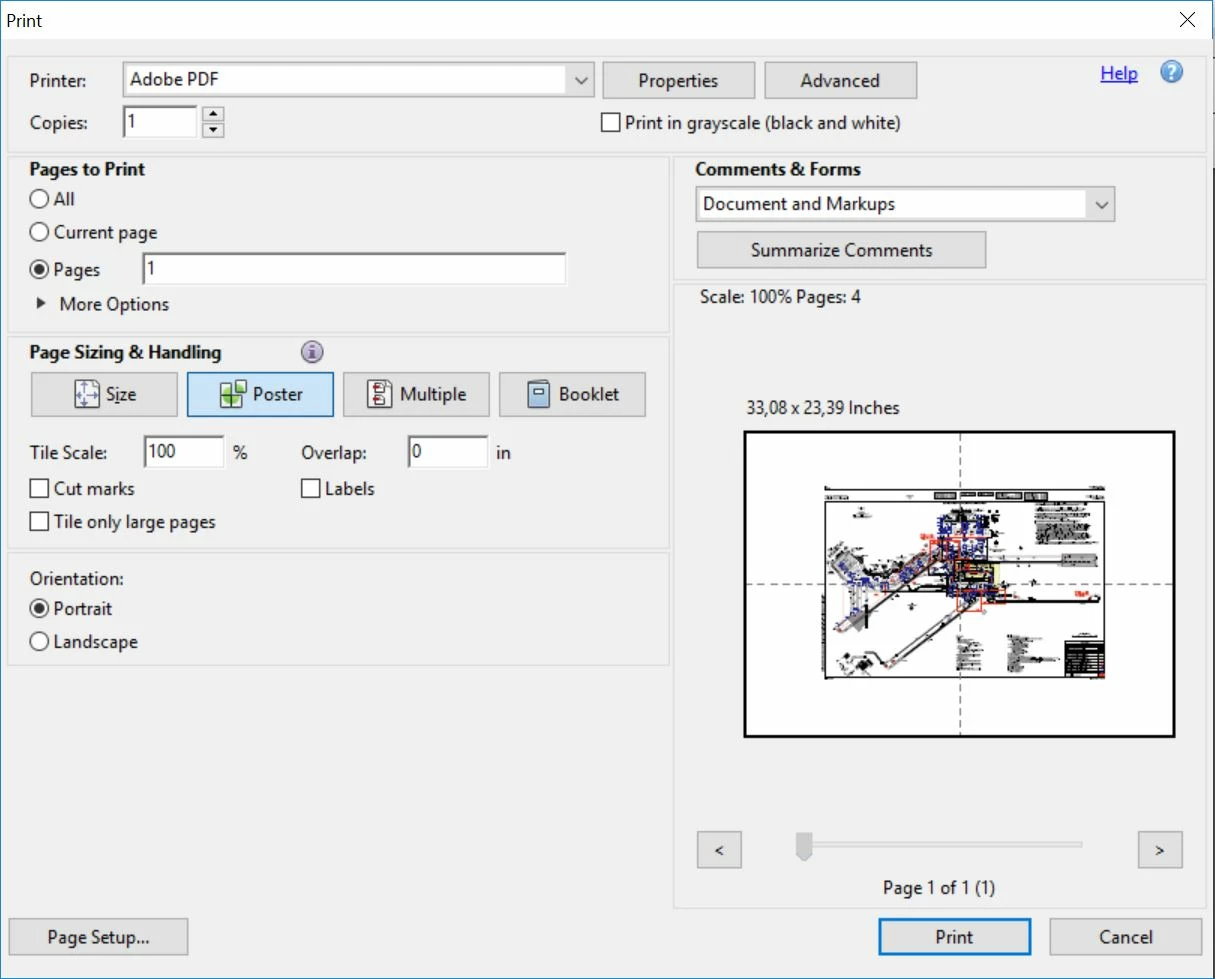
I would like the poster set up to be like the one showed in 'Size' menu:
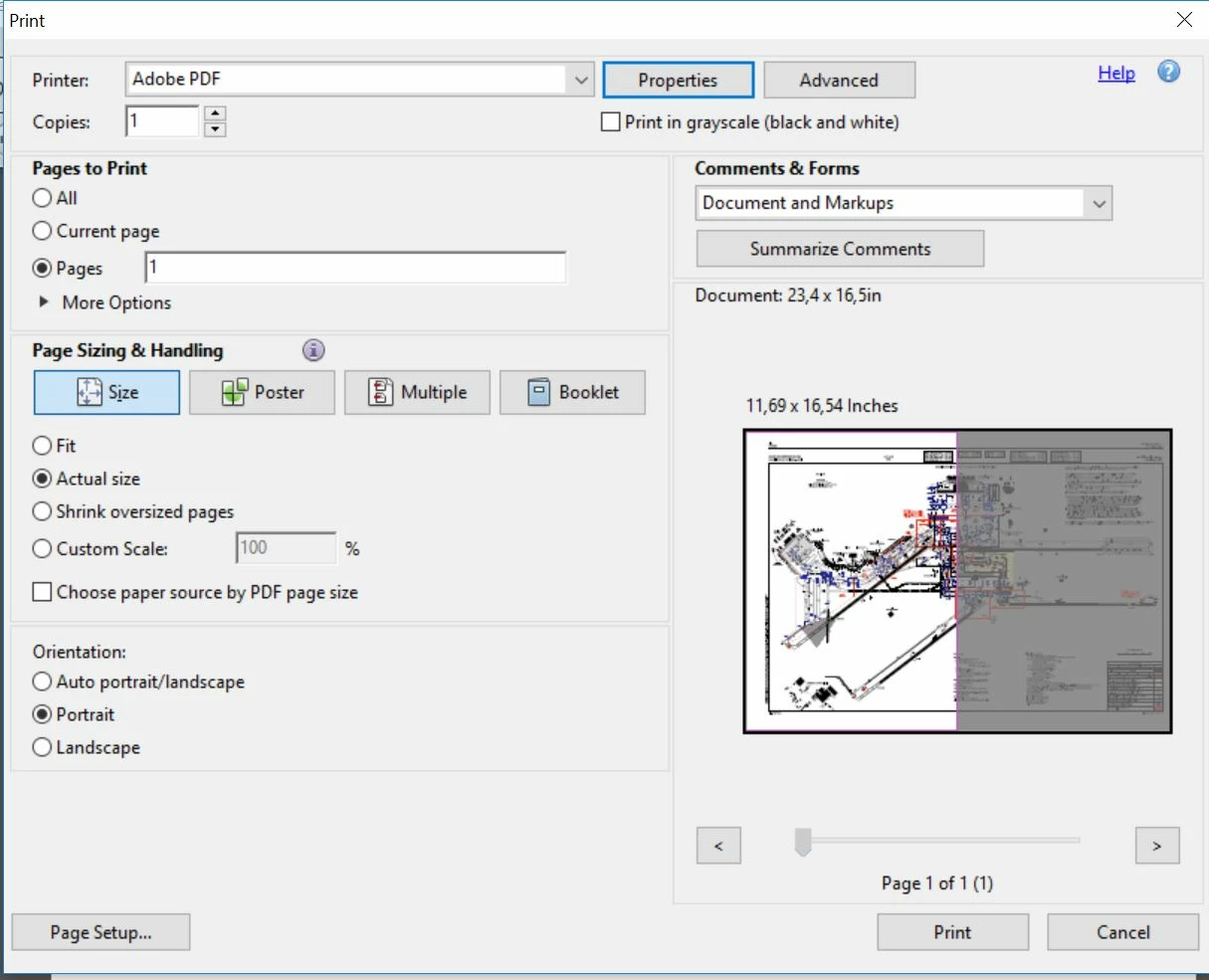
You see, two A3's for one A2, how do I get that in 'poster' menu?

Thank you.

EDIT:

Seems like if I select 99% in Tile Scale instead of 100% it prints only 2 A3's. But seems extrange to me.

This topic has been closed for replies.

1 reply

Abambo
Community Expert
Community Expert
February 23, 2019

Unfortunately, the “Poster” option as the “Booklet” option are not used as a production tool offering all the options you have, but only as a workaround tool, to “make it possible”. In your case, the print border creates the problem, as Acrobat tries to print all information, so it takes into account the non-printing border of your printer. There is not workaround to get rid of that behavior.

ABAMBO | Hard- and Software Engineer | Photographer