
Participant
June 9, 2018
Answered

How do I use a Type 1 Font

  • June 9, 2018
  • 1 reply
  • 505 views

Hello. I am trying to use a font I liked and discovered it was a Type 1 font.

When I try to insert a text into a document, the drop down menu with the available fonts doesn't show the one I am looking for.

The font, according to the tab FONTS in Documents Properties is AdobeHand-D (Embedded OpenType)

Any help will be appreciated
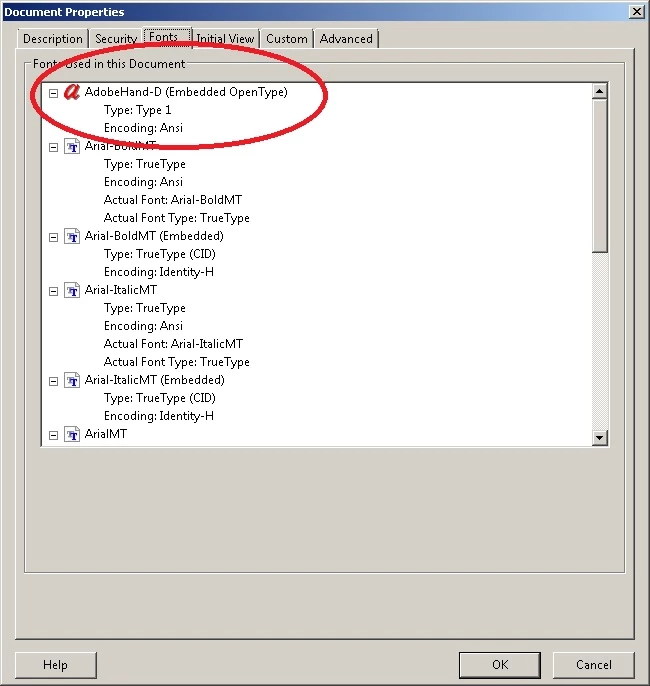
This topic has been closed for replies.
Correct answer Dov Isaacs

It is actually an OpenType CFF font used internally by Acrobat / Reader for signatures. It is not available for other uses.

          - Dov

1 reply

Dov Isaacs
Dov IsaacsCorrect answer
Legend
June 10, 2018

It is actually an OpenType CFF font used internally by Acrobat / Reader for signatures. It is not available for other uses.

          - Dov

- Dov Isaacs, former Adobe Principal Scientist (April 30, 1990 - May 30, 2021)