Question
How do you DISABLE the auto-selection of the EDIT TEXT & IMAGES tool in PREPARE FORM mode
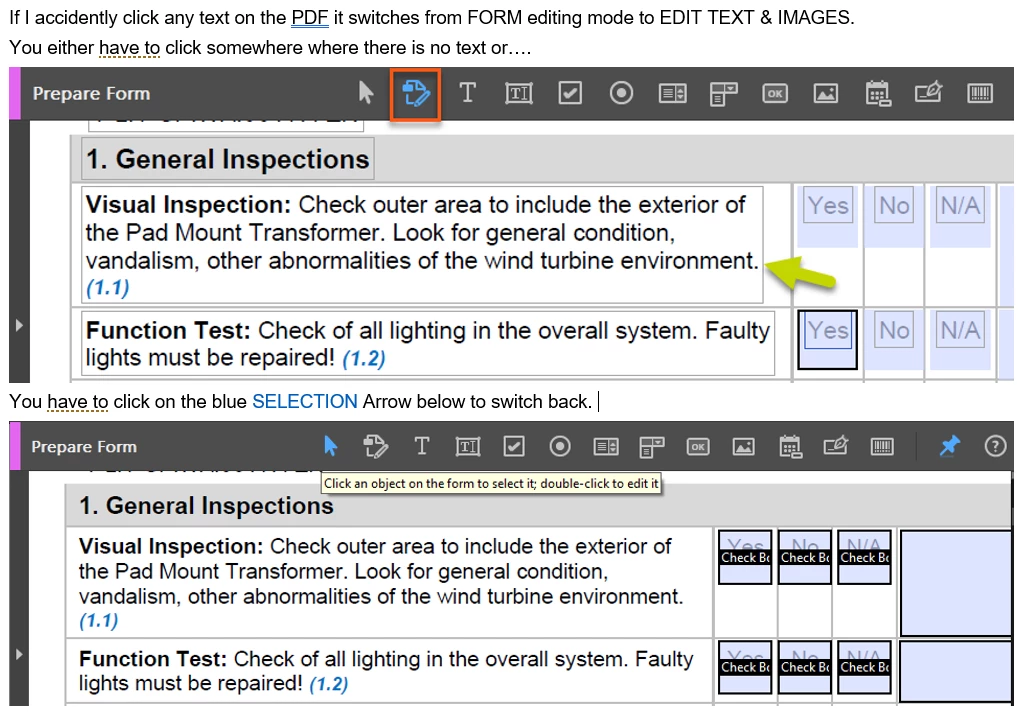
The most recent version of Adobe Pro, when I am working on creating forms, if I accidently click on something other then a form field it puts me into EDIT TEXT & IMAGES mode - which is making it so much harder to work on forms. I'm constantly having to click the SELECTION cursor to go back to PREPARE FORM mode. If I am in PREPARE FORM mode I would love to just work on forms not editing the text on the page. Can I disable this feature somewhere? Very frustating! See example below.
 AdChoices