Participant
March 15, 2018
Answered

How do you print multiple PDF files using Adobe Acrobat Pro DC on a mac

  • March 15, 2018
  • 2 replies
  • 6741 views

How do you print multiple PDF files using Adobe Acrobat Pro DC on a mac?

I know on a Window machine, I can select up to 15 documents, right click, and select print, and my documents will print using Adobe Acrobat.

But on a Mac, if I select the docs, and "right click" to print, there is no print option.

I know if I had Apple's Preview as the default app for PDFs, it works, but not when I have Acrobat.

Can anyone help?

Thanks
This topic has been closed for replies.
Correct answer Adorobat

Hi Paul,

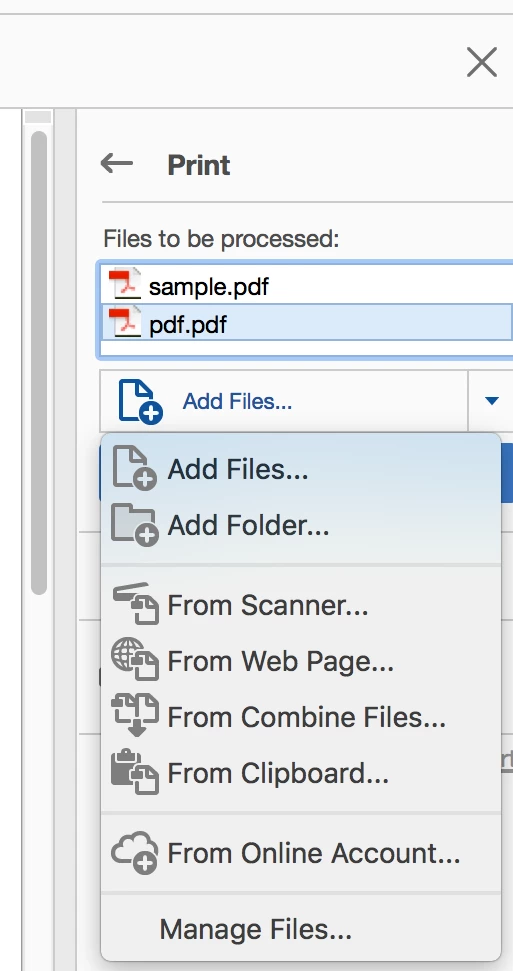
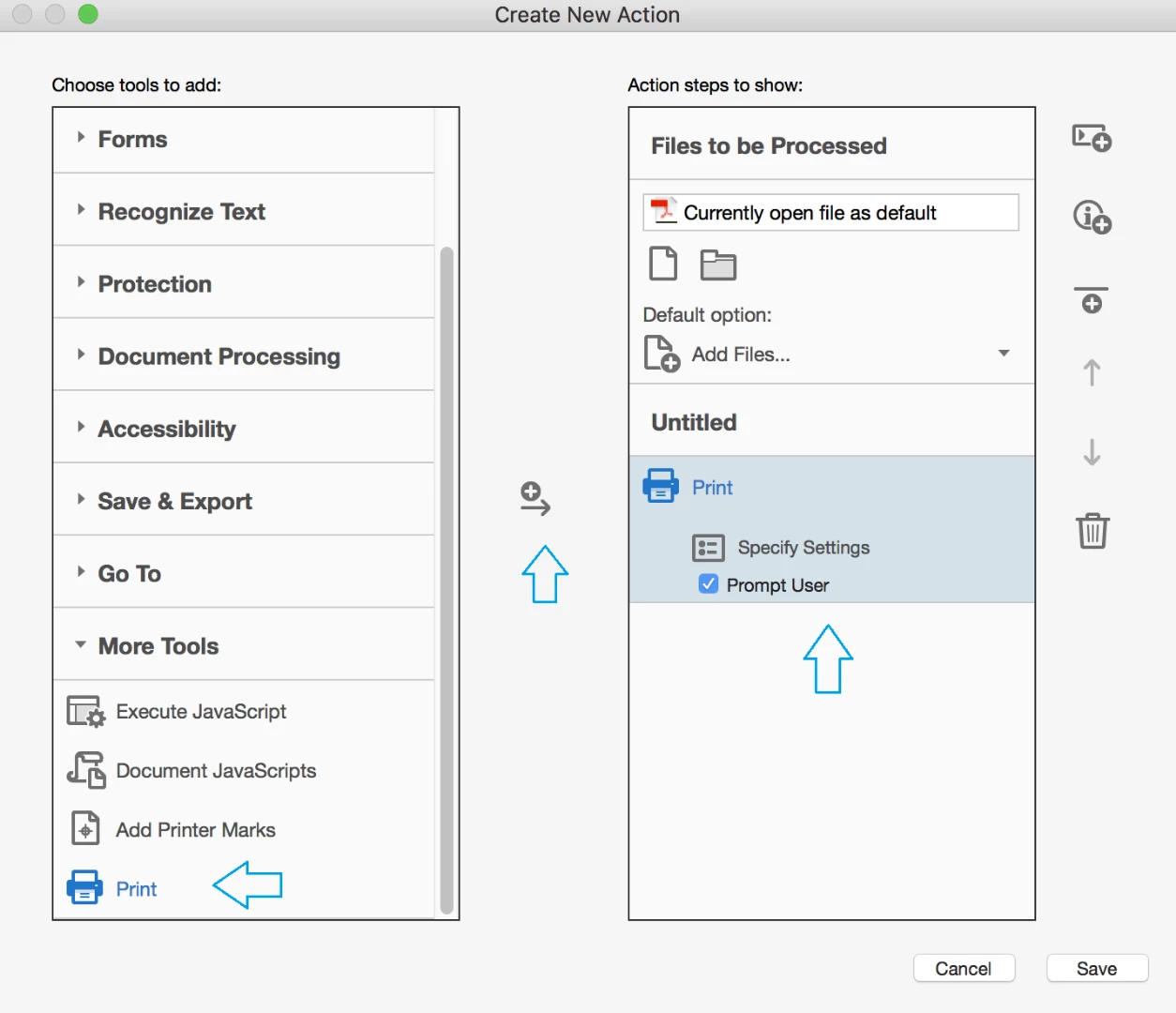
Sorry to say but the workflow you mentioned above is not possible. You may try creating an action in Acrobat to print all the pdf's in a particular folder. (below are the screenshots):

Please refer to the following link for info: Adobe Acrobat Pro Action Wizard

Let us know if you have any further questions.

Shivam

2 replies

Karl Heinz  Kremer
Community Expert
Community Expert
April 13, 2018

You may want to file an enhancement request with Adobe: Feature Request/Bug Report Form

Adorobat
AdorobatCorrect answer
Participating Frequently
April 13, 2018

Hi Paul,

Sorry to say but the workflow you mentioned above is not possible. You may try creating an action in Acrobat to print all the pdf's in a particular folder. (below are the screenshots):

Please refer to the following link for info: Adobe Acrobat Pro Action Wizard

Let us know if you have any further questions.

Shivam