
Answered
How I get rid of this "x" in a square in pdf document?
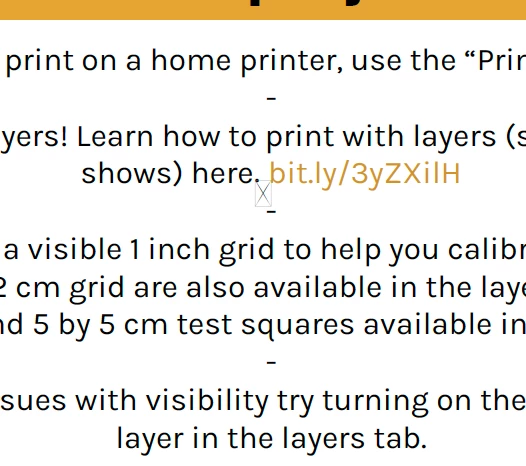
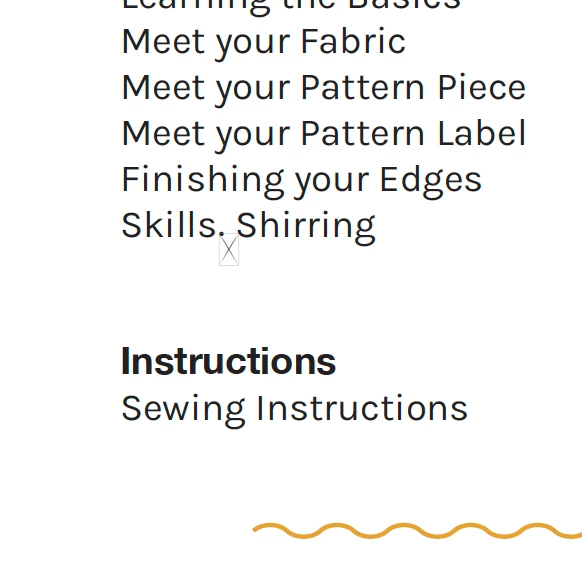
How I get rid of this "x" in a square in pdf document? I'm not sure what's causing it. It doesn't show up when I open the document in indesign.

How I get rid of this "x" in a square in pdf document? I'm not sure what's causing it. It doesn't show up when I open the document in indesign.
That white rectangle with an X is nicknamed Tofu...because it resembles a block of tofu!
It shows up in PDFs when that particular glyph/character is missing from your font, or the entire font is missing (not embedded into the PDF).
If you can see the glyph in InDesign, but then it shows as tofu in the PDF, then your font is not being embedded into the PDF at the time you export it. So make sure to select "Embed Fonts" in the PDF export settings.
Also, you might have selected a font that restricts it from being embedded into the PDF. In that case, find another font with the glyph you want, one that lets you embed it into digital files.
Already have an account? Login
Enter your E-mail address. We'll send you an e-mail with instructions to reset your password.
 AdChoices