
geoffreyc77010520
Participant
February 6, 2019
Answered

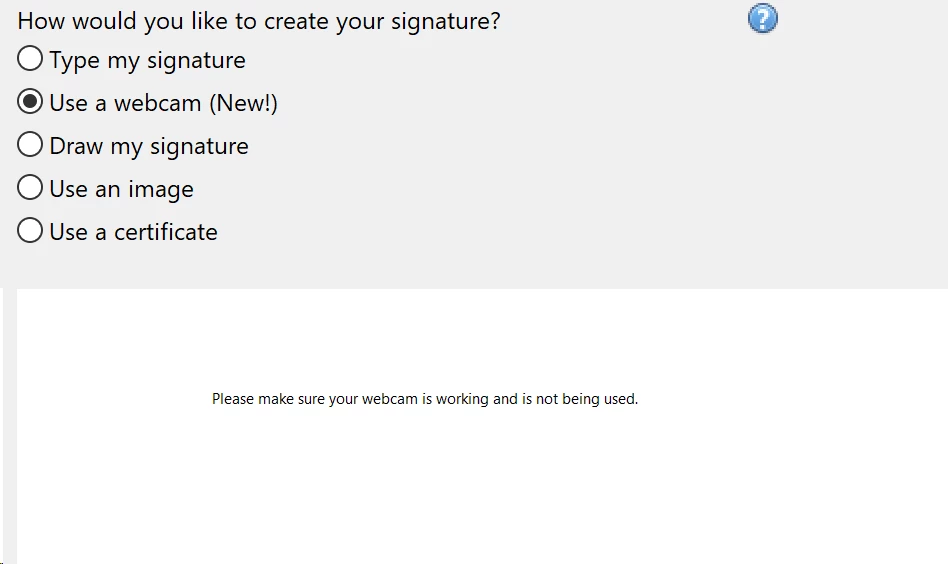
How to activate web cam for Fill & Sign Web Cam Signature in Adobe XI?

  • February 6, 2019
  • 1 reply
  • 4642 views

Installed my legacy copy of Adobe XI Pro on a new Lenovo 64bit Windows 10 Carbon X1 Thinkpad.  Trying to use the web cam image capture to create my digital signature and cannot appear to activate the computers Web Cam to take the image photo.  Thanks.
This topic has been closed for replies.
Correct answer Meenakshi Negi

Hi Geoffreyc,

As you need to use the webcam to add the signature on the document, please make sure that you enable the camera on Windows 10.

Also, turn on the settings "Let apps use my camera".

Take help of the steps provided here https://support.microsoft.com/en-in/help/4028647/windows-open-the-camera-in-windows-10

To add a signature using the webcam, take help of the steps provided in this help link https://acrobatusers.com/tutorials/how-to-sign-a-pdf-file-using-a-webcam-image

Hope that helps.

Let us know if you need help.

Regards,

Meenakshi

1 reply

Meenakshi Negi
Community Manager
Meenakshi NegiCommunity ManagerCorrect answer
Community Manager
February 7, 2019

Hi Geoffreyc,

As you need to use the webcam to add the signature on the document, please make sure that you enable the camera on Windows 10.

Also, turn on the settings "Let apps use my camera".

Take help of the steps provided here https://support.microsoft.com/en-in/help/4028647/windows-open-the-camera-in-windows-10

To add a signature using the webcam, take help of the steps provided in this help link https://acrobatusers.com/tutorials/how-to-sign-a-pdf-file-using-a-webcam-image

Hope that helps.

Let us know if you need help.

Regards,

Meenakshi