August 9, 2021
Question

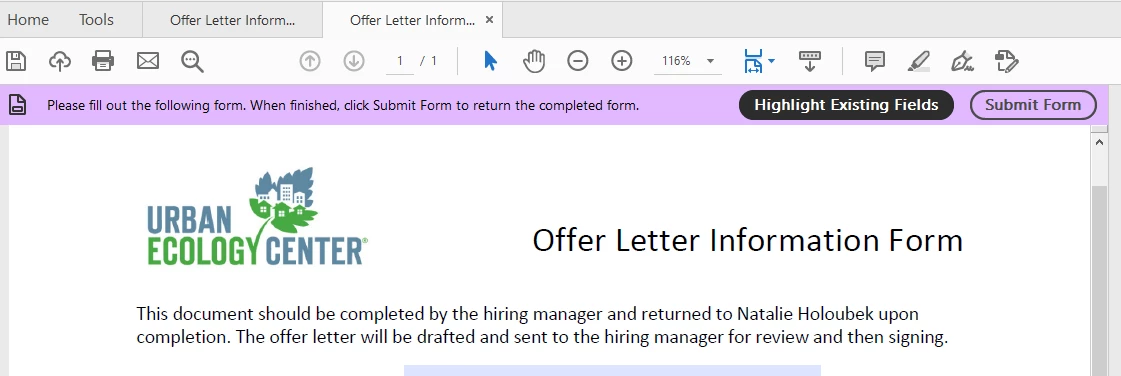
How to add Highlight and Submit bar to new fillable form?

  • August 9, 2021
  • 1 reply
  • 339 views

My predecessor created some fillable documents that need updating.  I've been able to create a new document will all the new information and it works better in all the necessary ways except for this one.  How do I create this bar that has the highlight and submit buttons and get that to send the completed forms to my email?


Currently using Acrobat Pro 2020.
 

This topic has been closed for replies.

1 reply

Amal.
Legend
August 9, 2021

Hi there


Hope you are doing well and sorry for the trouble. As described you wan to add the highlight existing form fields button and submit button in the PDF form


Please check out the suggestions shared in the similar discussion - https://community.adobe.com/t5/acrobat/where-did-the-quot-highlight-existing-fields-quot-button-go-acrobat-dc/td-p/7017514 and see if that works for you.


To know how to add submit button please check the help page https://helpx.adobe.com/acrobat/using/setting-action-buttons-pdf-forms.html#add_a_submit_button


Hope it will help


Regards

Amal

August 9, 2021

Got it.  Thank you.


So to be clear, that pictured bar does not exist any longer?

Amal.
Legend
August 10, 2021

Hi there


The option for adding 'Highlight existing text field'button is no more available. However, you may add the button to submit the form as explained in the help page shared earlier.


Thanks

Amal