Inspiring
January 8, 2019
Question

how to adjust height and width of "Add Link" in pdf

  • January 8, 2019
  • 4 replies
  • 608 views

Hi,

I am not able to adjust the height and width of add link box, although I clicked on corner point. It takes automatic height and width adjustment while moving the position.

Is there any way to make manual desired adjustment on this "Add Link" box?
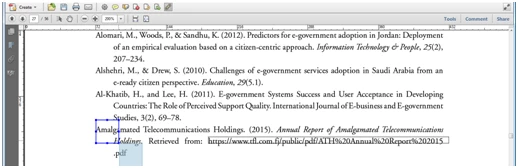
thanks,

hasvi

This topic has been closed for replies.

4 replies

hasviAuthor
Inspiring
January 9, 2019

yes, its right Ctrl+Shift+U for snap to grid.

Bernd Alheit
Community Expert
Community Expert
January 8, 2019

Is "Snap to Grid" enabled?

hasviAuthor
Inspiring
January 8, 2019

Thanks, but its already unlocked.

I used "control + Shit + U" for manual adjustment and it's working properly.

But I don't know what it is meant by (control + Shit + U)?

by

hasvi

try67
Community Expert
Community Expert
January 8, 2019

Sorry, I have no idea what you're talking about. Where did you find these instructions?

try67
Community Expert
Community Expert
January 8, 2019

Right-click the link (using the Add Link tool), select Properties and make sure the Locked box isn't ticked.