
Participating Frequently
February 26, 2024
Answered

How to apply conditional formating on cells
  • February 26, 2024
  • 1 reply
  • 1744 views

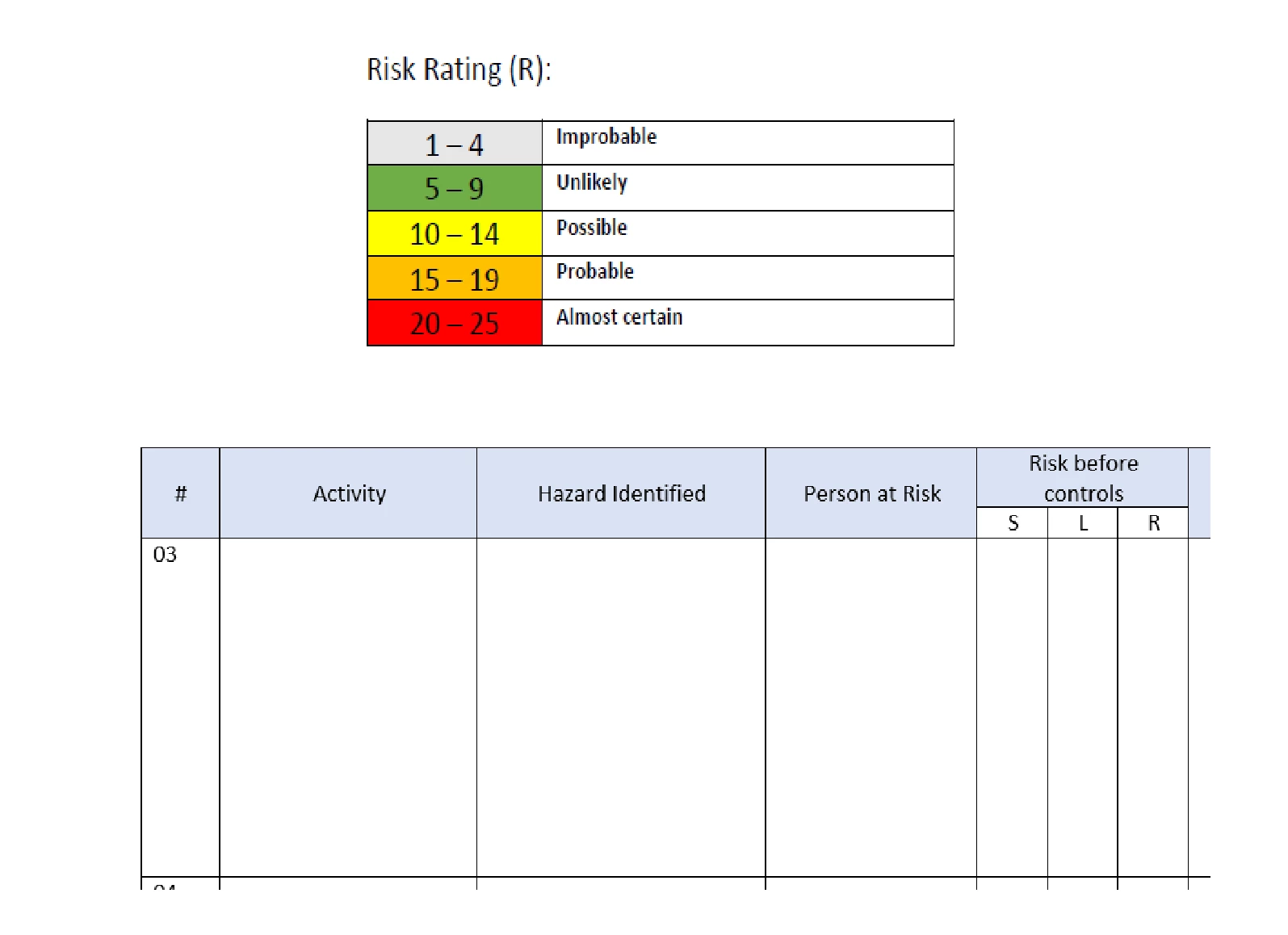
Hi,  I have above table and I want to apply conditional formating on colomun mentioned "R" so if the value in "R" Colomun comes in between the "risk rating" table on the above it should change the color of the cell automatically.

I have already applied the "prodcutx" formula to calculate the value  which is S x L = R.


Need community's support in it !
Correct answer Bernd Alheit

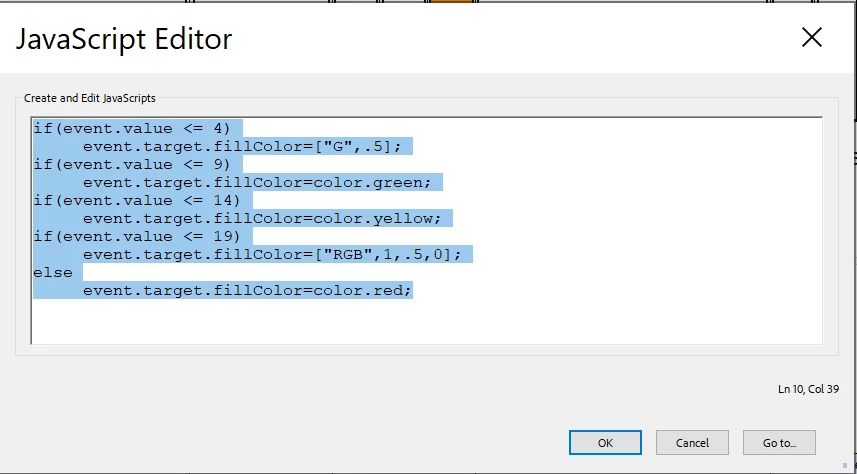
above is the picture of the JS console for that particular feild.


Your script uses only the last if-then.

Use this:


if(event.value <= 4)
     event.target.fillColor = ["G",.5];
else if(event.value <= 9)
     event.target.fillColor= color.green;
else if(event.value <= 14)
     event.target.fillColor= color.yellow;
else if(event.value <= 19)
     event.target.fillColor=["RGB",1,.5,0];
else
     event.target.fillColor= color.red;


1 reply

Thom Parker
Community Expert
Community Expert
February 26, 2024

By "Cell", do you mean a form field?  

This can be done by using a custom validation script on the form fields in "R"

Something like this:

if(event.value <= 4)
     event.target.fillColor = ["G",.5];
if(event.value <= 9)
     event.target.fillColor= color.green;
if(event.value <= 14)
     event.target.fillColor= color.yellow;
if(event.value <= 19)
     event.target.fillColor=["RGB",1,.5,0];
else
     event.target.fillColor= color.red;


Thom Parker - Software Developer at PDFScriptingUse the Acrobat JavaScript Reference early and often
Participating Frequently
February 26, 2024

Yes by cell, I meant a form feild. let me try that code.