ivans21875282
Participant
January 19, 2017
Answered

How to calculate the number of checked checkboxes??
  • January 19, 2017
  • 5 replies
  • 12544 views

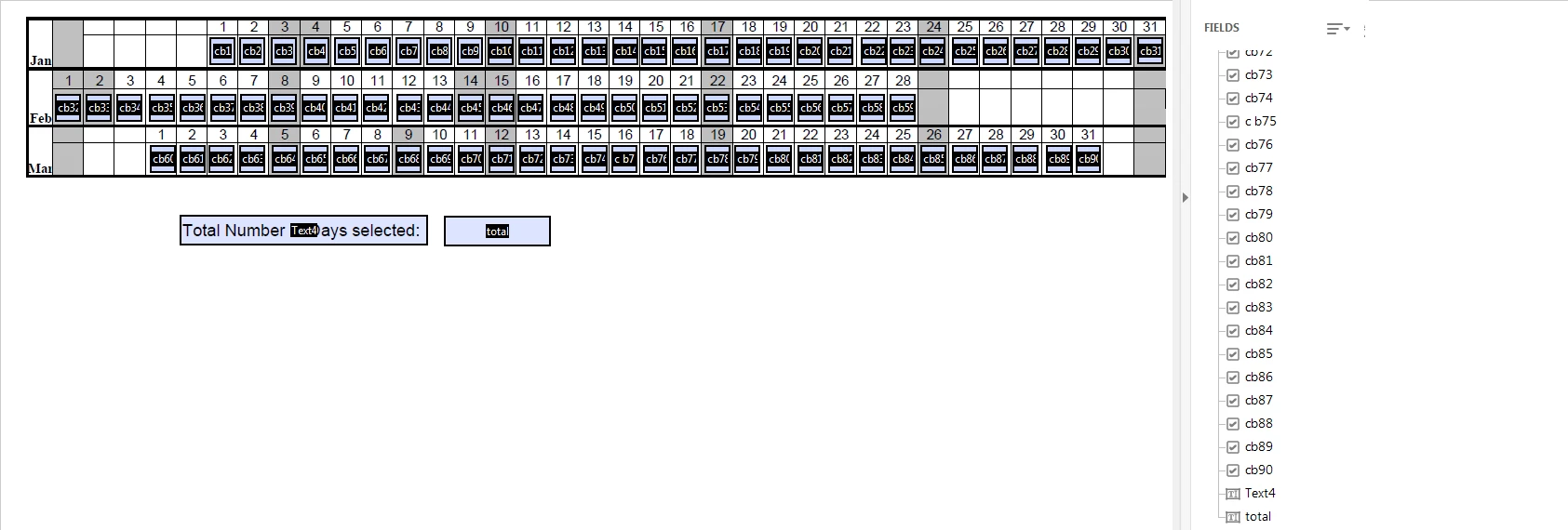
I have 90 check boxes in a pdf form. I want to calculate the total number of check boxes being checked in the form and show the result automatically in the "total" field. How can I do that? I do not know about scripts. Please help. Thank you!

Correct answer try67

Use this code as the custom calculation script of the "total" field:

var total = 0;

for (var i=1; i<=90; i++) {

    if (this.getField("cb"+i).value!="Off") total++;
}

event.value = total;

5 replies

Participant
October 8, 2022

Just in case someone stumbles upon this discussion looking for the answer, I found another way to achieve the same goal.  


Select ALL the checkboxes > Double click and select OPTIONS > change EXPORT VALUE to 1

Select the TOTAL field > Double click and select VALUE IS THE choose SUM > click PICK and now select all the checkboxes

Boom.

Known Participant
November 30, 2024

That works perfectly, thank you so much.

Participant
October 26, 2020

Hi all, is there a way to have the total box be blank rather than show a 0   when nothing is selected?

ivans21875282
Participant
January 23, 2017

Thank you try67!! I know the problem now..... As I have revised the file many times and it is corrupted as you said. I used the original file and enter the script again and it works!!

Thank you very much!!

ivans21875282
Participant
January 23, 2017

I've entered it under the field's action. But when I debug the script, it shows the following error.

Inspiring
January 23, 2017

You are not using the correct field name to get the field objects. JavaScript is case sensative.

try67
Community Expert
try67Community ExpertCorrect answer
Community Expert
January 19, 2017

Use this code as the custom calculation script of the "total" field:

var total = 0;

for (var i=1; i<=90; i++) {

    if (this.getField("cb"+i).value!="Off") total++;
}

event.value = total;

ivans21875282
Participant
January 20, 2017

Sorry try67! I'm very stupid at JS. I've input the script and no result shown. Did I make it wrong?

try67
Community Expert
Community Expert
January 20, 2017

Did you enter it under the field's action, as I've described, or did you use the Edit All JavaScripts command? If the latter, you may have corrupted the file...