Participant
September 5, 2025
Répondu

How to change default display upon opening?

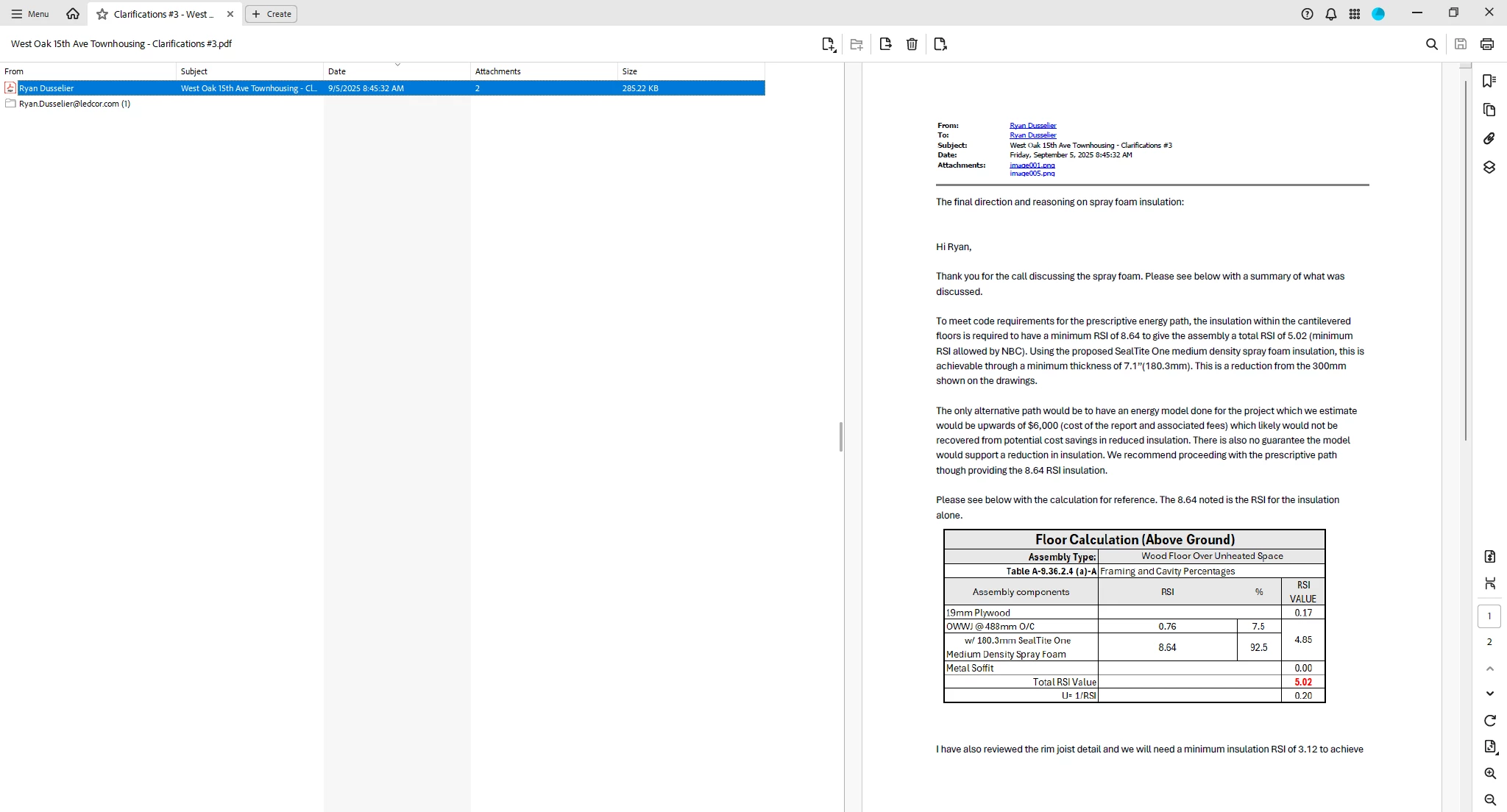
When I open a pdf, it looks like this:

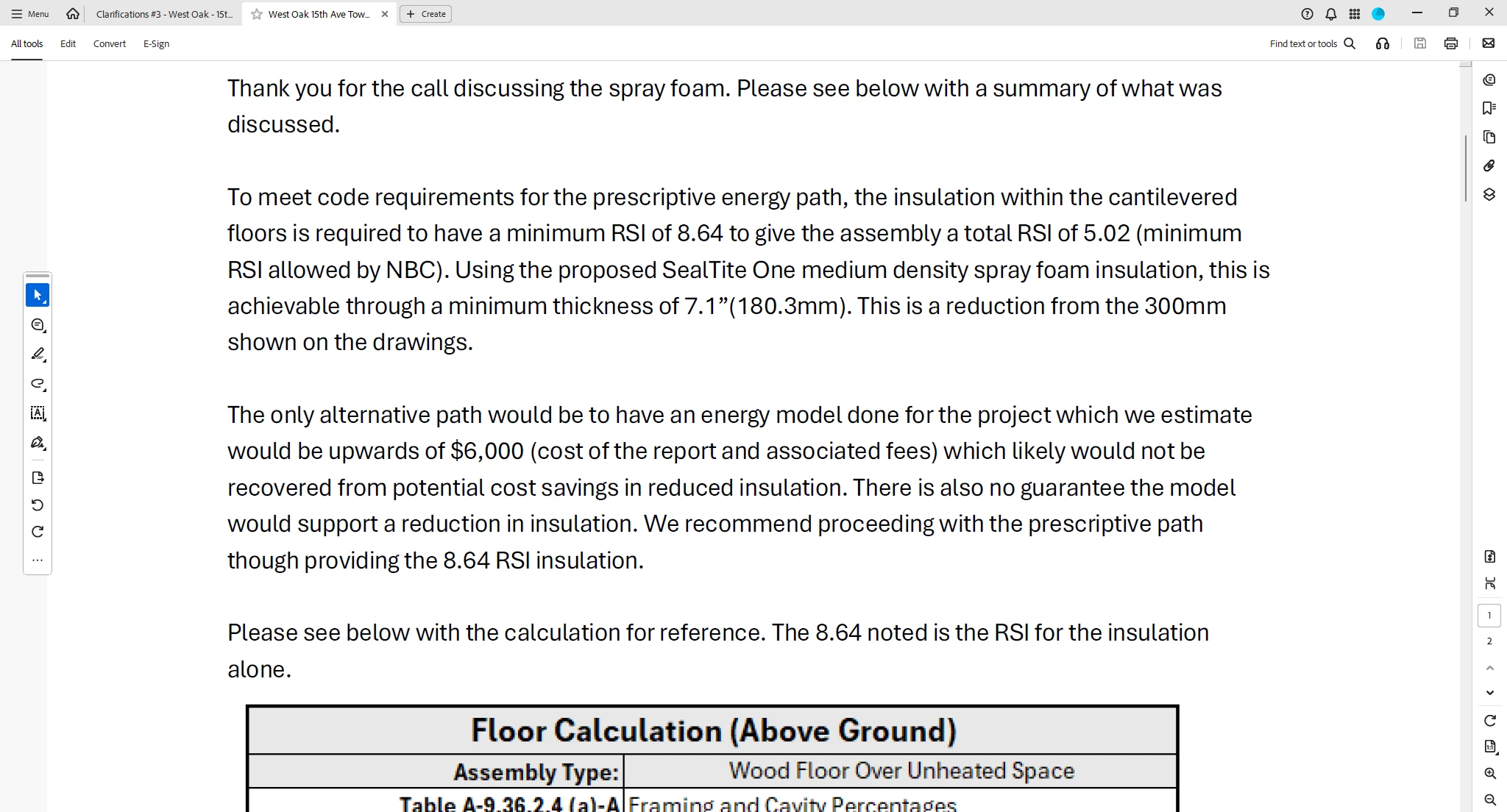
I have to click on the open file button to get it to look like this, which I want:


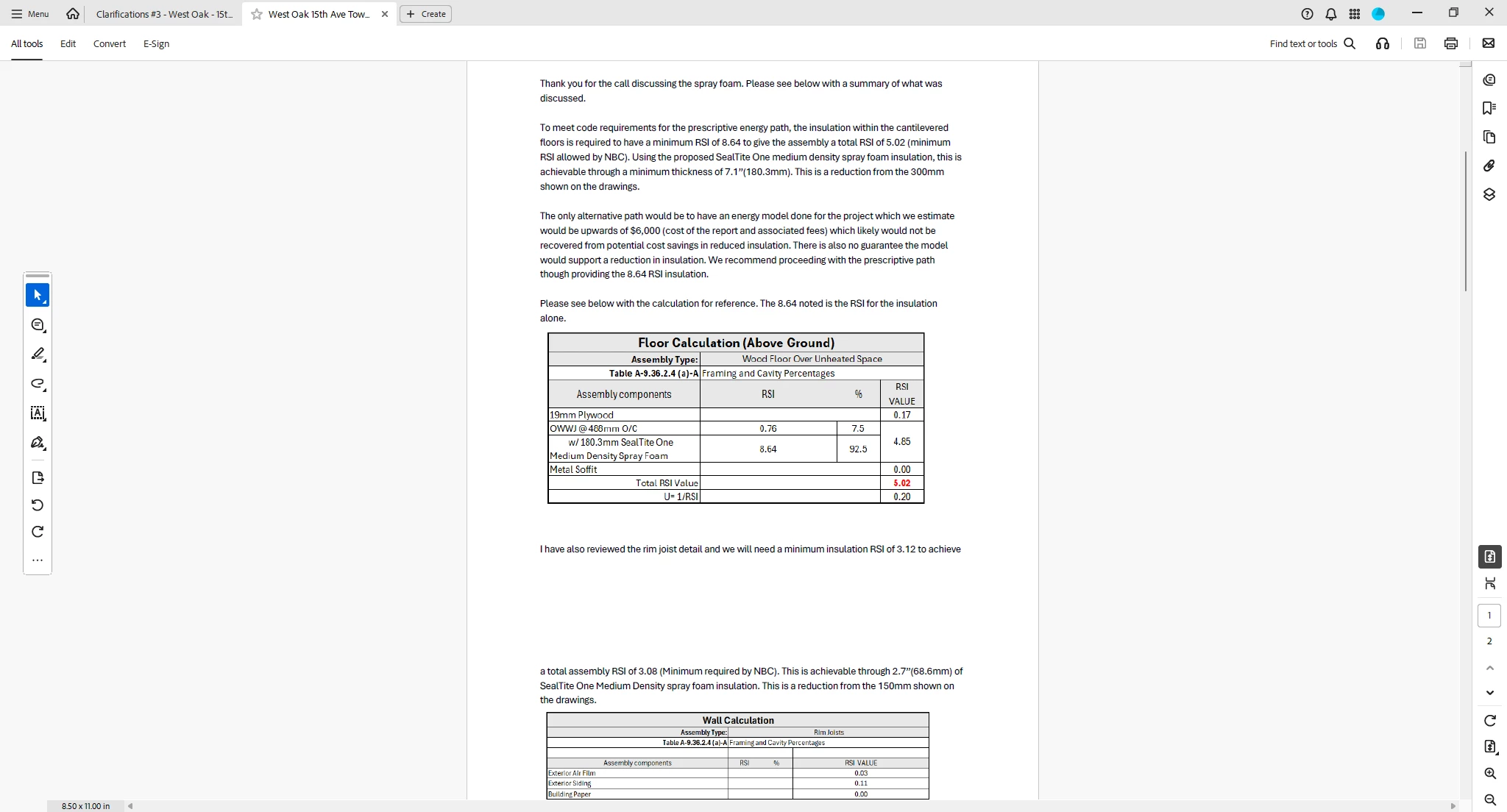
Then I have to click on vertical window to get it this format, the format I want it to open up as every time:


How do I get it to open in in the final picture forma?.  I don't want that file screen at all.


Meilleure réponse par Meenakshi_Negi

Hi rd1977,


Thank you for reaching out.


Please make the changes to the default layout under the application preferences. Use the steps suggested below:

- In Acrobat, go to Menu > Preferences.

- Under the categories in the Preferences window, click on Page Display.

- Then, on the right-hand side of the window, under the default layout and zoom, make the required changes. 

- Click on the OK button at the bottom to save the changes. 

You may also refer to the information in the following help document: https://adobe.ly/3VBYKoU.


If any initial view settings are added to the document, they will override the application settings. You may check that in the document properties.

- In Acrobat, open the PDF and click on Menu > Document Properties.

- Click on the Initial view tab.


Feel free to let us know if you have any questions.


Thanks,

Meenakshi

1 commentaire

Meenakshi_Negi
Legend
September 5, 2025

Hi rd1977,


Thank you for reaching out.


Please make the changes to the default layout under the application preferences. Use the steps suggested below:

- In Acrobat, go to Menu > Preferences.

- Under the categories in the Preferences window, click on Page Display.

- Then, on the right-hand side of the window, under the default layout and zoom, make the required changes. 

- Click on the OK button at the bottom to save the changes. 

You may also refer to the information in the following help document: https://adobe.ly/3VBYKoU.


If any initial view settings are added to the document, they will override the application settings. You may check that in the document properties.

- In Acrobat, open the PDF and click on Menu > Document Properties.

- Click on the Initial view tab.


Feel free to let us know if you have any questions.


Thanks,

Meenakshi

Participant
September 22, 2025

WHERE IS THIS "MENU" TAB. I DO NOT HAVE THAT?