Participant
October 9, 2024
Question

How to change margins size in PDF?

  • October 9, 2024
  • 1 reply
  • 262 views

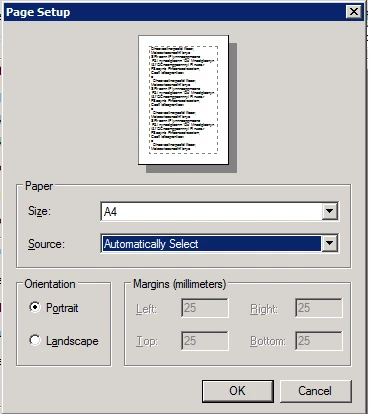
Hi, please tell me why I can't print anything without adding these margins and can I somehow remove them?

1 reply

S_S
Community Manager
Community Manager
February 13, 2025

Hi @myanbow,


Hope you are doing well. Thanks for writing in!


The borders at print are set by the printer manufacturer and Acrobat has no control over it. You may try to customize the settings by following the below steps:


CUSTOM BORDERLESS WITH WINDOWS

  1. Open your printer’s “Properties Dialog” from your editing software’s “Print Dialog” or the “Window Control Panel” > “Device & Printers”
  2. Click the “User Defined” button.
  3. Check the “Enable Borderless Printing” box.
  4. Click the “Paper Width” dropdown menu and choose a width.
  5. Define the custom borderless size.
    1. Name the size. We recommend including the word “borderless” in the description.
    2. Set the paper width from the fixed menu.
    3. Set the height in inches.
    4. Click “Save.” From now on, the size will be available from the Paper Size dropdown menu.

CUSTOM BORDERLESS WITH MAC

  1. To define a custom paper size, you need to be in your printer's "Page Setup" or "Print Dialogue."
  2. Start by clicking the "Paper Size" dropdown menu.
  3. Locate and click on "Manage Custom Sizes.”
  4. Custom borderless sizes are limited by printer design and controlled by the width. The list at right shows your options for borderless width.
  5. After you create and save the size, it will be available in the "Paper Size" dropdown menu.

Note: Not all printers allow borderless printing, and if your printer does, the option would appear in the preference settings.


Hope this helps.


-Souvik