Hi Suvendupanda,
Is there any specific reason that you want to change the drive from "C" to any other?
Adobe never recommend to change the installation location to any other drive than "C". That may cause the problem for application to function properly or stopped working. Which would not be supported from Adobe's side further.
Still if you are willing to install it to a different location than C-drive, then you may follow the steps suggested below-
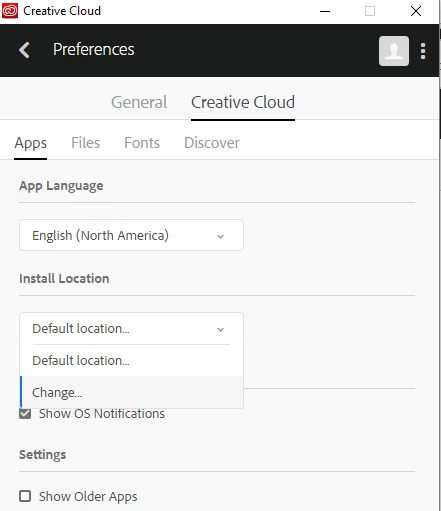
If you have installed the Creative Cloud Desktop application, then you can change the preferences setting to change the install location-
- Open CC desktop app and click on the : icon at the right top corner.
- Select Preferences>Creative Cloud>Apps
- Select the install location that you want.
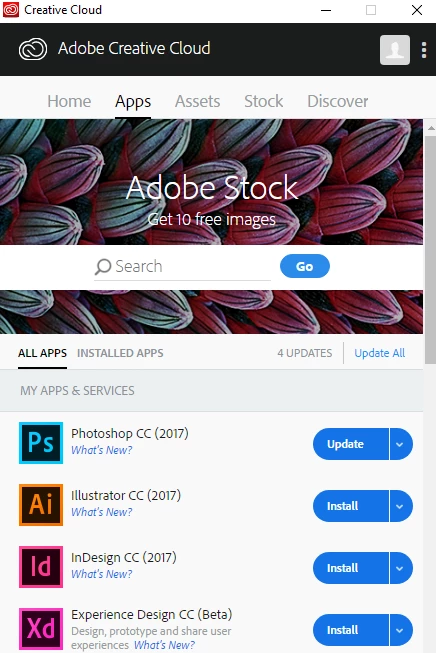
- Go back to the home screen and install Acrobat DC
Hope this is what you were looking for?
Regards,
Akanchha


 AdChoices