
Answered
How to configure Destination folder for action which gets executed on multiple subfolders?
I can extract all images separately using Acrobat DC. Following the steps below:
1. Open file in Acrobat
2. Go to Tools> Export PDF > Image > (select any image type like tiff)
3. Select checkbox 'Export all images' and Export
4. Select folder and name on Save As dialog
I have created an action for the same to automate this. Settings reflect in screenshot below: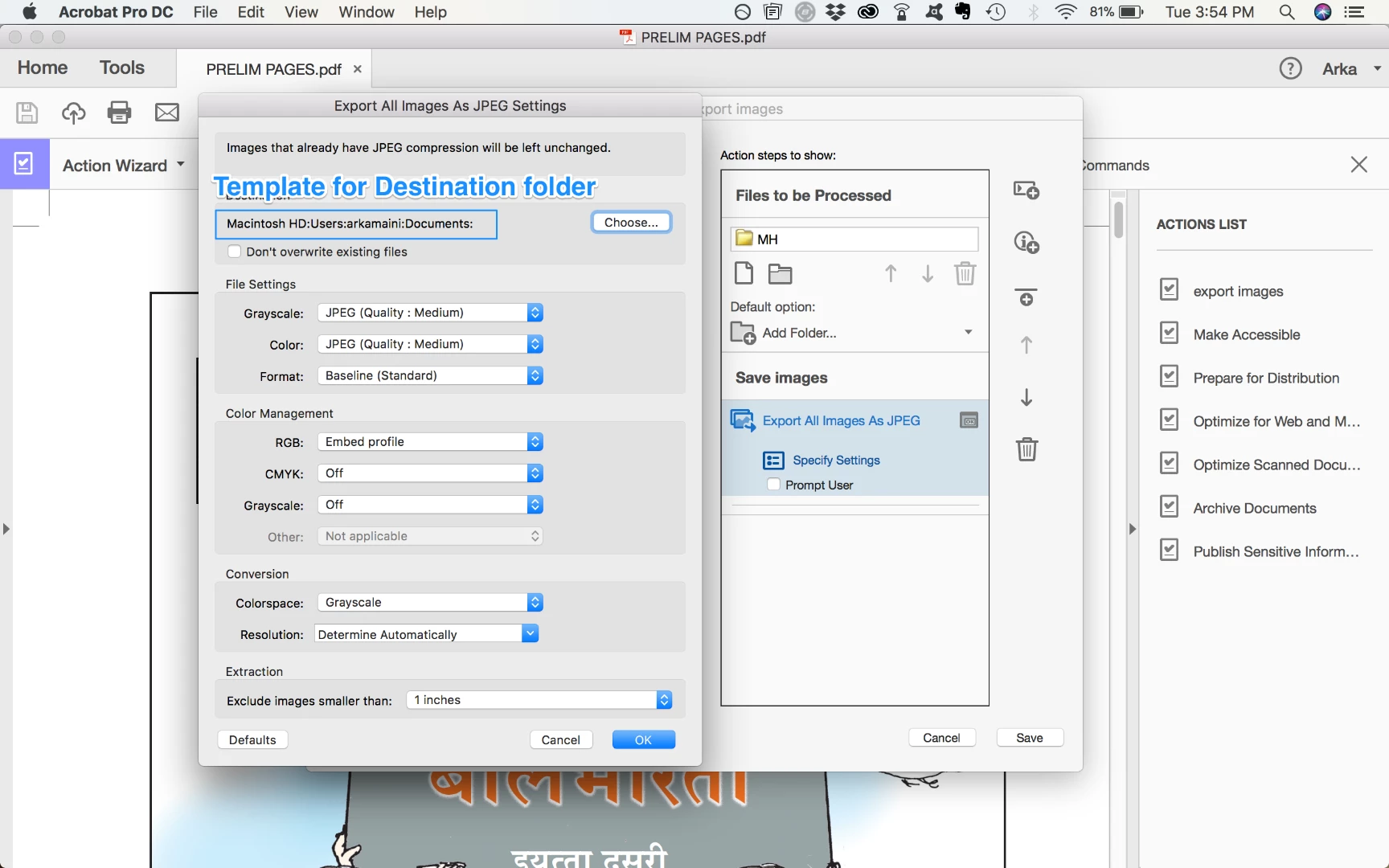
I have a folder with multiple subfolders, each containing multiple pdf files. For each subfolder, I want to extract the images and put in one folder. How can I automate this using "Action Wizard"? I can't find an option to configure the Destination folder?
Can this action be called from a command line arguments? such that this can be scripted in a batch file?
 AdChoices