


Participant
July 31, 2017
Answered

How to customize Multiple Adobe PDF Drivers

  • July 31, 2017
  • 1 reply
  • 525 views

I'm trying to create multiple Adobe PDF Printer Drivers with different settings.  I can create multiple drivers, but when I configure them for specific saving locations, they always retain the last location used to save a PDF regardless of which Adobe Printer Driver used.

Example:

Adobe Printer Driver #1:

- Customized to save files to \Documents\
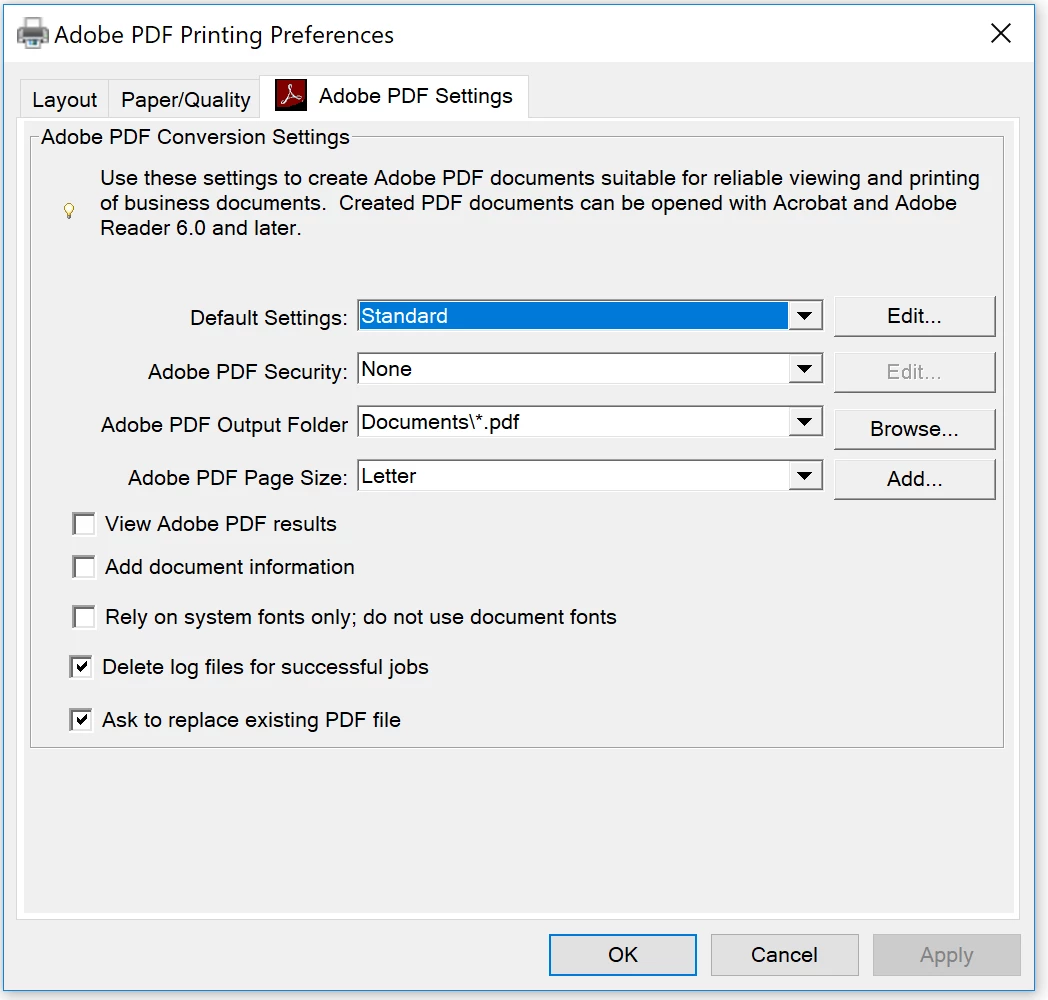
Adobe Printer Driver #2:

- Customized to save files to \desktop\GreenFolders inbox\
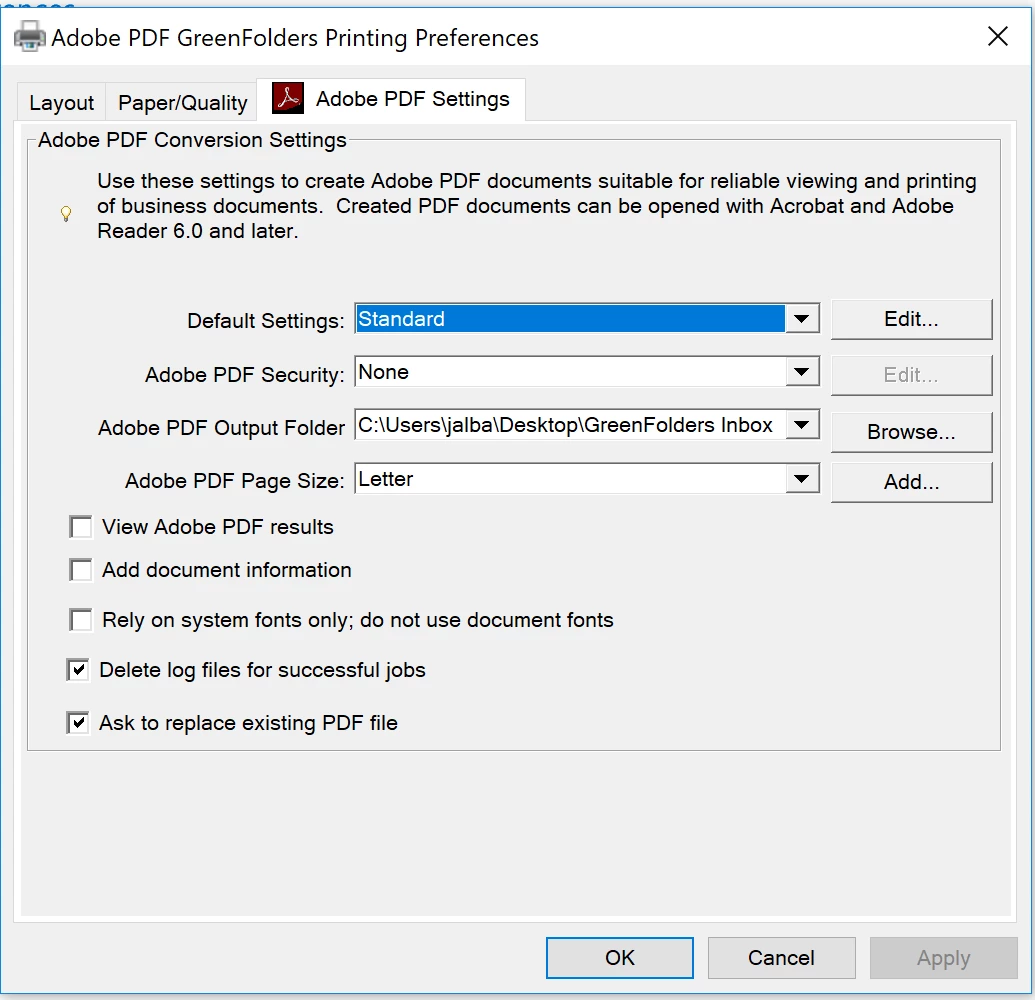
Problem:

When I print to either Driver #1 or Driver #2 Adobe always saves the file in the last location used regardless what I saved in the Driver settings.

This topic has been closed for replies.
Correct answer Dov Isaacs

Acrobat does not support the concept of multiple AdobePDF PostScript printer driver instances. Although you apparently can create what appears to be multiple instances, there is only one set of settings. Sorry!

          - Dov

1 reply

Dov Isaacs
Dov IsaacsCorrect answer
Legend
July 31, 2017

Acrobat does not support the concept of multiple AdobePDF PostScript printer driver instances. Although you apparently can create what appears to be multiple instances, there is only one set of settings. Sorry!

          - Dov

- Dov Isaacs, former Adobe Principal Scientist (April 30, 1990 - May 30, 2021)