how to detach the content
Hello,
In a PDF page I have a content that is very small. I don't want to crop. I would like to select this part of the page, detach it and increase its size. How to do it ?

Hello,
In a PDF page I have a content that is very small. I don't want to crop. I would like to select this part of the page, detach it and increase its size. How to do it ?
S'agissant d'une image (scannée) il s'agit donc d'un seul et unique objet.
Vous pouvez l'agrandir en faisant déborder le cadre bleu des limites de la page, ce qui déborde ne sera pas visible.
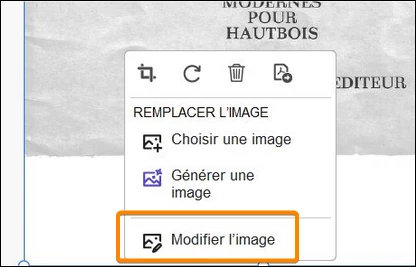
Pour aller plus loin, par exemple pour agrandir le cercle et son contenu sans agrandir les textes du dessous il faut utiliser Photoshop (ou autre éditeur d'images) en utilisant "Modifier l'image".
Cette fonction ouvre l'image dans Photoshop, une fois les modifications effectuées il faut enregistrer et fermer : les modifications se reportent automatiquement dans le PDF.
Capture_2601191433.png
Already have an account? Login
Enter your E-mail address. We'll send you an e-mail with instructions to reset your password.