
Participant
October 10, 2018
Answered

How to disable Adobe Acrobat Pro DC POPUP when printing

  • October 10, 2018
  • 1 reply
  • 2433 views

Hi

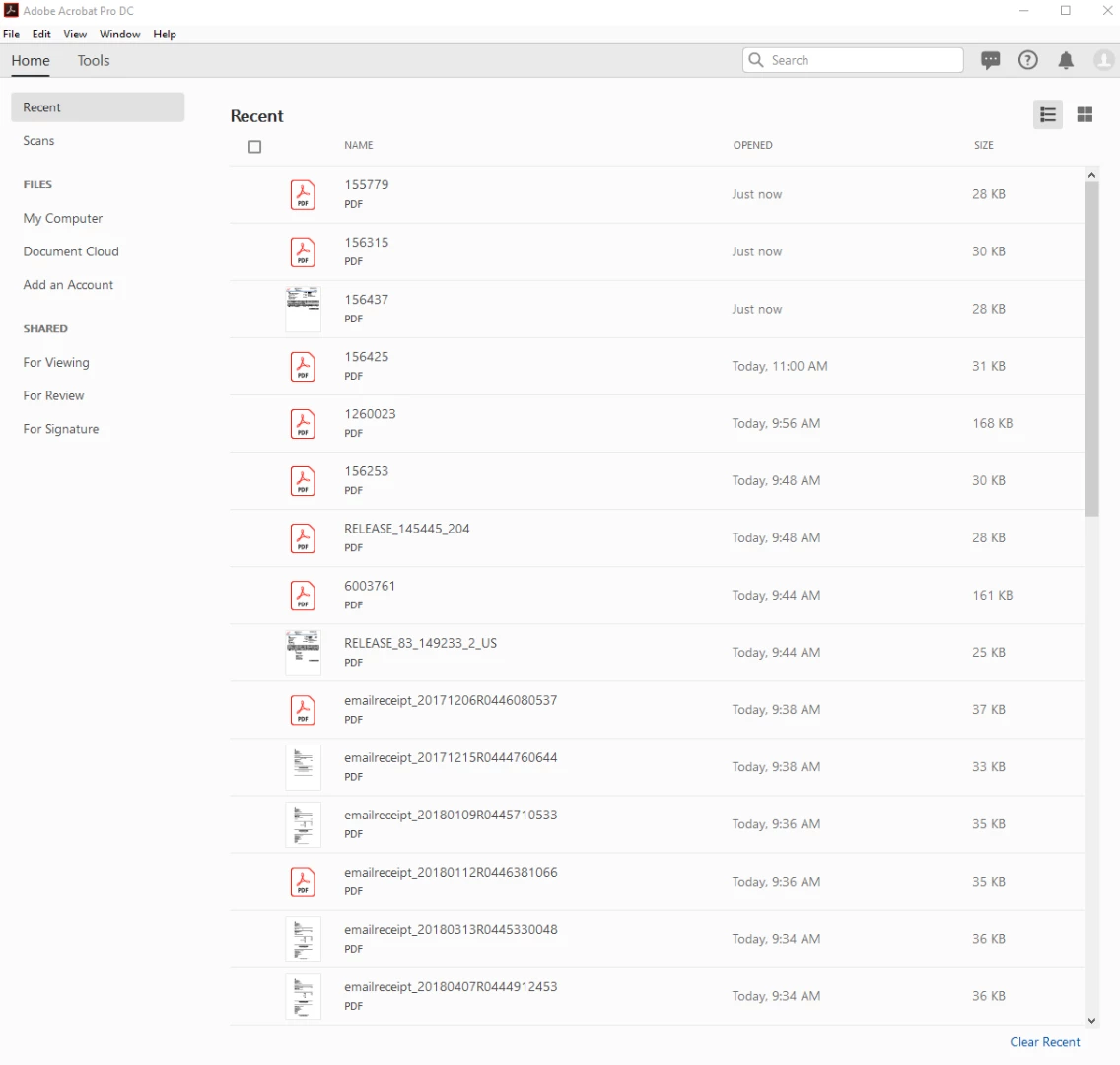
I am running windows 10 and recently upgraded to DC Pro and every time I print multiple PDF files a popup windows shows with recent printed files history very annoying and would like to know how to disable that from happening each time I print multiple files
This topic has been closed for replies.
Correct answer Adorobat

Hi mdmxz28,

As per the issue description mentioned above, you want to clear recently printed pdf files history in Acrobat (as shown in the screenshot above) is that correct?

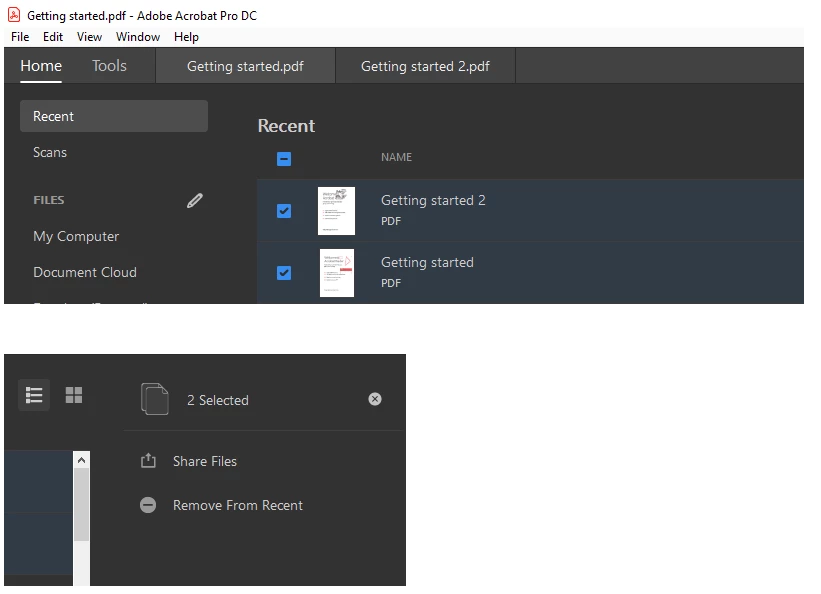
You can clear recent files by locating "remove from recent" in the right hand pane by selecting a file or multiple pdf files under "Recent" tab. However, if you open and print a pdf in Acrobat, it will be visible under "Recent". This behavior is as designed.

Below is a screenshot:

Let us know if you need any further help.

Shivam

1 reply

Adorobat
Community Manager
AdorobatCommunity ManagerCorrect answer
Community Manager
November 14, 2018

Hi mdmxz28,

As per the issue description mentioned above, you want to clear recently printed pdf files history in Acrobat (as shown in the screenshot above) is that correct?

You can clear recent files by locating "remove from recent" in the right hand pane by selecting a file or multiple pdf files under "Recent" tab. However, if you open and print a pdf in Acrobat, it will be visible under "Recent". This behavior is as designed.

Below is a screenshot:

Let us know if you need any further help.

Shivam