Participant
May 15, 2018
Répondu

How to disable automatic smoothing of the pencil tool

I'm using adobe acrobat standard DC.

I've been looking all over for this to no avail. When I'm marking up documents, sometimes the automatic smoothing of the pencil tool messes up my writing/drawings. Any Ideas?

Thanks in advance!

Meilleure réponse par harshas13

Hi Pauls,

Sorry for the delayed response.

In Acrobat DC, we do not have an option to disable automatic pencil smoothing.

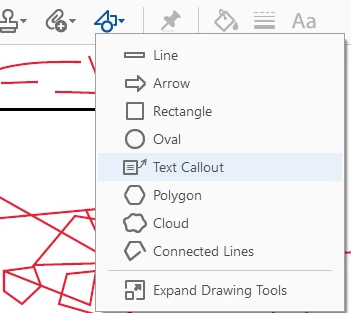
Just as a suggestion , you can try our other markup and drawing tools to draw various lines and shapes if that fits your purpose.

Let me know if that works for you.

Could you also please share a screenshot of the file indicating the impact of the automatic smoothing of pencil tool so we could check it?

-Harsha

1 commentaire

harshas13
Adobe Employee
harshas13Réponse
Adobe Employee
May 24, 2018

Hi Pauls,

Sorry for the delayed response.

In Acrobat DC, we do not have an option to disable automatic pencil smoothing.

Just as a suggestion , you can try our other markup and drawing tools to draw various lines and shapes if that fits your purpose.

Let me know if that works for you.

Could you also please share a screenshot of the file indicating the impact of the automatic smoothing of pencil tool so we could check it?

-Harsha

Participant
February 22, 2019

Ran into this when I was looking for the same solution.

The smoothing algorithm is way to aggressive.

In may have worked if all I wanted to draw was lines (and then the suggestions of using the other markup and drawing tools might have been relevant), but in the modern days of accurate digital pens, the extreme smoothing makes it really difficult to write intelligible text (unless I write really slow and with large letters, e becomes c, r becomes a v, s becomes a nearly vertical line script text becomes an unintelligible squiggle)

Unfortunately, without being able to turn off the algorithm it is difficult to show a screen capture, although from a close look, it looks that the number of points being used for the spline are time based and not curvature based (with some additional excessive culling after the fact)

It would be extremely useful to be able to tweak these parameters

Participant
March 25, 2019

Completely agree with everyone here.  I have multiple devices with pen and tablet capabilities and for years I've been unable to simply write letters and words on a PDF document because of this feature.  It is unbelievable how long Adobe Acrobat has been around and they can't simply create a feature where you can write legibly on a document. 

Any alternatives to using Adobe Acrobat?  Our institution pays for Adobe products, and some of them are good, but Acrobat continuously lets me down despite how long it has been around. 

Adobe: Please at least take the first action of turning off this aggressive smoothing or allowing the user to control how aggressive it is. The user is after all the one trying to use your software to be productive.  Do not mandate how you feel we should be using it.